
Multipoint Connection on the Sony WH-1000XM5 lets the headphones stay paired to two Bluetooth devices at the same time. That means no more disconnecting from a laptop just to take a call on a phone. The key is knowing exactly where to enable it and how to set it up properly using the Sony Headphones Connect app.
Quick Summary
- Multipoint Connection allows the WH-1000XM5 to connect to two devices simultaneously
- The feature must be enabled through the Sony Headphones Connect app
- Both devices need to be previously paired before enabling multipoint
- Audio automatically switches to whichever device is playing
- Only one device can play audio at a time, but calls can interrupt music from the other device
Step-by-Step Guide to Enable Multipoint Connection on Sony WH-1000XM5
Before Starting
Make sure the Sony Headphones Connect app is installed on a smartphone. The app is available for both iOS and Android. Also confirm that at least two devices have already been paired to the WH-1000XM5 previously. Multipoint will not work with devices that have never been connected before.
Enable Multipoint Connection via the App
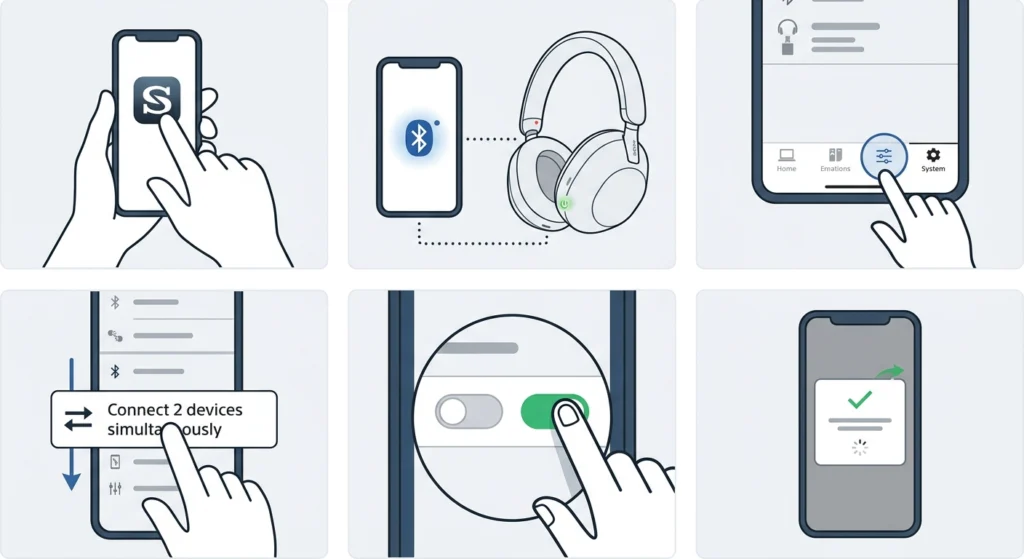
- Step 1: Open the Sony Headphones Connect app on a smartphone.
- Step 2: Make sure the WH-1000XM5 is powered on and connected to the phone via Bluetooth.
- Step 3: Tap the ‘System’ tab at the bottom of the app.
- Step 4: Scroll down and tap ‘Connect 2 devices simultaneously (Multipoint Connection)’.
- Step 5: Toggle the switch to ‘On’.
- Step 6: A prompt may appear asking to reconnect. Follow the on-screen instructions to apply the setting.
Once enabled, the headphones will now be able to maintain an active Bluetooth connection with two devices at the same time.
Connect the Second Device
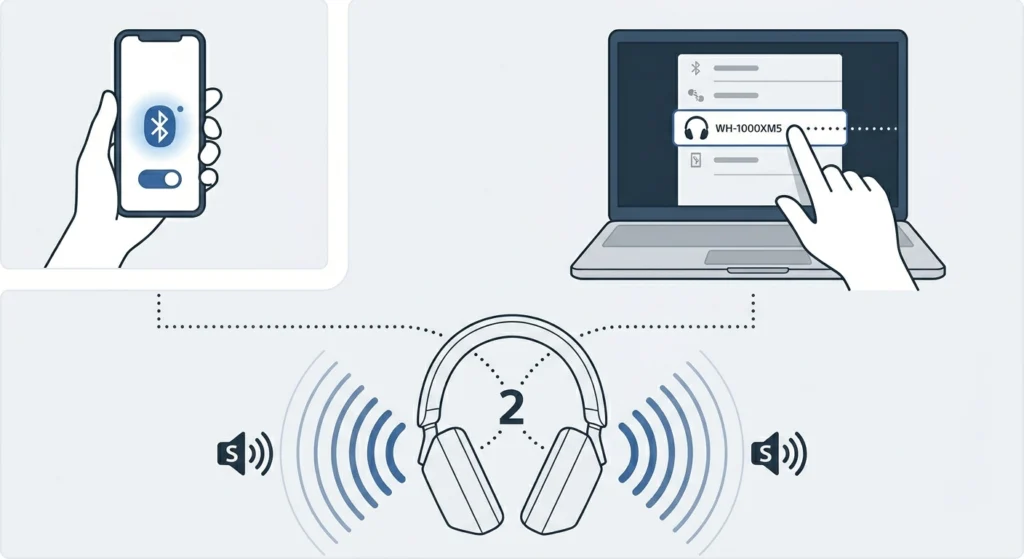
- Step 1: With multipoint now enabled, turn on Bluetooth on the second device (for example, a laptop or tablet).
- Step 2: The WH-1000XM5 should automatically reconnect to the most recently paired devices. If it does not connect automatically, go to the Bluetooth settings on the second device and select the headphones from the paired devices list.
- Step 3: Once both devices show as connected, the headphones will announce ‘Bluetooth connected’ twice – once for each device.
At this point, multipoint is fully active. Music from either device will play through the headphones, and an incoming call on either device will pause the audio and allow the call to come through.
Pro-Tip: If the second device does not appear in the Bluetooth list or fails to connect automatically, it may need to be re-paired from scratch. This is common after a firmware update or a device reset. Check out this guide on how to re-pair Bluetooth devices for proper stereo sound on Windows if running into connection issues on a PC.
How Multipoint Connection Works on the WH-1000XM5
Understanding how the feature actually behaves makes it much easier to use day-to-day. The WH-1000XM5 holds two simultaneous Bluetooth connections but routes audio from only one at a time. If music is playing from a laptop and a phone call comes in, the headphones automatically switch to the call. Once the call ends, audio returns to the laptop.
Most people find this works seamlessly for a phone and laptop combination. It handles switching between the two without any manual input needed. The key is to let the devices reconnect on their own after enabling the feature rather than forcing a manual re-pair.
Tips for Getting the Most Out of Multipoint Connection
- Always enable multipoint before connecting the second device. Enabling it mid-session sometimes requires a restart of the Bluetooth connections.
- Keep both devices charged and within close range of the headphones for the most stable connection.
- If using a Windows PC as the second device, make sure the audio output is set correctly. A guide on adjusting audio output settings on Windows 11 can help if the headphones are connected but no sound comes through.
- The Sony Headphones Connect app allows renaming each connected device, which is helpful for tracking which device is active.
- Multipoint Connection may slightly affect battery life since the headphones maintain two active Bluetooth links at once.
Pro-Tip: For the smoothest experience, set the phone as the primary device since it handles calls. The laptop or tablet can be the secondary connection for media audio. This way, calls always interrupt seamlessly without needing to switch manually.
Common Problems and Fixes
Fix 1: Second Device Not Connecting
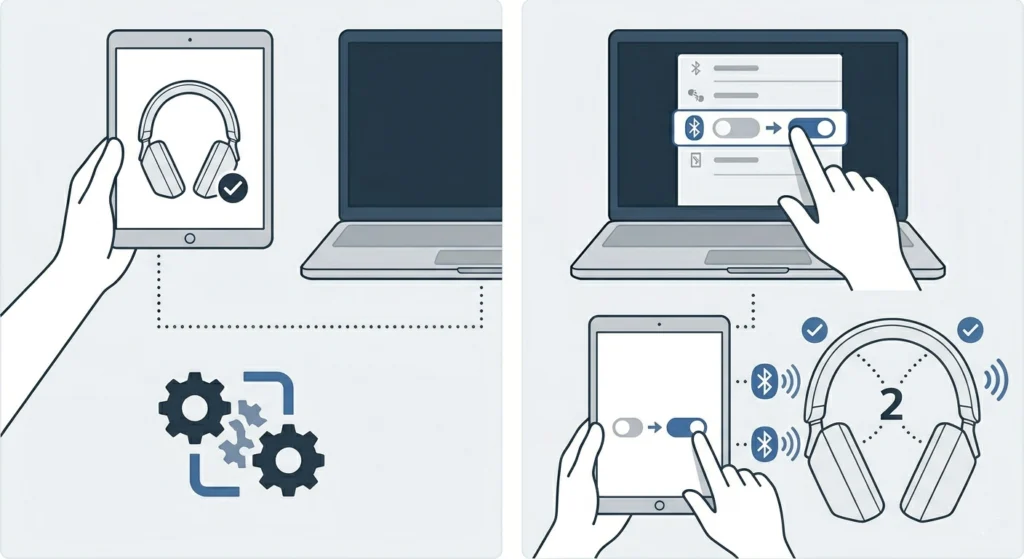
If the second device does not connect after enabling multipoint, check that both devices were previously paired before multipoint was turned on. New devices need to go through the standard pairing process first. Once paired, toggling Bluetooth off and back on from the second device usually forces an automatic reconnection.
Fix 2: Audio Not Switching Between Devices
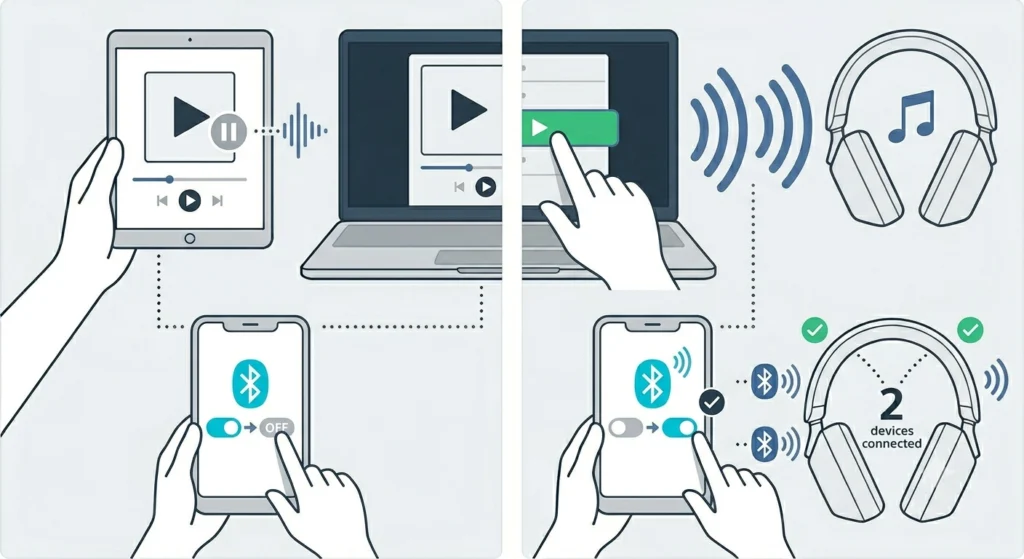
This happens when one device is holding the audio focus. Pausing audio on the first device and then pressing play on the second usually triggers the switch. If it still does not switch, toggling the Bluetooth connection on the problematic device off and on again resets the audio routing.
Fix 3: Multipoint Keeps Turning Off
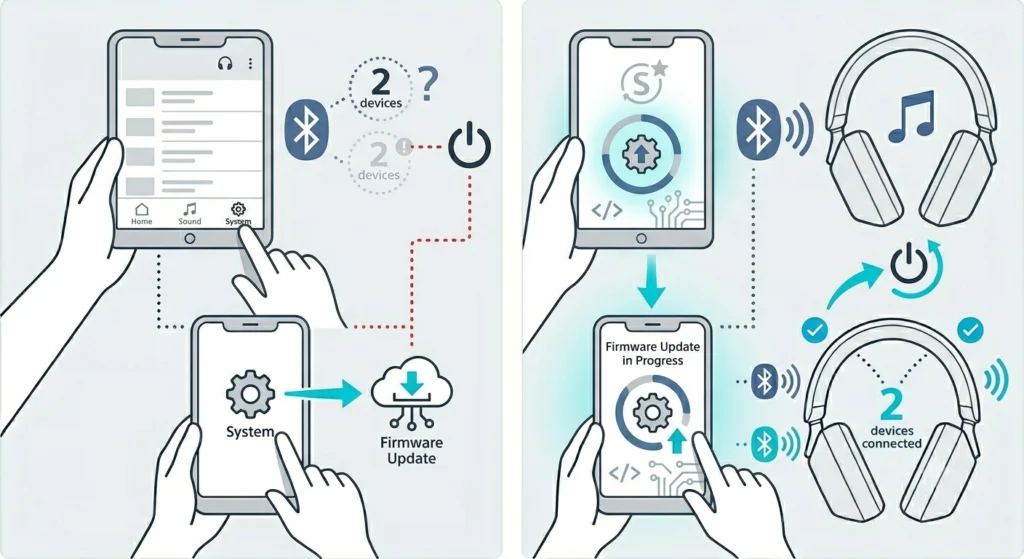
Some firmware versions have a bug where the setting resets after the headphones are turned off. Make sure the WH-1000XM5 has the latest firmware installed via the Sony Headphones Connect app. Go to System, then Firmware Update to check. After updating, re-enable the multipoint setting and test again.
Fix 4: Only One Device Connecting at a Time
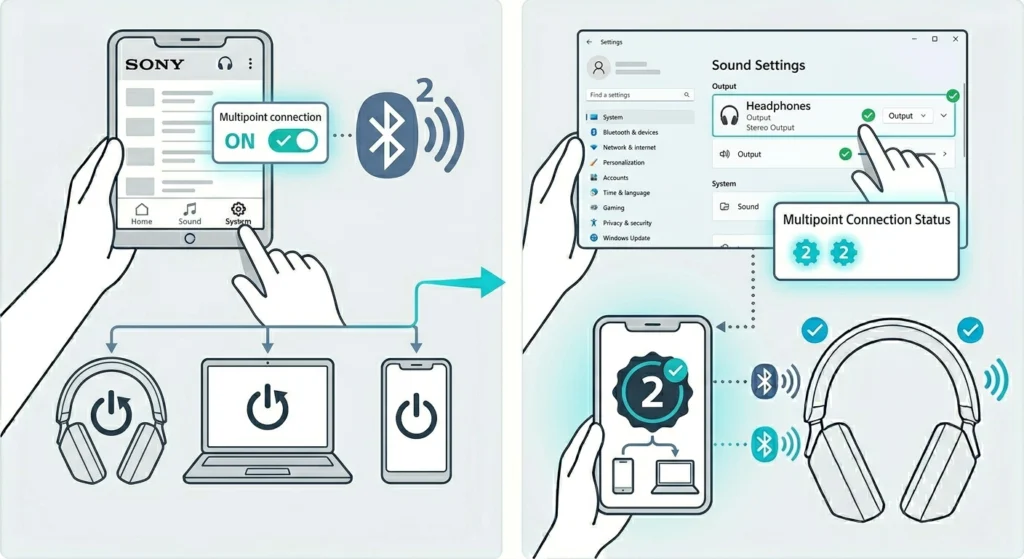
This usually means multipoint was not saved properly. Open the Sony Headphones Connect app, confirm the toggle is still set to ‘On’, and then restart both the headphones and the connected devices. On Windows PCs, verifying that the headphones are registered as an audio device properly can help – see this resource on managing audio input devices on Windows 11 for guidance.
Frequently Asked Questions
Can the Sony WH-1000XM5 connect to more than two devices at once?
No. The WH-1000XM5 supports Multipoint Connection for up to two devices simultaneously. It can store up to 10 paired devices in memory, but only two can be actively connected at the same time.
Do both devices need to have the Sony Headphones Connect app installed?
No. Only the device used to enable the multipoint setting needs the Sony Headphones Connect app. The second device, such as a laptop or tablet, does not need the app. Standard Bluetooth pairing is enough for the second device.
Does Multipoint Connection affect sound quality?
There can be a minor impact on codec performance. When using multipoint, the WH-1000XM5 may default to SBC instead of a higher-quality codec like LDAC on one or both connections. For critical listening, using single-device mode and LDAC gives the best audio quality.
Can LDAC be used with Multipoint Connection enabled?
Not reliably. Sony’s design prioritizes connection stability over codec performance when multipoint is active. Most users will find that SBC or AAC is used in multipoint mode. LDAC is best reserved for single-device connections.
Will noise cancellation still work with Multipoint Connection on?
Yes. Active Noise Cancellation (ANC) operates independently from the Bluetooth connection mode. Noise cancellation, ambient sound mode, and all other audio features remain fully functional when multipoint is enabled.
What happens when both devices play audio at the same time?
The WH-1000XM5 handles this by prioritizing one stream. Typically, incoming calls take priority over media playback. If both devices are playing media simultaneously, the headphones usually continue with whichever started playing first. Pausing one lets the other take over cleanly.
How do the headphones know which device to switch to for calls?
The WH-1000XM5 monitors both Bluetooth connections for call signals. When a call comes in on either device, the headphones automatically detect the incoming call protocol and switch the audio routing to that device. This works without any manual input.
Can the multipoint setting be adjusted without the Sony app?
No. The Multipoint Connection setting can only be toggled through the Sony Headphones Connect app. It is not accessible directly from the headphones’ buttons or from a device’s Bluetooth settings menu.
Is Multipoint Connection available on older Sony WH headphones?
Multipoint Connection was introduced more broadly starting with the WH-1000XM4 and is also available on the WH-1000XM5. Older models like the XM3 do not support this feature. Always check the product specifications or Sony app compatibility before assuming multipoint is supported.
Does turning off the headphones disconnect both devices?
Yes. Powering off the WH-1000XM5 ends both active Bluetooth connections. When the headphones are turned back on, they will attempt to reconnect automatically to the two most recently used devices, assuming multipoint is still enabled in the app settings.