
Moondrop Space Travel noise cancelling not working is a common issue among true wireless earbud users, especially right after a firmware update or a fresh pairing. Fixing it usually takes only a few minutes, and in most cases, the earbuds are not actually broken – a quick adjustment is often all that stands between silence and truly noise-free listening.
Key Takeaways
- A proper ear tip seal is the single biggest factor in ANC performance.
- Pressing and holding the touch sensor for about one second cycles between ANC, Normal, and Transparency modes.
- The MOONDROP Link app handles firmware updates and touch control customization.
- Wind can make ANC seem broken when it is actually working exactly as designed.
- A full Bluetooth re-pair resolves most inconsistent ANC behavior.
- A factory reset restores default settings when other fixes do not help.
Step-by-Step Guide to Fix Moondrop Space Travel Noise Cancelling Not Working
Method 1: Check the Ear Tip Seal First
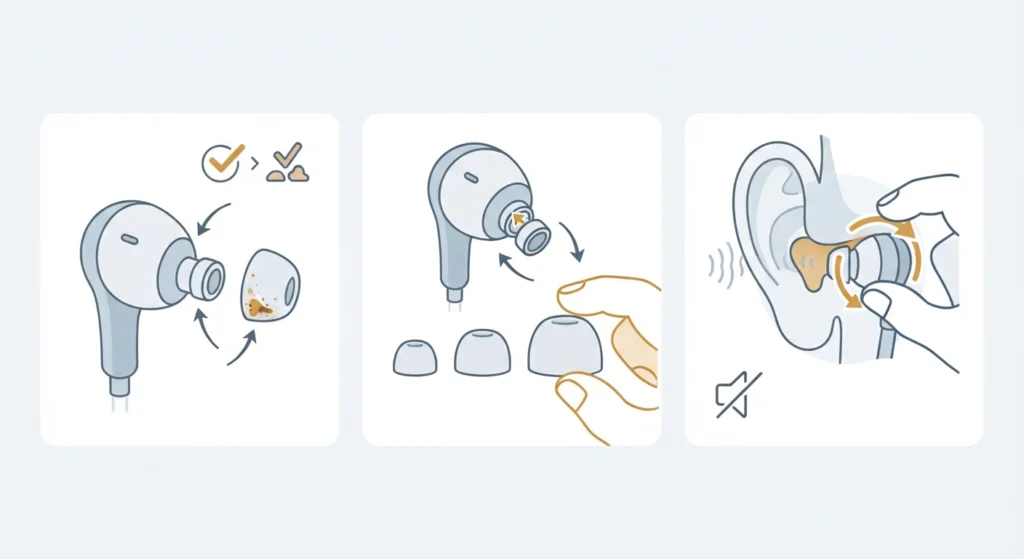
Active noise cancelling depends heavily on a tight physical seal in the ear canal. Think of the ear tip like a window seal – even a small gap lets outside noise sneak in, no matter how advanced the ANC chip inside the earbud is. Most people find that the noise cancelling suddenly feels weaker simply because the tip size no longer matches their ear shape.
- Step 1: Remove both earbuds and check the tips for wax buildup, wear, or debris.
- Step 2: Try a slightly larger or smaller silicone tip from the included set.
- Step 3: Reinsert the earbuds and gently twist until outside noise noticeably fades before turning ANC on.
Pro-Tip: A correctly sealed earbud should feel like it is gently pressurizing the ear canal. If sound from the room comes through clearly even with the earbud in, the seal is the problem, not the ANC electronics.
Method 2: Confirm ANC Mode Is Actually Turned On
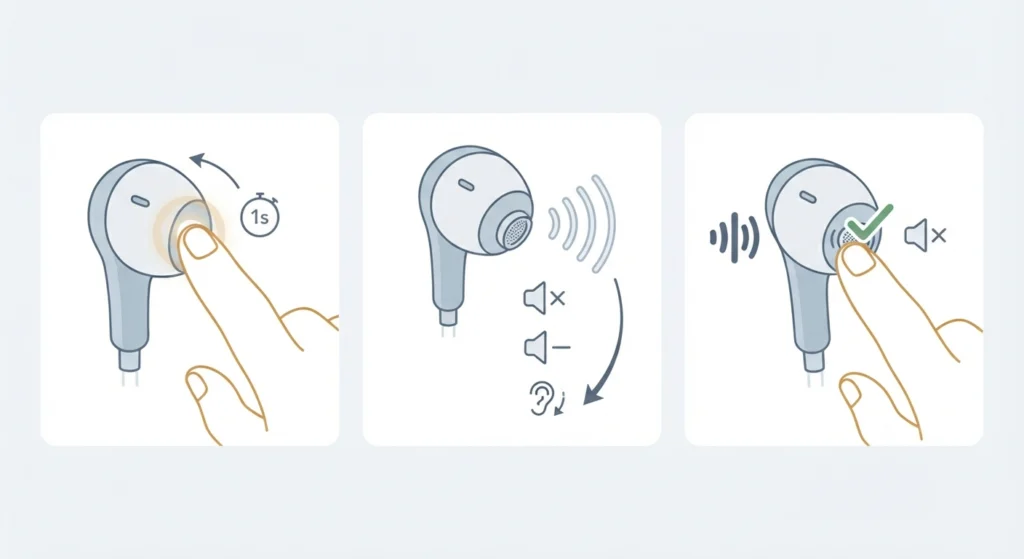
This sounds obvious, but it is one of the most overlooked causes. Space Travel earbuds do not have a dedicated ANC button on the case, so the mode has to be checked directly on the earbuds themselves.
- Step 1: Press and hold the touch sensor on either earbud for about one second.
- Step 2: Listen closely for the voice prompt as the mode cycles through ANC, Normal, and Transparency.
- Step 3: Repeat the press until the short audio cue confirming ANC is heard, since the difference between modes can be subtle.
Method 3: Update the Firmware Through the MOONDROP Link App
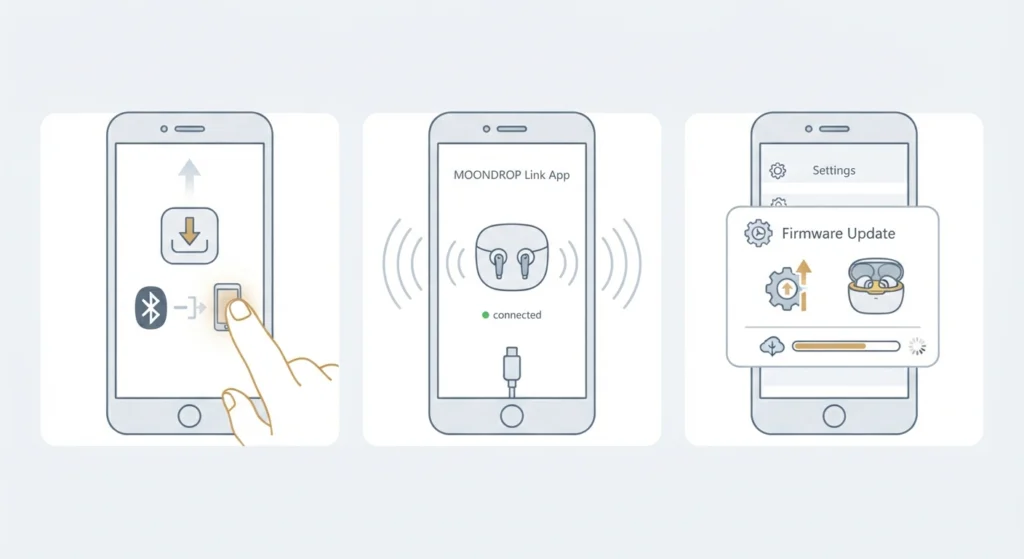
Outdated firmware is a frequent cause of ANC glitches, and Moondrop regularly ships updates that improve noise cancelling stability.
- Step 1: Install the MOONDROP Link app, noting that Android devices sometimes require sideloading it directly from Moondrop.
- Step 2: Open the app and connect the Space Travel earbuds over Bluetooth.
- Step 3: Check the firmware section for a pending update and install it while both earbuds sit in the case.
Pro-Tip: Keep the charging case plugged in during the update. An interrupted firmware flash can cause bigger connection problems than the original ANC issue.
Method 4: Reset the Touch Control Mapping
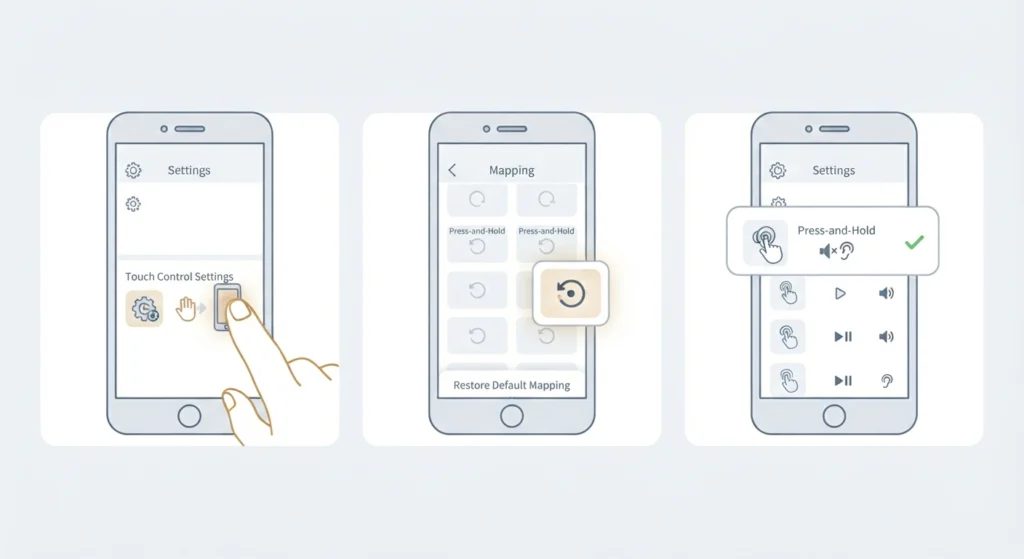
Custom touch mappings set inside the app can accidentally remove the gesture responsible for switching ANC modes.
- Step 1: Open the MOONDROP Link app and go to the touch control settings.
- Step 2: Restore the default mapping option.
- Step 3: Confirm that the press-and-hold gesture is assigned to ANC and Transparency switching again.
Method 5: Factory Reset and Re-Pair the Earbuds
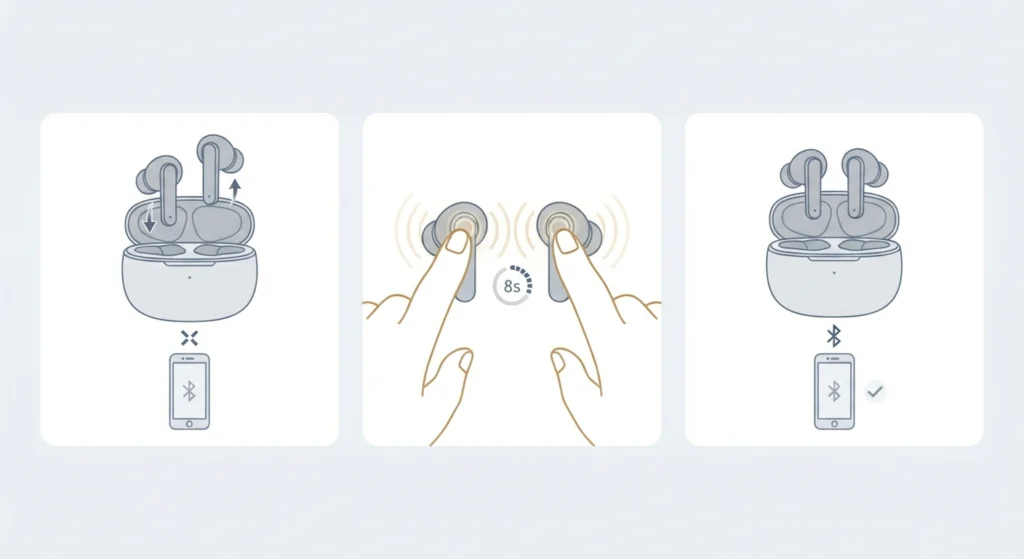
When ANC still misbehaves after the steps above, a full reset clears any leftover software confusion between the earbuds and the connected device.
- Step 1: Take both earbuds out of the case and disconnect them from any paired device.
- Step 2: Press and hold the touch sensor on both earbuds at the same time for about eight seconds.
- Step 3: Wait for the voice prompt confirming the reset, then place the earbuds back in the case briefly before pairing again.
For a more detailed walkthrough on getting stereo sound working correctly again after reconnecting, this guide on how to re-pair Bluetooth earbuds for stereo sound covers the process on Windows in more depth.
Method 6: Check Audio Settings on Windows 11
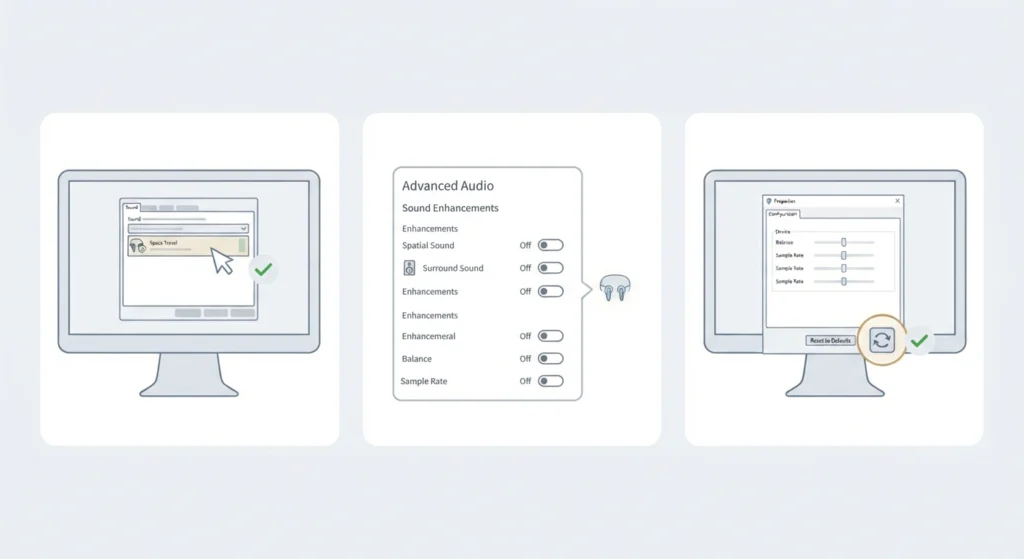
When the Space Travel earbuds are used with a laptop or desktop, the noise cancelling issue is sometimes tied to how Windows is handling the audio device rather than the earbuds themselves.
- Step 1: Open Windows sound settings and confirm the Space Travel earbuds are selected as the active output device.
- Step 2: Turn off spatial sound or enhancement features that can interfere with ANC processing.
- Step 3: If audio still sounds off after ANC is enabled, review this guide on adjusting audio output settings for a closer look at Windows 11 audio configuration.
If none of the above changes anything, a full audio reset on Windows 11 can clear conflicting drivers or settings. This guide on resetting audio settings walks through that process step by step.
Tips for Better Noise Cancelling Performance
A few small habits go a long way toward keeping ANC performance consistent over time.
- Clean the earbud mesh and tips regularly, since dust buildup can muffle the microphones that power ANC.
- Keep the firmware updated through the MOONDROP Link app rather than ignoring update prompts.
- Store the earbuds fully seated in the case when not in use to avoid accidental mode changes.
- Test ANC in a quiet room first, since it is easier to notice small improvements without background distractions.
Common Problems and Troubleshooting
ANC Sounds Amplified in Windy Conditions
This is expected behavior rather than a defect. The single feedforward ANC design used in the Space Travel earbuds cannot always tell the difference between wind gusts and regular ambient noise, so wind can sound louder with ANC engaged. Switching to Transparency or Normal mode outdoors usually solves this instantly.
One Earbud Has Weaker Noise Cancelling Than the Other
This typically points to a battery or seal issue on that specific earbud rather than a software fault. Charging both earbuds fully and checking the tip seal on the weaker side resolves this in most cases.
Voice Prompts Are Unclear About Which Mode Is Active
The audio cues between ANC, Normal, and Transparency modes can sound similar. Opening the MOONDROP Link app to visually confirm the active mode removes any guesswork.
Frequently Asked Questions
Why does ANC stop working suddenly on Moondrop Space Travel earbuds?
This usually happens due to a broken ear tip seal, an accidental mode switch, or outdated firmware. Checking the seal and confirming the current mode solves most sudden ANC drops.
How can someone tell when ANC mode is actually active?
Pressing and holding the touch sensor for about one second cycles through ANC, Normal, and Transparency, with a short voice prompt confirming each mode. The MOONDROP Link app also displays the current mode visually.
Does wind affect the Space Travel’s noise cancellation?
Yes. The single feedforward ANC design can amplify wind noise instead of reducing it, since it struggles to distinguish wind from regular ambient sound. Switching to Transparency mode in windy environments is the recommended workaround.
Is the MOONDROP Link app available on iPhone?
The app is available for iOS through the App Store, while Android users sometimes need to sideload it directly from Moondrop depending on region and device.
How often should firmware be updated on these earbuds?
Checking for updates every couple of months through the MOONDROP Link app is a reasonable habit, since Moondrop periodically improves ANC stability and connection reliability through firmware.
Does ear tip size really affect noise cancelling performance?
Yes, significantly. ANC relies on a sealed ear canal to work properly, so an incorrect tip size can make noise cancelling feel weak or inconsistent even when the electronics are functioning normally.
Will a factory reset fix persistent ANC problems?
In many cases, yes. A factory reset clears any leftover pairing or mode-switching glitches, giving both earbuds a clean starting point before reconnecting to a device.
Do Windows 11 audio settings interfere with ANC performance?
They can. Features like spatial sound enhancements or an incorrect output device selection can distort how ANC audio is processed on a connected PC.
How long does the battery last with ANC turned on?
ANC does draw noticeably more power than Normal mode, so turning it off when not needed helps preserve battery life throughout the day.
What should be done if only one earbud loses ANC while the other works fine?
Fully charging both earbuds and checking the ear tip seal on the affected side resolves this in most situations, since it is rarely a hardware failure on just one unit.