
Knowing how to connect headphones to a soundbar makes late-night movies and gaming sessions much easier on everyone else in the house. The catch is that most soundbars are built to receive audio, not send it, so the right method depends on the ports and features on the specific model. This guide covers the three reliable ways to get it done.
Key Takeaways
- Method 1 uses a 3.5mm headphone jack on the soundbar, if the model has one.
- Method 2 uses Bluetooth directly, but only on soundbars that support Bluetooth output.
- Method 3 uses a Bluetooth transmitter plugged into a compatible audio output port.
- Wired is the simplest option and has no audio delay.
Method 1: Connect Wired Headphones to the Soundbar Headphone Jack
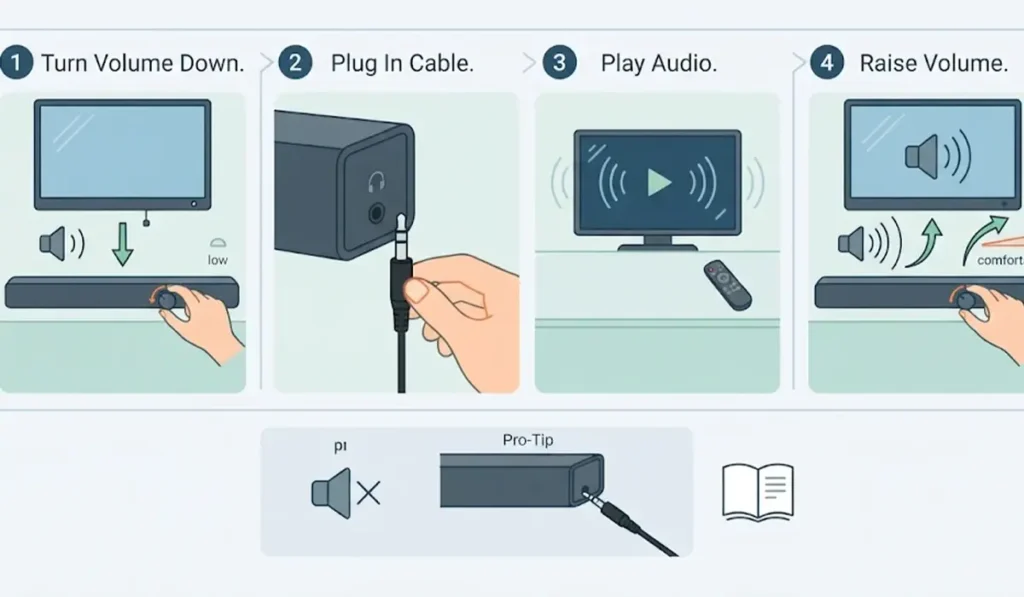
This is the most straightforward route. Some soundbars include a 3.5mm headphone output, usually on the back, side, or underside panel. Look for a small headphone icon or a label such as ‘Phones’ or ‘Headphone’.
- Step 1: Turn the soundbar volume down to a low level before plugging anything in.
- Step 2: Plug the headphone cable into the 3.5mm jack on the soundbar. A 3.5mm to 6.35mm adapter may be needed for larger studio headphones.
- Step 3: Start playing audio from the TV or connected source.
- Step 4: Raise the volume slowly until the level feels comfortable.
Pro-Tip: Many soundbars mute the main speakers once a plug is detected in the headphone jack, and some models include a setting that controls this. The soundbar manual explains how that specific model behaves. Lowering the volume first also protects ears from a sudden loud burst.
Method 2: Pair Bluetooth Headphones Directly with the Soundbar
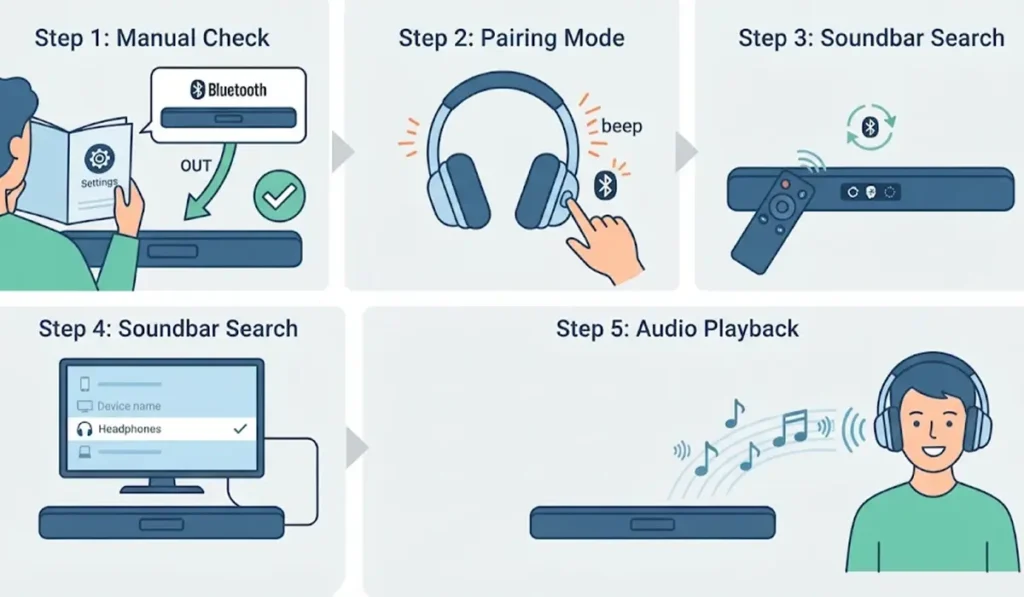
A limited number of soundbars can send audio out over Bluetooth, which lets wireless headphones connect directly. Most soundbars only accept Bluetooth input from phones, so this step only works when the manual lists Bluetooth output, transmit mode, or a headphone mode.
- Step 1: Confirm in the soundbar manual or settings menu that Bluetooth output is supported.
- Step 2: Put the headphones into pairing mode. This usually means holding the power or Bluetooth button until a light flashes or a voice prompt plays.
- Step 3: On the soundbar, open the Bluetooth or headphone setting using the remote or the soundbar buttons, then start a search for devices.
- Step 4: Select the headphones from the list of found devices.
- Step 5: Play audio and confirm the sound now comes through the headphones.
The exact menu names differ from brand to brand, so the model manual is the best reference for where the option lives.
Method 3: Use a Bluetooth Transmitter for Wireless Headphones
When a soundbar has a headphone jack but no Bluetooth output, a small Bluetooth transmitter bridges the gap. The transmitter plugs into the jack and sends the sound wirelessly to the headphones. This works best when a wireless setup is preferred but the soundbar has no built-in way to do it.
- Step 1: Buy a transmitter that works in transmit mode (sometimes labeled TX) and has a 3.5mm input.
- Step 2: Plug the transmitter into the headphone or audio output jack on the soundbar, then power it on using its own battery or a USB power source.
- Step 3: Put the headphones into pairing mode.
- Step 4: Hold the pairing button on the transmitter until its light flashes, then wait for the two devices to link.
- Step 5: Start playback and adjust the volume on the headphones.
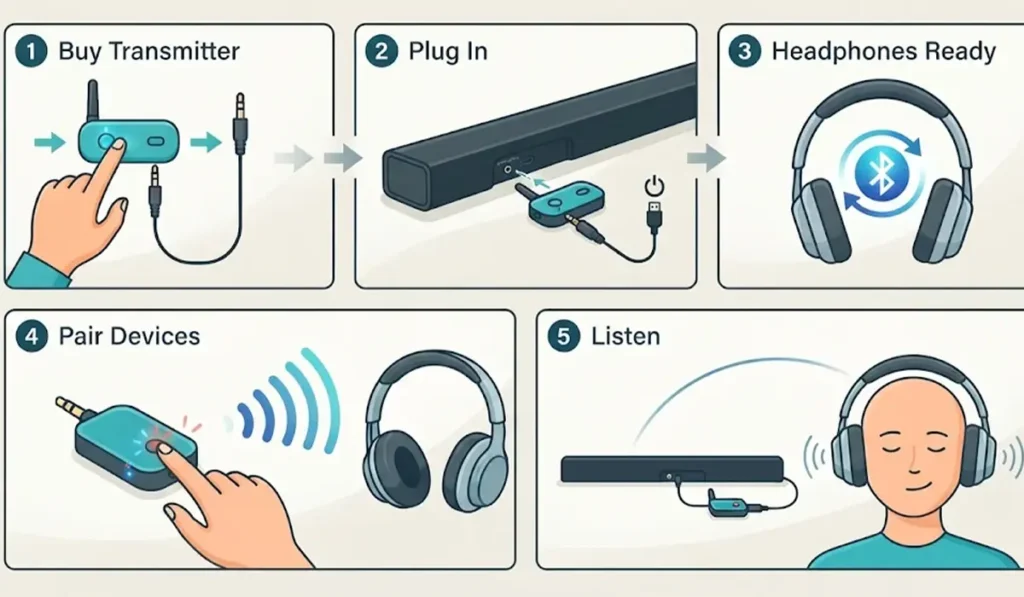
Pro-Tip: Choose a transmitter and headphones that both support the same low-latency codec, such as aptX Low Latency. This keeps voices lined up with lip movement when watching video.
Tips for a Better Listening Experience
- Check which ports the soundbar actually has before buying any cable or transmitter.
- Wired headphones are the best choice for gaming and movies because there is no wireless delay.
- Keep the transmitter and headphones close together, since walls and distance can weaken a Bluetooth link.
- Charge the transmitter and headphones before a long movie night.
- When a Windows 11 PC feeds the soundbar, adjusting the audio output settings helps confirm the right device is selected.
Common Problems and Quick Fixes
Fix 1: No Sound in the Headphones
Check that the plug is fully seated in the jack and that the soundbar volume is not at zero. On a Windows PC, troubleshooting headphone detection can help when the headphones are not recognized.
Fix 2: Soundbar Speakers Still Play
Some models keep the speakers active even with headphones plugged in. Check the soundbar settings or manual for a headphone or mute option.
Fix 3: Bluetooth Headphones Will Not Pair
Make sure the headphones are in pairing mode and are not already linked to a phone or another device. Turning off Bluetooth on nearby devices often clears the conflict. If a Windows PC is part of the setup, resetting the audio settings may also clear stubborn output issues.
Frequently Asked Questions
Can any soundbar connect to headphones?
No. A soundbar needs either a headphone jack or Bluetooth output, and many budget models have neither. The manual or the back panel shows which options exist.
Can wireless headphones connect directly to a soundbar?
Only when the soundbar supports Bluetooth output. Most soundbars use Bluetooth to receive audio from phones, not to send it to headphones.
Will the soundbar speakers turn off when headphones are connected?
On many models, plugging into the headphone jack mutes the speakers. The behavior varies by brand, so the manual is the most reliable guide.
What cable is needed for wired headphones?
Most headphones use a 3.5mm plug, which fits a standard headphone jack directly. Larger headphones with a 6.35mm plug need a simple adapter.
Is a Bluetooth transmitter worth buying?
It is worth it for anyone who wants wireless listening and owns a soundbar with a headphone or audio output jack but no Bluetooth output.
Will there be audio delay with Bluetooth headphones?
A small delay can occur with standard Bluetooth. Low-latency codecs supported by both the transmitter and the headphones reduce it, and wired headphones avoid it completely.
Where is the headphone jack on a soundbar?
It is usually on the back, side, or underside panel and is marked with a headphone icon. Not every soundbar includes one.
Can two pairs of headphones be used at the same time?
Some Bluetooth transmitters support two headphones at once. The product description lists whether dual connection is available.