
Key Takeaways
Bose 700 noise cancelling not working is usually caused by outdated firmware, a weak ear cushion seal, or a Bluetooth connection glitch, and most of these issues can be solved in under ten minutes without a repair shop visit.
- Firmware updates through the Bose Music app fix the majority of ANC glitches
- A loose or dirty ear cushion seal often reduces noise cancelling performance
- Restarting the headphones clears temporary software bugs
- A factory reset solves the issue when nothing else works
- Bluetooth interference can make ANC seem weaker than it actually is
Noise cancelling is the whole reason most people buy the Bose 700 in the first place, so when it suddenly goes quiet or feels weaker than usual, it throws off the entire listening experience. The good news is that this problem is rarely permanent, and it almost never requires sending the headphones in for repair. This guide walks through the exact fixes that resolve Bose 700 noise cancelling not working, starting with the simplest solution and moving toward the more advanced ones.
Step-by-Step Guide to Fix Bose 700 Noise Cancelling
Fix 1: Check the Noise Cancellation Level First
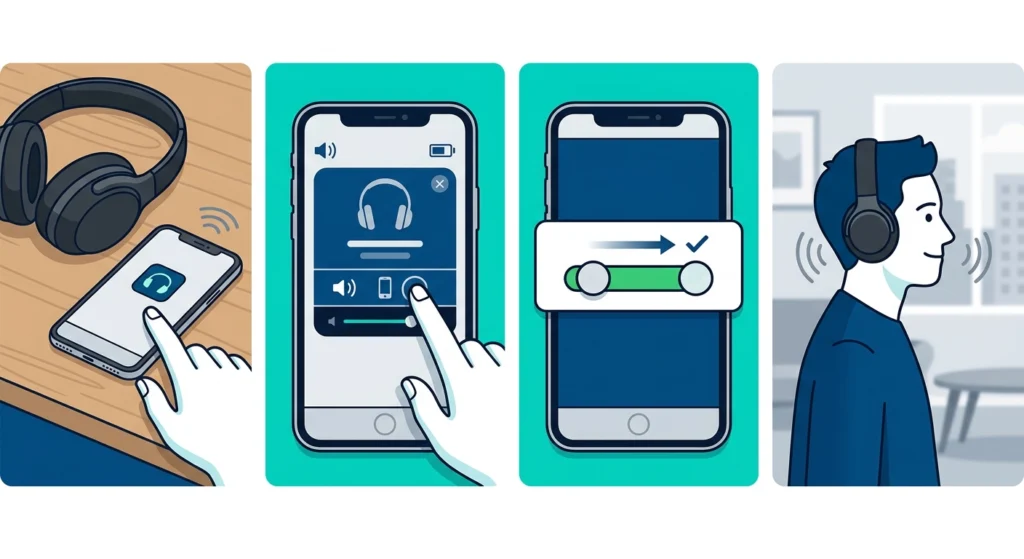
This sounds obvious, but it catches more people than expected. The Bose 700 allows the ANC level to be adjusted anywhere from 0 to 10, and if that slider got bumped down accidentally – which happens easily when the headphones are stored in a bag – it can feel like noise cancelling stopped working entirely when it is actually just turned low.
- Step 1: Open the Bose Music app on the connected phone or tablet
- Step 2: Tap on the Bose 700 device from the home screen
- Step 3: Find the noise cancellation slider and drag it to the maximum setting
- Step 4: Put the headphones on and walk through a slightly noisy room to test the difference
Pro-Tip: The physical button on the right earcup cycles through three ANC presets by default. Holding it down opens a menu in the app to customize those presets, so it is worth checking that none of them are set to ‘Off’ or a very low level.
Fix 2: Update the Firmware
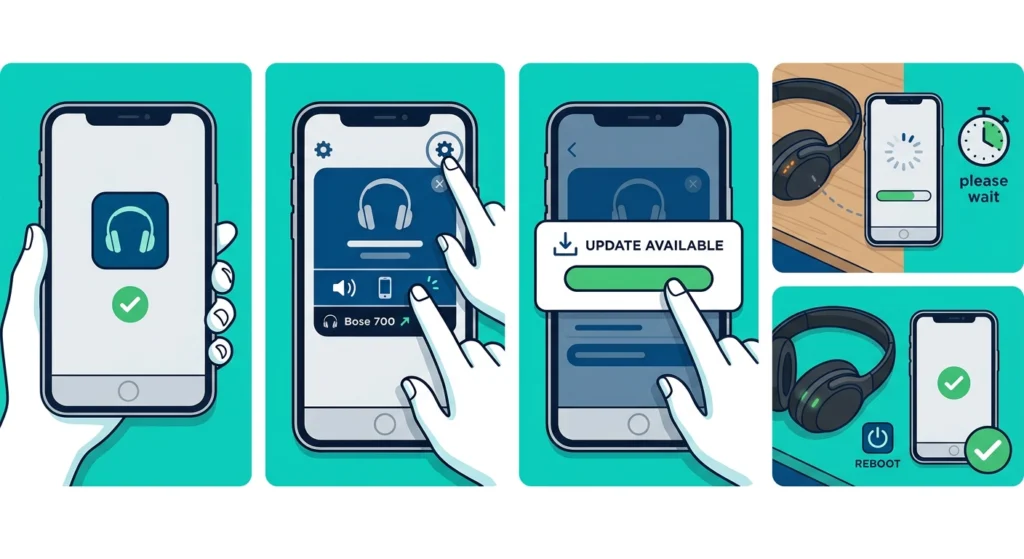
Outdated firmware is one of the most common reasons noise cancelling stops behaving correctly on Bose headphones. Bose regularly pushes small updates that patch ANC bugs, battery reporting issues, and Bluetooth stability problems, and skipping these updates leaves the headphones running on code that may have known glitches.
- Step 1: Open the Bose Music app and make sure the headphones are connected
- Step 2: Go to the settings icon and select the Bose 700 device
- Step 3: Look for a firmware update notification and tap ‘Update Now’ if one appears
- Step 4: Keep the headphones near the phone and powered on until the update finishes, since interrupting it can cause errors
- Step 5: Restart the headphones once the update completes
Fix 3: Restart the Headphones
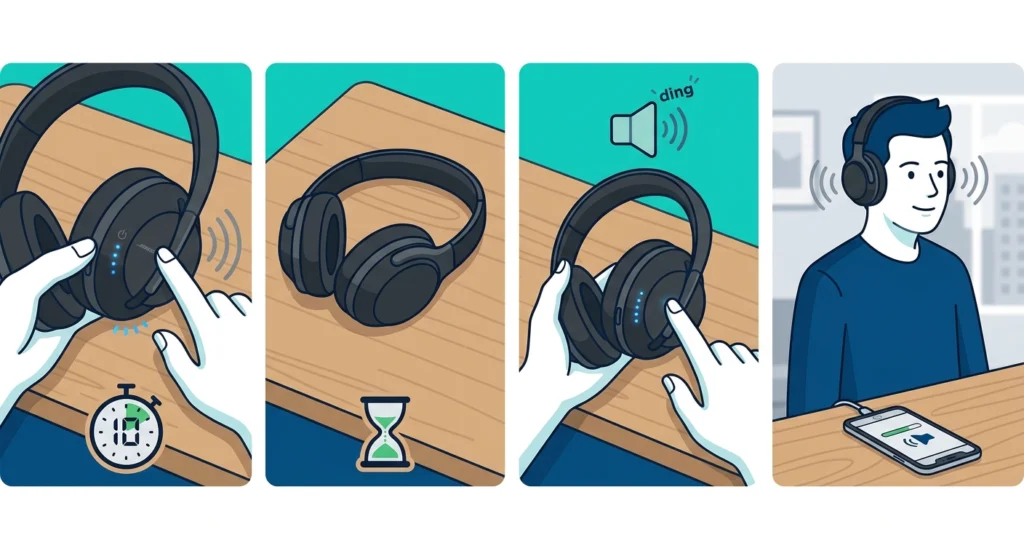
A simple restart clears out temporary software glitches that build up during regular use, similar to how a laptop slows down after being left on for days. Most people find that this single step resolves noise cancelling issues that seemed far more serious than they actually were.
- Step 1: Press and hold the power button on the right earcup for about 10 seconds until the lights turn off
- Step 2: Wait 15 seconds before turning the headphones back on
- Step 3: Press the power button again to turn them on and listen for the Bose startup chime
- Step 4: Test the noise cancellation once reconnected to a device
Fix 4: Check the Ear Cushion Seal
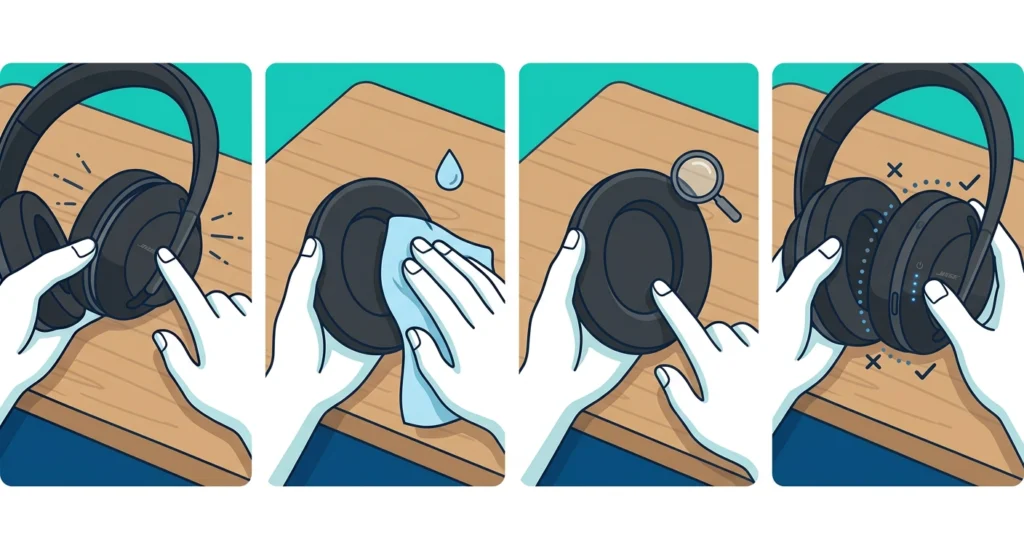
Noise cancelling relies partly on a physical seal around the ears, not just the microphones and processing chip inside the headphones. If the ear cushions are dirty, warped, or not sitting flush against the head, passive noise blocking drops significantly, which makes the active noise cancelling feel much weaker than it really is.
- Step 1: Remove the ear cushions gently by pulling them away from the earcup edge
- Step 2: Wipe the foam and the inner rim with a slightly damp microfiber cloth
- Step 3: Check for cracks, flattening, or gaps in the foam padding
- Step 4: Reattach the cushions firmly, making sure they click evenly into place on both sides
Pro-Tip: Glasses frames break the seal more than most people realize. Thinner frame arms reduce this effect noticeably, so switching to a slimmer pair, even temporarily, can restore a surprising amount of noise blocking.
Fix 5: Reset the Bluetooth Connection
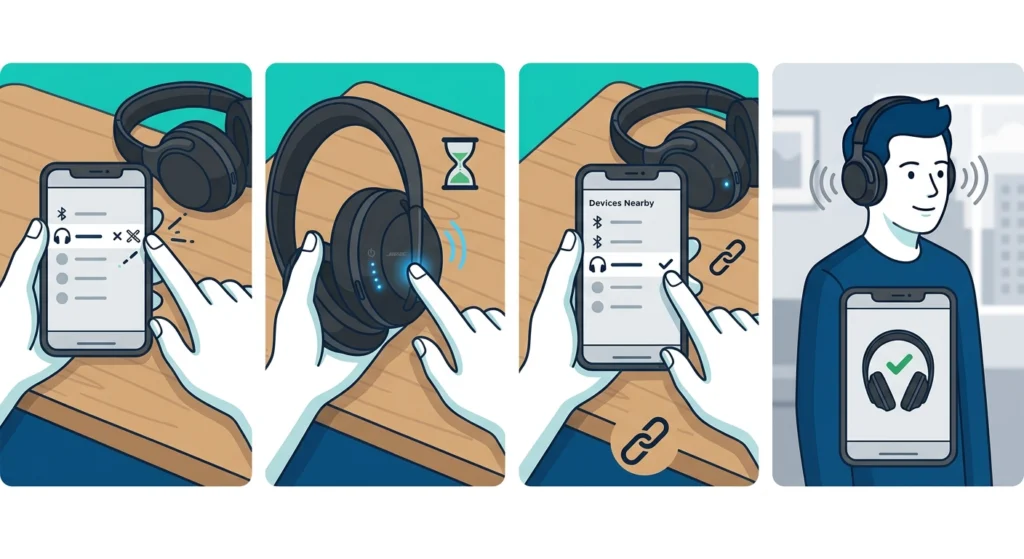
Sometimes the ANC hardware is working perfectly fine, but a shaky Bluetooth connection makes the audio processing stutter, which can be mistaken for a noise cancelling failure. Clearing out the pairing and starting fresh usually settles this. Anyone dealing with a similar connection problem on other earbuds can find a full walkthrough in this guide on how to re-pair bluetooth earbuds for stereo sound, since the same logic applies here.
- Step 1: Go to the Bluetooth settings on the connected device and forget the Bose 700
- Step 2: Turn the headphones off, then hold the Bluetooth button until the light flashes blue
- Step 3: Re-pair the headphones from the device’s Bluetooth menu
- Step 4: Confirm the connection through the Bose Music app before testing ANC again
For anyone using the Bose 700 with a Windows 11 laptop, audio driver conflicts can also interfere with how ANC is processed. Working through the steps in this guide on resetting audio settings often clears up these background conflicts without needing to touch the headphones themselves.
Fix 6: Factory Reset the Bose 700
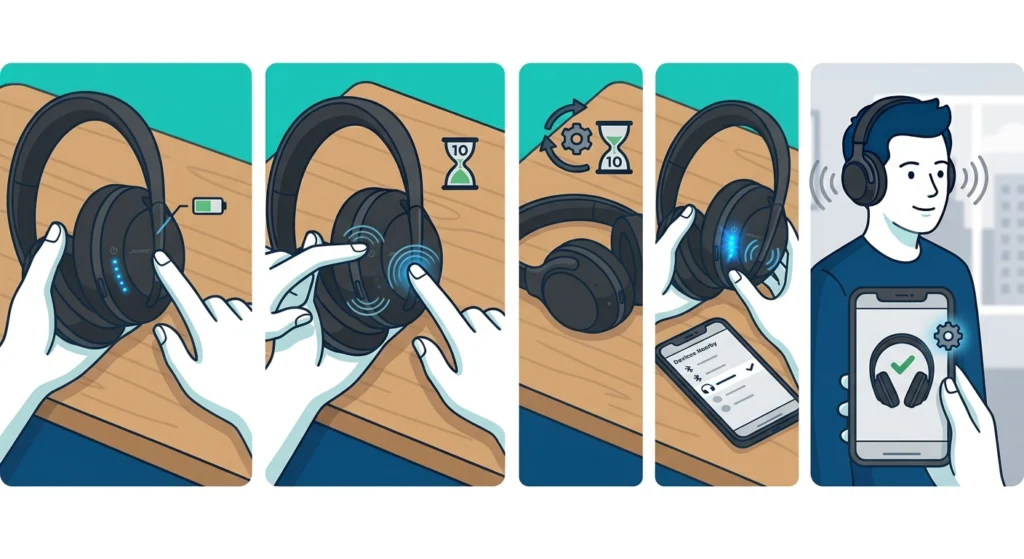
When none of the fixes above work, a factory reset wipes out any corrupted settings or stuck configurations that built up over time. This is the closest thing to starting over with a brand new pair, without actually needing a replacement.
- Step 1: Make sure the headphones are turned on and charged above 50 percent
- Step 2: Press and hold the Bluetooth and power buttons together for about 10 seconds
- Step 3: Wait for the headphones to power cycle and the status light to flash
- Step 4: Re-pair the headphones with the device once they turn back on
- Step 5: Reopen the Bose Music app to confirm the reset was successful
Tips to Keep Noise Cancelling Working Properly
- Keep the firmware updated by checking the Bose Music app once a month
- Store the headphones in the included case rather than a loose bag to protect the ear cushions
- Clean the microphone vents on the outside of each earcup with a soft brush, since dust buildup affects how ANC detects outside noise
- Avoid extreme temperature exposure, such as leaving the headphones in a hot car, since this can warp the cushion foam over time
- Charge the headphones fully before long trips, since noise cancelling performance can dip slightly as battery levels get critically low
Common Problems With Bose 700 Noise Cancelling
A few recurring issues show up again and again with the Bose 700, and knowing what causes them makes troubleshooting much faster.
Noise Cancelling Feels Weaker Than Before
This is usually tied to ear cushion wear or a dirty seal rather than an actual hardware failure. Cushions naturally compress and lose their shape after months of daily use, so checking their condition first saves a lot of unnecessary guesswork.
ANC Works on One Side Only
This points to either a blocked microphone vent on one earcup or a firmware glitch affecting how the two sides sync. Cleaning the vents and running a firmware update, as covered in Fix 2, resolves this in most cases.
Noise Cancelling Turns Off Randomly
This typically happens when the headphones lose a stable Bluetooth connection or when a background app setting on the connected device changes the audio output mode. On Windows 11 machines, reviewing the steps in this guide on adjusting audio output settings often prevents this from happening again.
ANC Sounds Fine Indoors but Weak Outdoors
Wind noise interacts differently with the microphones than steady indoor background noise, so a slight drop in performance outdoors is expected behavior rather than a malfunction.
Frequently Asked Questions
Why did Bose 700 noise cancelling suddenly stop working?
The most common causes are outdated firmware, a low ANC slider setting, or a broken ear cushion seal. Working through the fixes in order, starting with the ANC level check, resolves the issue for most users.
How long does a Bose 700 firmware update take?
A typical firmware update takes between 5 and 15 minutes, depending on the size of the update and the strength of the Bluetooth connection during the process.
Does a factory reset delete paired devices on Bose 700?
Yes, a factory reset clears all previously paired Bluetooth devices, so each device needs to be re-paired afterward.
Can dirty ear cushions really affect noise cancelling?
Yes, since ANC works together with the physical seal the cushions create around the ears. A weak seal lets more outside noise in before the active cancelling even has a chance to process it.
Is it normal for ANC to be weaker in windy conditions?
Yes, wind noise is harder for any ANC microphone system to filter compared to steady background noise like an engine hum or air conditioning, so a slight performance dip outdoors is expected.
How often should Bose 700 firmware be checked for updates?
Checking once a month through the Bose Music app is enough to stay current, since Bose does not release updates on a strict schedule.
Why does noise cancelling work on one earcup but not the other?
This usually points to a blocked microphone vent or a firmware sync issue between the two earcups, both of which are covered in the fixes above.
Does battery level affect noise cancelling performance?
Yes, ANC performance can dip slightly once the battery drops to a critically low level, since the processing chip receives less consistent power.
Can glasses reduce Bose 700 noise cancelling effectiveness?
Yes, thick glasses frames break the seal between the ear cushions and the head, which reduces passive noise blocking and makes ANC feel weaker overall.
Should Bose 700 be factory reset as a first troubleshooting step?
No, a factory reset should be the last step after checking the ANC level, updating firmware, restarting the headphones, and checking the ear cushion seal.