
If the ATH-M50xBT2 noise cancelling not working is the problem, the headphones are not faulty. This model was released without active noise cancelling (ANC), so there is no switch, app toggle, or hidden mode to turn on. What it offers is passive isolation from the closed-back earcups, and that can be improved with the right fit, fresh earpads, and a few settings.
Key Takeaways
- The Audio-Technica ATH-M50xBT2 has no active noise cancelling. Noise reduction comes only from the closed-back design and earpad seal.
- A proper fit and healthy earpads make the biggest difference in blocking outside sound.
- The two built-in beamforming microphones help separate a voice from background noise during calls.
- Only headphones with dedicated ANC can cancel low-frequency noise like engine rumble.
Step-by-Step Fixes for ATH-M50xBT2 Noise Cancelling Not Working
Fix 1: Confirm There Is No ANC to Enable
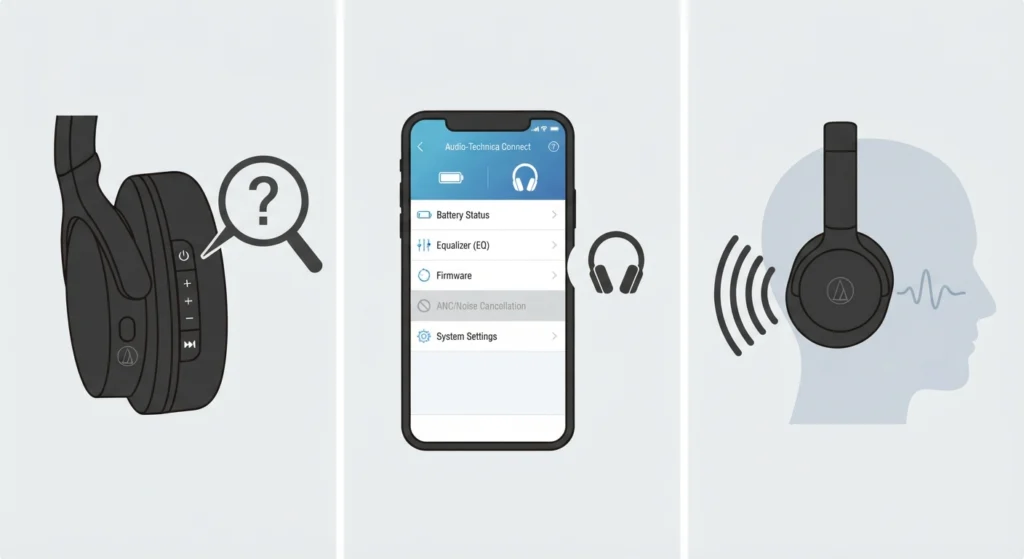
Many people search through the settings for a noise cancelling option that was never included. Checking this first saves a lot of time.
- Step 1: Look at the left earcup. The controls cover power, Bluetooth pairing, volume, and playback. None of them switch noise cancelling on or off.
- Step 2: Open the Audio-Technica Connect app. It offers sound personalization such as EQ settings, but ANC is not a feature of this model.
- Step 3: Treat the headphones as passive-isolation headphones from here on. The next fixes focus on improving that isolation.
Fix 2: Adjust the Fit for a Better Seal
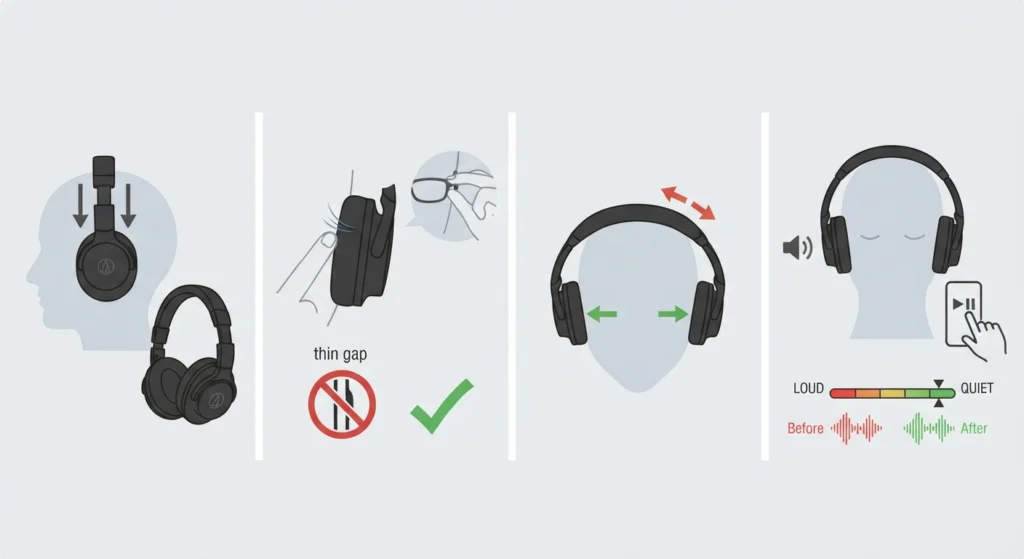
Think of the earcups like a door. If there is a gap around the frame, sound leaks in no matter how solid the door is. The same idea applies here.
- Step 1: Extend the headband sliders on both sides until each earcup sits fully over the ear, not resting on the ear edge.
- Step 2: Push hair, hats, and glasses arms away from the earpad edge. Even a thin gap can let sound in.
- Step 3: Keep the headband centered on top of the head so both earcups press evenly.
- Step 4: Play music for a moment and compare the outside noise level before and after the adjustment.
Pro-Tip: Glasses are the most common cause of a weak seal on over-ear headphones. Thinner frames leave a smaller gap, and pushing the earcups slightly back and down often helps them settle around the arms.
Fix 3: Check and Replace Worn Earpads
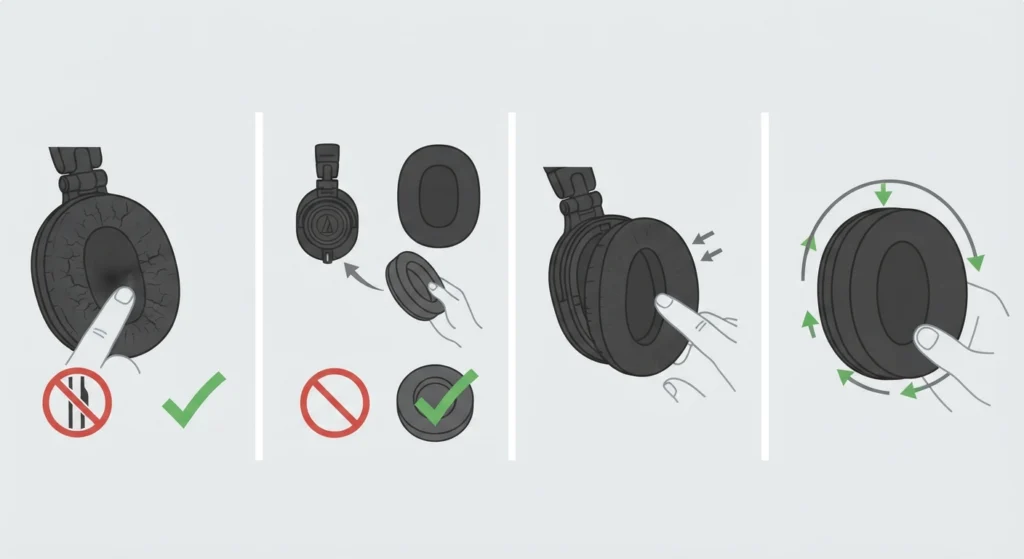
The vinyl earpads do most of the isolation work. Over time, they can flatten, crack, or peel, and a damaged pad no longer seals against the head.
- Step 1: Inspect both earpads for cracks, peeling vinyl, or areas that feel flat and thin.
- Step 2: Press a finger into the pad. It should spring back. If it stays compressed, the foam has worn out.
- Step 3: Replace worn pads with pads made for the ATH-M50x series, and confirm compatibility before buying.
- Step 4: Snap the new pads on evenly all the way around so no edge lifts away from the earcup.
Fix 4: Improve Call Noise on Windows 11
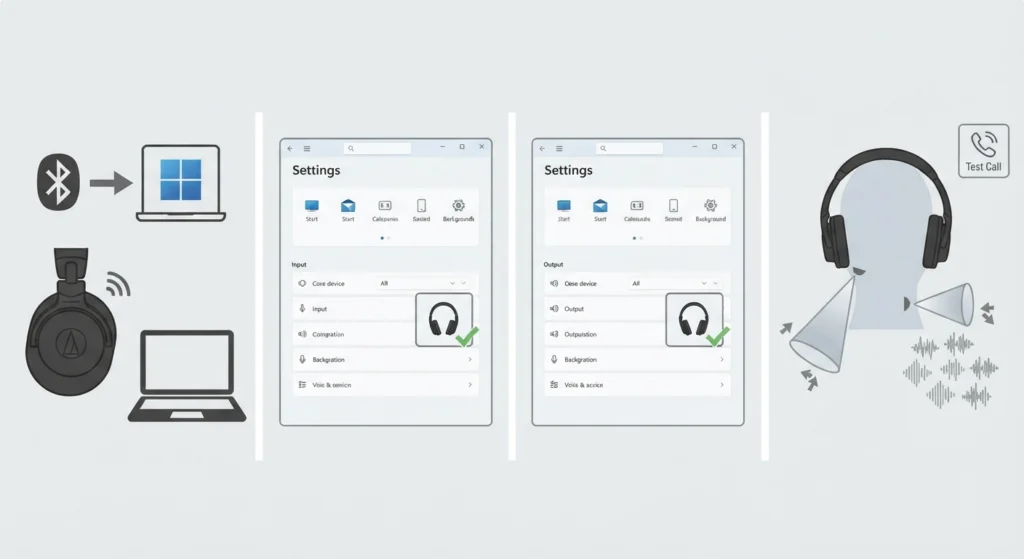
If the complaint is background noise heard during calls, the headphone microphones need to be the active input on the computer.
- Step 1: Connect the headphones over Bluetooth and open the sound settings on Windows 11.
- Step 2: Select the headphones as the input device. The guide on managing audio input devices covers this in detail.
- Step 3: Choose the headphones as the output too, using the steps for adjusting audio output settings.
- Step 4: Make a short test call. The two beamforming microphones are designed to separate the voice from surrounding noise.
Fix 5: Choose a Headphone With ANC if Isolation Is Not Enough
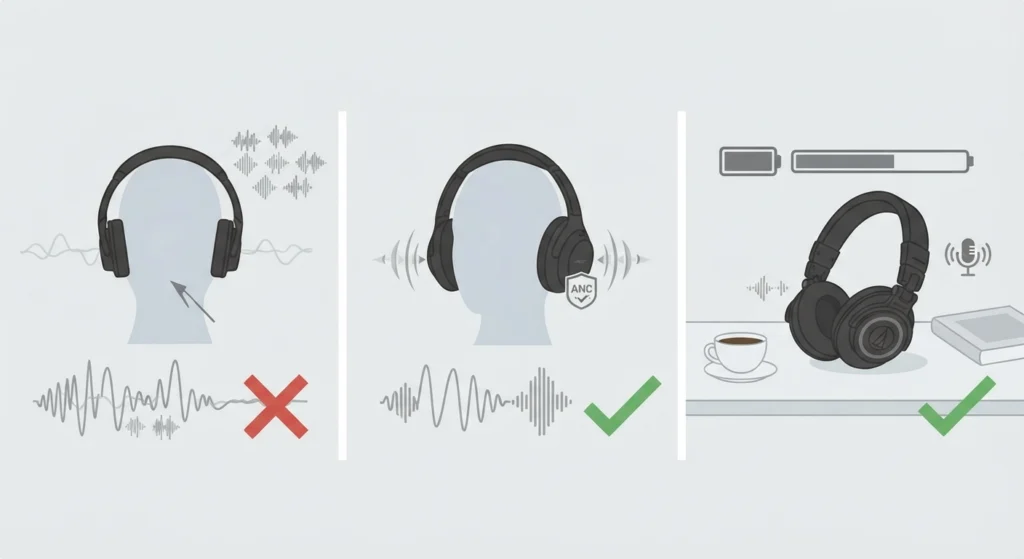
Passive isolation handles higher-pitched sounds like chatter better than constant low rumble from buses, trains, or planes. If those sounds are the main concern, the ATH-M50xBT2 will not cancel them.
- Step 1: Decide which sounds are the problem: low engine rumble or general background talk.
- Step 2: For low rumble, look for a headphone model that lists active noise cancelling in its official specifications.
- Step 3: Keep the ATH-M50xBT2 for quiet rooms, studio-style listening, and long battery life.
Tips for Getting the Quietest Listening Experience
- Use the EQ in the Audio-Technica Connect app to make vocals and detail clearer, so volume does not have to be raised as high.
- Keep the volume at a safe level. Turning it up to drown out noise can strain hearing over time.
- Wipe the earpads gently with a slightly damp cloth to keep the vinyl supple.
- Store the headphones in the included pouch so the pads keep their shape.
- Choose a quieter listening spot when possible, such as a seat away from doors and vents.
Common Problems Related to Noise on the ATH-M50xBT2
Outside Noise Still Leaks In After Adjusting the Fit
Check the earpads for wear first. Flattened or cracked pads are the most likely reason a proper seal cannot be reached.
Background Noise Is Heard on Calls
Confirm the headphones are set as the active microphone on the device. On Windows 11, the resetting audio settings guide can help if the input keeps switching to another device.
Low Rumble From Traffic or Engines Is Still Audible
This is normal for passive isolation. Low-frequency sound passes through physical barriers more easily, and only active noise cancelling can reduce it effectively.
Frequently Asked Questions
Does the Audio-Technica ATH-M50xBT2 have noise cancelling?
No. The ATH-M50xBT2 does not include active noise cancelling. It relies on a closed-back over-ear design and vinyl earpads for passive isolation.
Is there a hidden ANC setting in the app?
No. The Audio-Technica Connect app offers sound personalization such as EQ, but ANC is not a listed feature of this model.
Can a firmware update add noise cancelling?
Audio-Technica has not listed ANC as a feature of this model, so no setting or update should be expected to add it.
How can outside noise be reduced on the ATH-M50xBT2?
Adjust the headband for a full seal around the ears, keep glasses arms and hair clear of the pads, and replace worn earpads when they lose their shape.
Do new earpads improve isolation?
Yes, when the old pads are worn. Fresh pads restore the seal around the ear, which is what passive isolation depends on.
Does using a cable change the noise reduction?
No. Wired listening changes the connection type, not the isolation. The earcups and earpads control how much outside sound is blocked.
Do the microphones filter background noise on calls?
The headphones include two beamforming microphones designed to separate the wearer voice from background noise, though results can vary depending on the environment.
Is passive isolation enough for commuting?
It reduces higher-pitched sounds fairly well, but constant low rumble from buses, trains, or planes still comes through. Headphones with active noise cancelling handle those sounds better.