
Key Takeaways
- Dirty or corroded charging pins are the most common reason JLab Go Air Pop earbuds refuse to charge.
- Improper seating inside the case often breaks the magnetic connection needed for charging.
- A faulty cable, adapter, or low-power USB port can prevent the case itself from charging.
- A manual reset resolves most software-related charging glitches within minutes.
- Persistent issues after trying every fix usually point to hardware damage that needs JLab support.
JLab Go Air Pop not charging is a frustrating problem, especially when the earbuds are needed for a call or a workout and the case shows no sign of life. This guide walks through the exact fixes that resolve charging failures on these earbuds, without wasting time on unrelated troubleshooting.
Step-by-Step Guide to Fix JLab Go Air Pop Not Charging
Method 1: Clean the Charging Pins
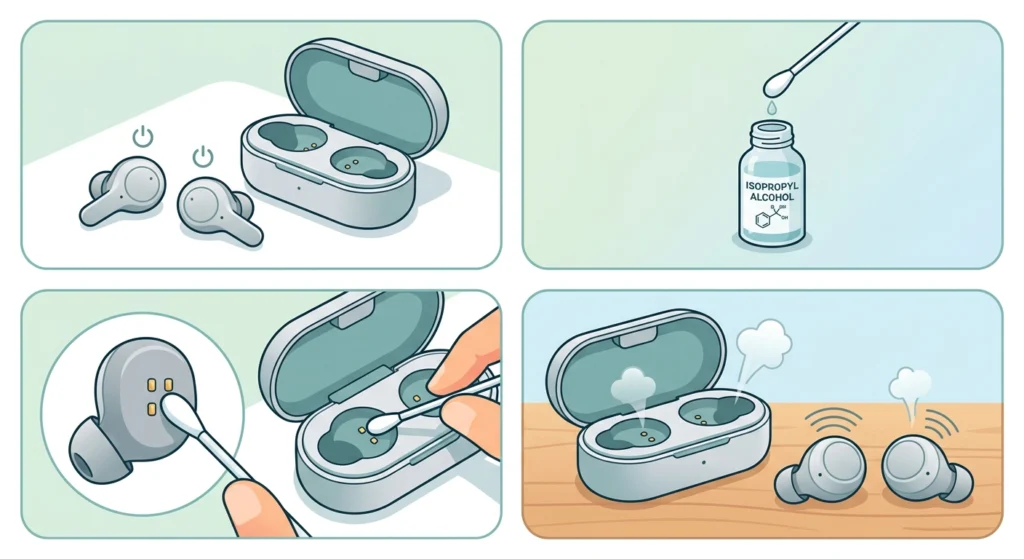
Dust, pocket lint, and earwax buildup on the metal charging pins are the number one cause of charging failure on the Go Air Pop. Since the earbuds rely on direct metal-to-metal contact with the case, even a thin layer of residue can block the connection completely.
- Step 1: Power off the earbuds and remove them from the case.
- Step 2: Dip a cotton swab lightly in isopropyl alcohol, making sure it is not dripping wet.
- Step 3: Gently wipe the gold or silver pins on both earbuds and the matching pins inside the case.
- Step 4: Let everything air dry for two to three minutes before placing the earbuds back in the case.
Pro-Tip: A dry, soft-bristled toothbrush works well for knocking loose debris out of the case slots before wiping with alcohol, since buildup often hides deeper than a cotton swab can reach.
Method 2: Reseat the Earbuds Properly
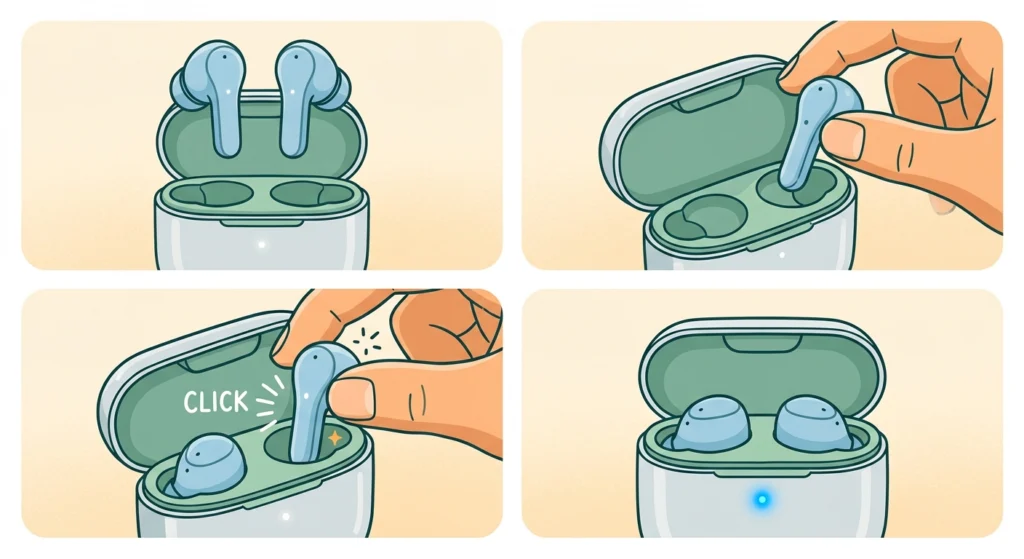
The Go Air Pop uses magnets to guide the earbuds into place, but if they are inserted at a slight angle, the pins never actually touch. This is one of those small details that gets overlooked constantly.
- Step 1: Remove both earbuds from the case completely.
- Step 2: Line up the earbud stem with the charging slot and lower it straight down rather than at an angle.
- Step 3: Listen or feel for the slight magnetic click that confirms a proper seat.
- Step 4: Check that the LED indicator on the case lights up after both earbuds are seated.
Method 3: Test a Different Cable and Power Source
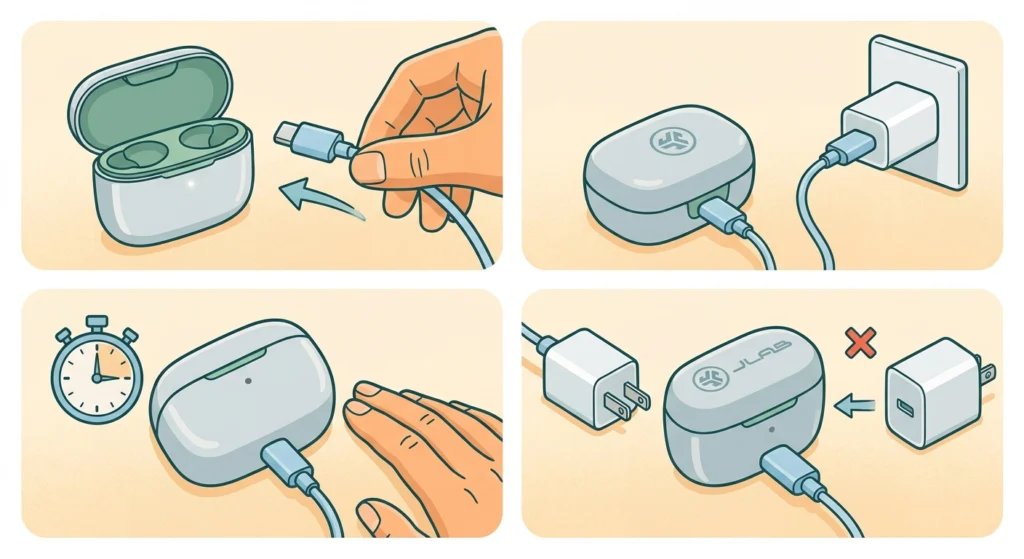
Most people find that the case itself is not charging at all, which then leaves the earbuds with no power to draw from. A worn-out cable or a weak USB port is often the real culprit, not the earbuds.
- Step 1: Swap the current charging cable for a known working USB-C cable.
- Step 2: Plug the case into a wall adapter instead of a laptop or USB hub, since hubs often deliver inconsistent power.
- Step 3: Watch the case LED for at least sixty seconds to confirm a charging signal.
- Step 4: If the LED still does not respond, try a second wall adapter to rule out a faulty power brick.
Method 4: Reset the JLab Go Air Pop Earbuds
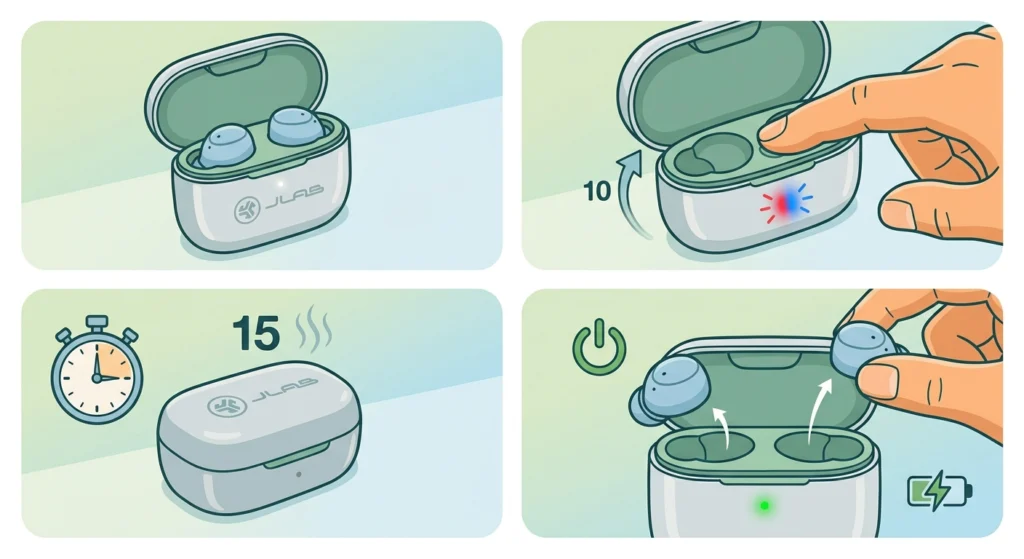
A reset clears minor firmware glitches that sometimes make the case think the earbuds are already fully charged, even when the battery is empty. This works best when both fixes above have already been tried.
- Step 1: Place both earbuds into the case but leave the lid open.
- Step 2: Press and hold the button on the case for around ten seconds until the LED flashes.
- Step 3: Close the lid and wait fifteen seconds before opening it again.
- Step 4: Remove the earbuds and check if they power on and begin charging normally.
Method 5: Fully Charge the Case Before the Earbuds
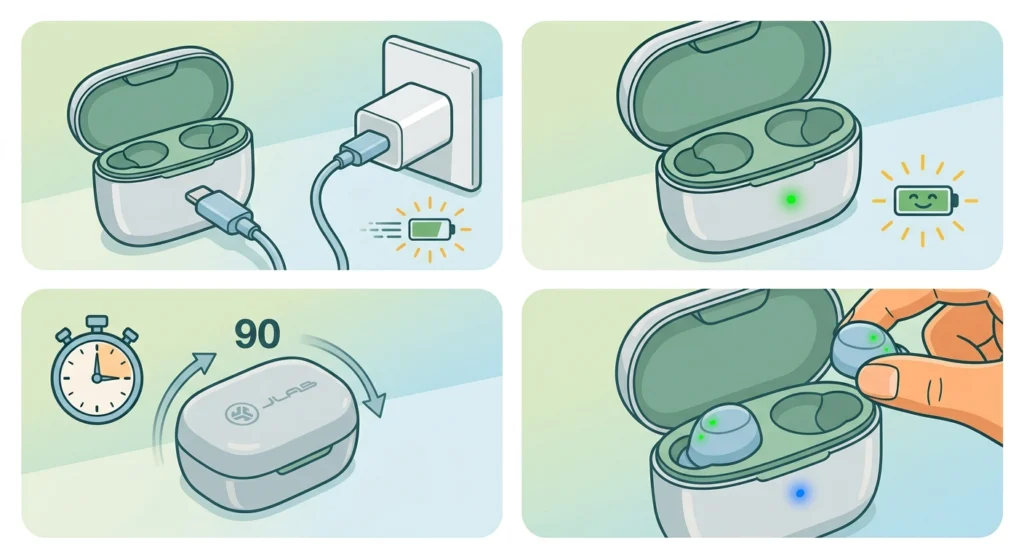
The case has its own internal battery separate from the earbuds. If the case battery is completely drained, it cannot transfer power to the earbuds no matter how clean the pins are.
- Step 1: Leave the case connected to a wall charger for a full ninety minutes without the earbuds inside.
- Step 2: Confirm the case LED shows a steady or blinking charge indicator during this time.
- Step 3: Once the case is charged, insert the earbuds and check for the charging light on each one.
Tips to Prevent Future Charging Problems
- Wipe the charging pins once a week, especially when the earbuds are used during workouts or in dusty environments.
- Store the case somewhere dry, since moisture buildup speeds up pin corrosion.
- Avoid leaving the earbuds in the case on charge for days at a time once they reach full battery.
- Use the original or a certified USB-C cable rather than a random spare, since some low-quality cables cannot deliver stable power.
Pro-Tip: Charging habits matter just as much as cleaning. Topping off the case regularly, rather than letting it drain to zero repeatedly, helps the internal battery hold its charge longer over time.
Common Charging Problems and Quick Fixes
- Only one earbud charges: Usually caused by a dirty pin on the earbud that is not charging. Clean that specific pin and reseat it firmly.
- Case LED does not turn on at all: Points to a power delivery issue. Test with a different cable and outlet before assuming the case is faulty.
- Earbuds show as charging but battery never increases: Often resolved with the reset process, since this usually signals a firmware read error rather than a hardware fault.
- Case gets warm during charging: Mild warmth is normal, but excessive heat means the cable or adapter should be replaced immediately.
Once charging is working properly again, reconnecting the earbuds to a device is the next step. Anyone running into pairing trouble afterward can follow this guide on re-pairing bluetooth earbuds for stereo sound to restore a stable connection. If sound only comes through one side or the microphone stops responding after reconnecting, checking common microphone detection problems on Windows 11 can help rule out a settings conflict rather than a hardware fault.
Frequently Asked Questions
Why are the JLab Go Air Pop earbuds not charging at all?
The most common reasons are dirty charging pins, improper seating in the case, or a case battery that has been fully drained. Cleaning the pins and reseating the earbuds resolves this in most cases.
How long does it take to fully charge the Go Air Pop case?
A fully drained case typically takes around ninety minutes to reach a full charge when connected to a standard wall adapter.
Why does only one earbud charge in the case?
This usually happens when the pin on one earbud or the matching pin in the case has dust or residue on it. Cleaning that single contact point often fixes the issue right away.
How can it be confirmed that the earbuds are actually charging?
The case LED lights up when charging is active, and each earbud typically shows a small indicator light once properly seated and receiving power.
Does a reset erase pairing information on the Go Air Pop?
A basic reset used to fix charging glitches does not erase Bluetooth pairing history. It simply clears minor firmware errors related to battery detection.
Can a different cable be used to charge the JLab Go Air Pop case?
Yes, any certified USB-C cable that delivers stable power works fine. Using a damaged or low-quality cable is a frequent cause of charging failure.
Why does the case feel warm while charging?
Slight warmth during charging is normal. Excessive heat, however, usually signals a faulty cable or adapter and should be addressed by switching power sources.
What should be done if cleaning and resetting do not fix the charging issue?
If the earbuds still will not charge after cleaning the pins, reseating them, testing a different cable, and performing a reset, the issue is likely hardware-related and warrants a warranty claim through JLab support.
Is it normal for the case battery to drain even when not in use?
A small amount of passive drain is normal for any wireless charging case. Significant drain over a short period, though, often points to a case battery nearing the end of its lifespan.
Can overcharging damage the JLab Go Air Pop earbuds?
Modern earbud cases include overcharge protection, so leaving them plugged in briefly past a full charge will not cause damage. Extended, continuous overcharging over long periods is best avoided regardless.