
Key Takeaways
- JBL Live Beam 3 noise cancelling not working is usually caused by the wrong listening mode, a poor ear tip seal, or outdated firmware.
- Restarting the earbuds and reseating them in the case resolves the issue in a large share of cases within seconds.
- The JBL Headphones app controls firmware updates, ANC toggles, and EQ settings that directly affect noise cancelling strength.
- A weak seal from the wrong ear tip size is one of the most overlooked reasons ANC feels weaker than expected.
- Factory resetting and re-pairing clears corrupted settings when none of the quicker fixes work.
JBL Live Beam 3 noise cancelling not working is a frustrating issue, especially when it shows up right when heading out the door for a flight or a noisy commute. The good news is that this problem almost always traces back to a small number of specific causes, and each one has a direct fix. Below is a step-by-step breakdown of exactly what to check and how to fix it, in the order that tends to solve the issue fastest.
Fix 1: Restart the Earbuds and Reseat Them in the Case
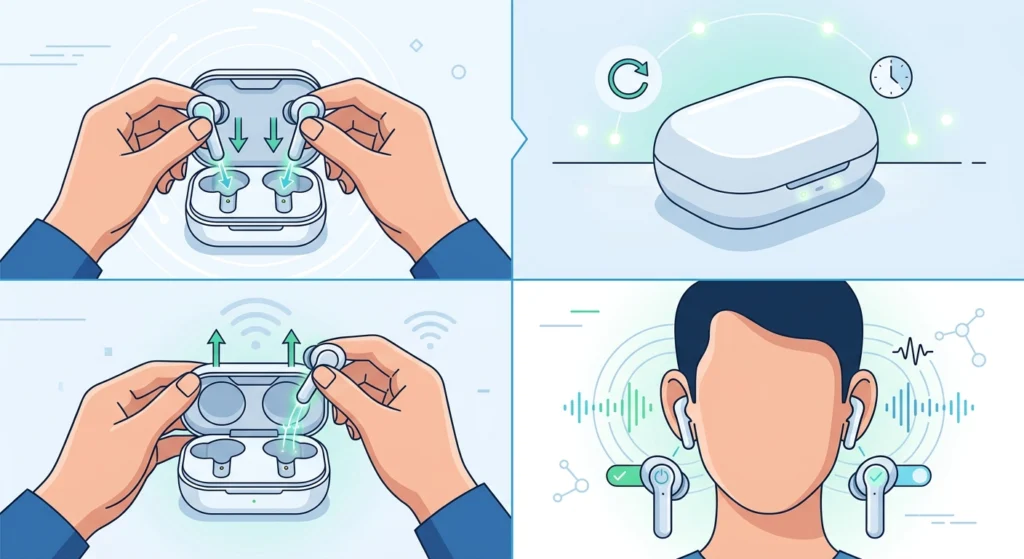
This sounds too simple to work, but it clears up noise cancelling glitches more often than any other fix. True wireless earbuds occasionally get stuck between listening modes, especially after switching between calls, apps, or devices.
- Step 1: Place both earbuds back in the charging case.
- Step 2: Close the lid and wait for about 10 seconds.
- Step 3: Open the lid and remove both earbuds at the same time.
- Step 4: Play audio and switch to ANC mode to check if noise cancelling has returned.
This works best when only one earbud seems affected, since a stuck connection between the two buds is a common trigger for uneven or missing noise cancelling.
Fix 2: Turn On the Correct Listening Mode
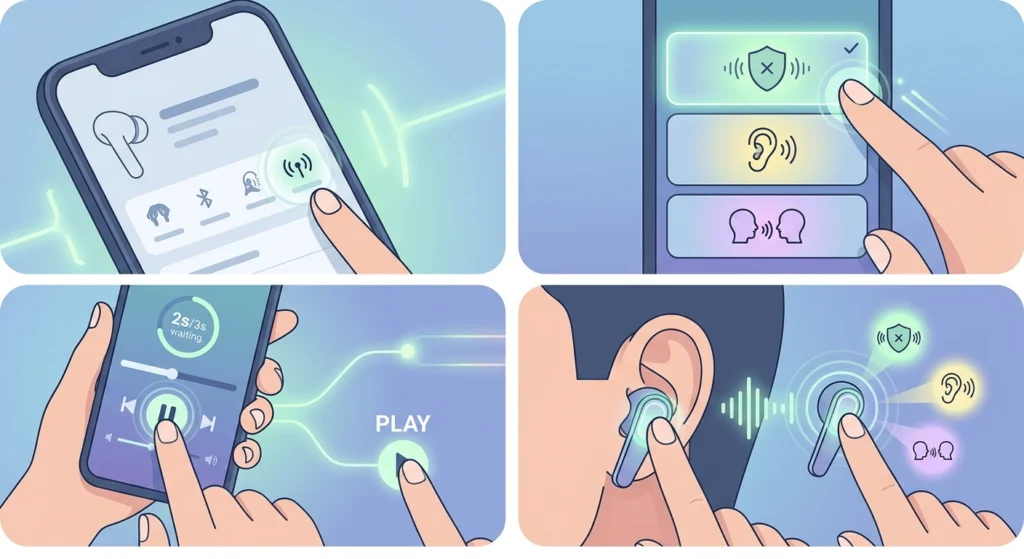
The Live Beam 3 cycles between three listening modes: Active Noise Cancelling, Ambient Aware, and TalkThru. Noise cancelling will not engage at all if the earbuds are set to Ambient Aware or TalkThru, even though music is still playing normally.
- Step 1: Open the JBL Headphones app and go to the device home screen.
- Step 2: Tap the listening mode icon and confirm it is set to ANC, not Ambient or TalkThru.
- Step 3: Pause audio for two to three seconds, then resume playback to let the mode fully apply.
- Step 4: Alternatively, use the touch control assigned to mode switching directly on the earbud.
Pro-Tip: Check the control mapping in the app first. If ANC toggling was never assigned to a touch gesture on either earbud, switching modes has to happen through the app, and it can look like ANC is broken when it simply was never turned on.
Fix 3: Check Ear Tip Fit and Seal
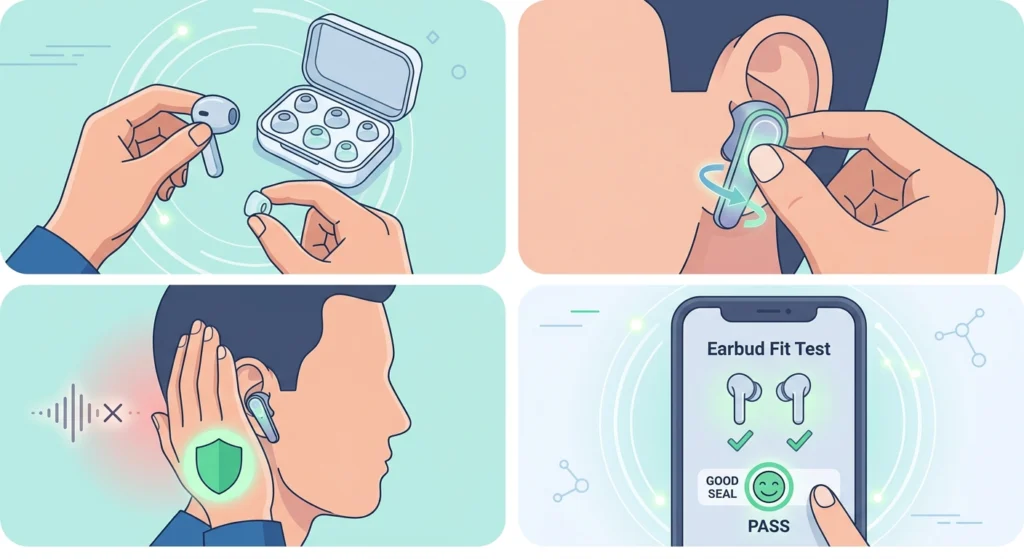
Noise cancelling relies on a tight physical seal in the ear canal, not just software. A loose or wrong-sized ear tip lets outside noise leak in around the edges, which makes ANC feel weak or absent even when it is technically switched on.
- Step 1: Remove the current ear tips and try each size included in the box.
- Step 2: Insert the earbud and gently twist until a snug seal is felt, similar to fitting a cork into a bottle.
- Step 3: Cup a hand over the ear briefly. If outside sound noticeably drops with the hand cupped but not without it, the seal is too loose.
- Step 4: Run the fit test inside the JBL Headphones app, if available for this model, to confirm seal quality.
Fix 4: Clean the Microphones and Vents
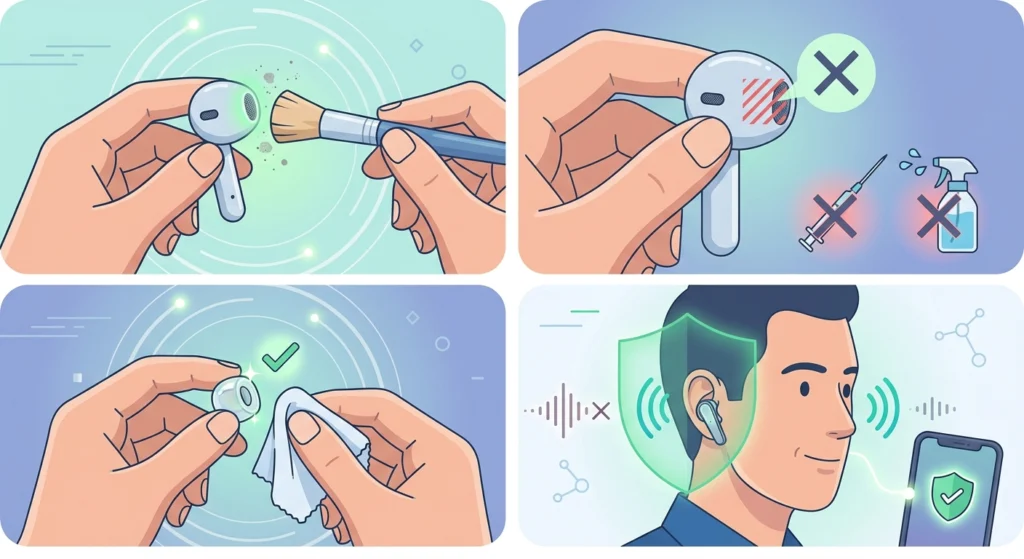
Active noise cancelling depends on tiny external microphones that sample ambient sound. Dust, earwax, or lint blocking these microphones reduces how effectively the earbuds can cancel outside noise, and one ear is often affected more than the other.
- Step 1: Use a soft, dry brush to gently clear debris from the mesh vents and microphone openings.
- Step 2: Avoid inserting anything sharp or wet into the microphone ports.
- Step 3: Wipe the ear tips separately with a dry cloth before reattaching them.
- Step 4: Test ANC again with both earbuds in place.
Fix 5: Update Firmware Through the JBL Headphones App
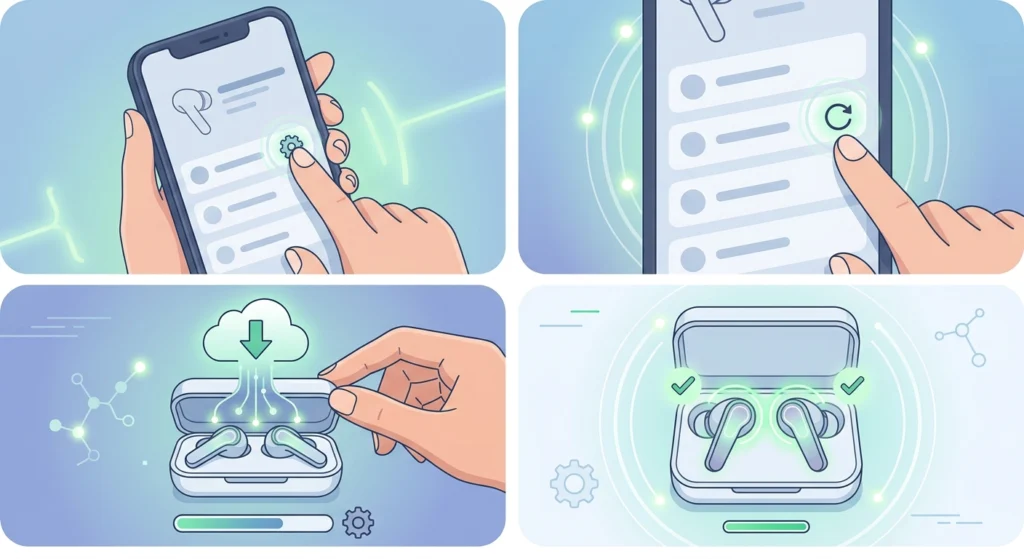
Outdated firmware is one of the more common reasons ANC underperforms or drops out entirely, and JBL periodically releases updates that specifically address noise cancelling stability and multipoint call issues.
- Step 1: Open the JBL Headphones app with the earbuds connected.
- Step 2: Go to Settings, then Device Information, then Firmware Version.
- Step 3: Tap to check for updates and install any that are available.
- Step 4: Keep the case lid open and earbuds in place until the update finishes completely.
Pro-Tip: Never disconnect the earbuds mid-update. An interrupted firmware update is one of the few things that can genuinely corrupt the ANC settings and require a full factory reset to recover from.
Fix 6: Reset Audio Settings and Re-pair the Earbuds
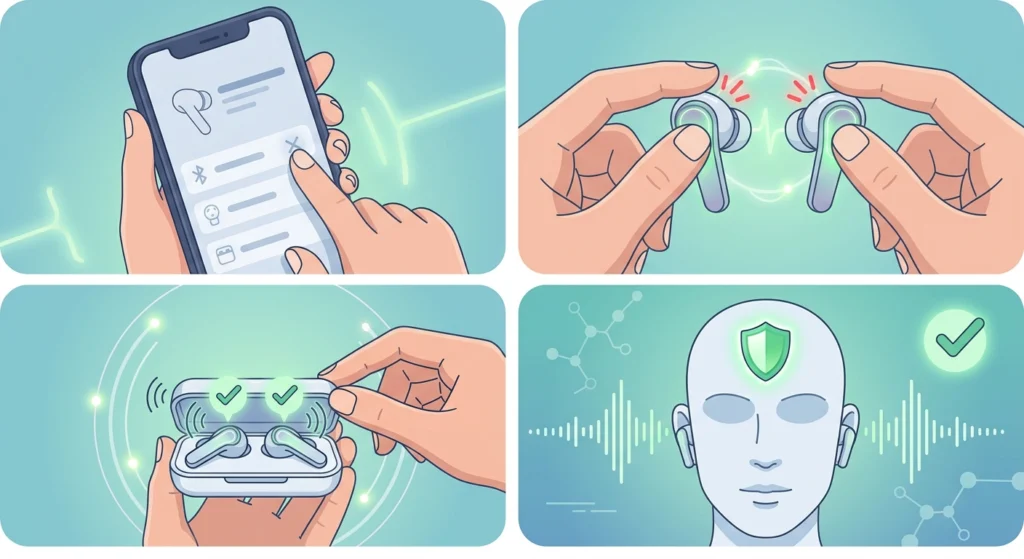
When none of the fixes above resolve the issue, a factory reset clears out any corrupted settings that may be blocking noise cancelling from functioning correctly.
- Step 1: Remove the earbuds from the connected device’s Bluetooth list.
- Step 2: Press and hold the button on both earbuds until the LED flashes to trigger a factory reset.
- Step 3: Follow this guide to re-pair the earbuds for proper stereo sound on a Windows device.
- Step 4: If ANC still behaves inconsistently after pairing, this walkthrough on resetting audio settings on Windows 11 can clear out conflicting system-level audio configurations.
Tips for Getting the Best Noise Cancelling Performance
- Store the earbuds in the case whenever not in use to protect the microphone vents from lint and pocket debris.
- Reapply ear tips fully seated rather than just resting in the ear canal.
- Disable any volume limiter in the app, since it can be mistaken for weak ANC when it is actually a volume cap.
- Keep the Personi-Fi EQ set to Normal when testing ANC, since aggressive EQ profiles can make output seem quieter.
- Check for firmware updates monthly, since JBL rolls out ANC stability improvements regularly.
Common Problems and Troubleshooting
A few related issues tend to show up alongside noise cancelling problems on the Live Beam 3, and most trace back to the same root causes covered above.
- One earbud has noticeably weaker ANC than the other – usually a seal or microphone blockage issue, addressed in Fix 3 and Fix 4.
- ANC toggle appears greyed out in the app – typically means the earbuds are in single-earbud mode, resolved with a reseat as described in Fix 1.
- ANC works in stereo but weakens in mono, single-earbud use – this is expected behavior on this model, not a defect.
- ANC settings reset unexpectedly after an update – reconfigure the mode preferences in the app after any firmware update finishes.
Frequently Asked Questions
Why did JBL Live Beam 3 noise cancelling suddenly stop working?
The most common cause is the earbuds getting stuck in Ambient Aware or TalkThru mode, or a firmware update that reset the ANC preference. A reseat in the case followed by a mode check in the app resolves this in most cases.
Does a bad ear tip fit really affect noise cancelling?
Yes. Active noise cancelling depends on a sealed ear canal to work properly. A loose seal lets outside sound leak in regardless of whether ANC is switched on, which is often mistaken for a hardware fault.
How often should firmware be updated on the Live Beam 3?
Checking monthly is a reasonable habit. JBL periodically ships updates that specifically target ANC stability, multipoint call audio, and other performance improvements.
Can a factory reset fix noise cancelling problems?
Yes, a factory reset clears out any corrupted settings that may be interfering with ANC. It is best used as a later step after checking mode settings, fit, and firmware first.
Why does one earbud have weaker noise cancelling than the other?
This is typically caused by a shallow seal, a blocked microphone vent, or the earbud briefly losing sync with its pair. Cleaning the microphone ports and reseating the earbuds usually resolves it.
Is noise cancelling weaker when using only one earbud?
Yes, this is expected behavior on many true wireless earbuds, including the Live Beam 3. Testing ANC with both earbuds in first helps confirm whether the weaker performance is normal single-earbud behavior or an actual fault.
Does the volume limiter setting interfere with noise cancelling?
Not directly, but a low volume caused by the limiter can be mistaken for weak ANC. Disabling the limiter in the JBL Headphones app helps rule this out.
Where is the ANC toggle in the JBL Headphones app?
It appears on the main device screen as a listening mode selector, cycling between Active Noise Cancelling, Ambient Aware, and TalkThru.
Can dirty microphones really cause ANC issues?
Yes. The external microphones used for ANC need a clear path to sample ambient sound. Dust or earwax blocking these openings noticeably weakens noise cancelling performance.
What should be tried first when noise cancelling stops working?
Start with placing both earbuds back in the case and removing them again, then confirm the listening mode is set to ANC rather than Ambient Aware or TalkThru.