
Knowing how to fix headphones with rattling bass can save a great pair of earbuds or over-ears from the drawer of shame. That harsh buzzing on deep notes usually comes from settings, poor fit, or trapped debris, not from a dead speaker. Most people find that a few small changes bring the low end back to smooth and tight.
Key Takeaways
- Bass boost plus high volume is the most common reason for rattling.
- A poor seal or dirty ear tips can make clean bass sound loose and buzzy.
- Audio enhancements on a computer can push low frequencies too hard.
- Testing the same track on another device shows whether the headphones or the source is the problem.
- Most fixes take under 10 minutes and need no tools.
Step-by-Step Guide to Fix Rattling Bass in Headphones
Method 1: Turn Down Bass Boost and Equalizer Settings
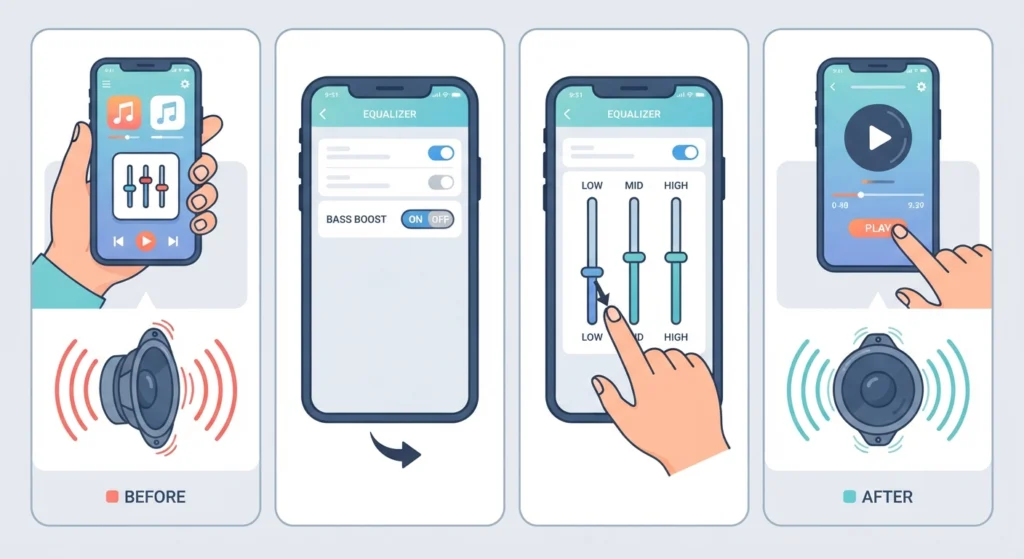
Think of a small speaker driver like a trampoline. Push it too hard with heavy bass and it slaps against its limits, which creates that rattling sound. Lowering the bass gives the driver room to move cleanly.
- Step 1: Open the music app or the headphone companion app and find the equalizer.
- Step 2: Turn off any preset named Bass Boost, Bass Booster, or Extra Bass.
- Step 3: If a manual equalizer is used, drag the lowest sliders down a few notches.
- Step 4: Play a bass-heavy track and listen for the rattle. Repeat with smaller cuts until it disappears.
Method 2: Lower the Volume
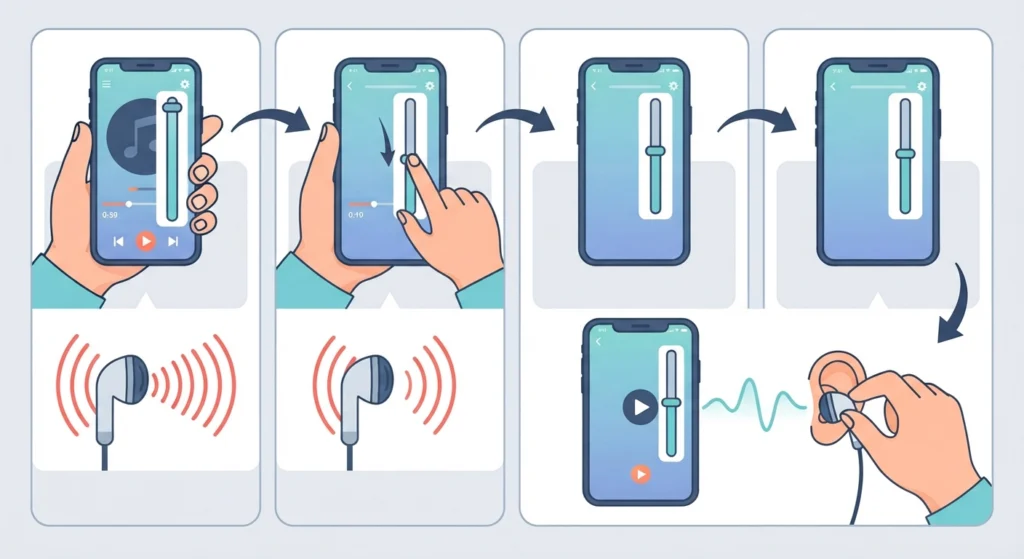
Rattling often shows up only at loud levels. Drivers have a limit, and heavy bass at high volume is where they struggle first.
- Step 1: Lower the volume on the headphones or earbuds to about 60 percent.
- Step 2: Set the volume on the phone or computer to a moderate level too, so neither side is doing extra work.
- Step 3: Play the same track. If the rattle is gone, keep the volume at that level or slightly higher until the sound just begins to distort, then step back down.
Method 3: Improve the Fit and Seal
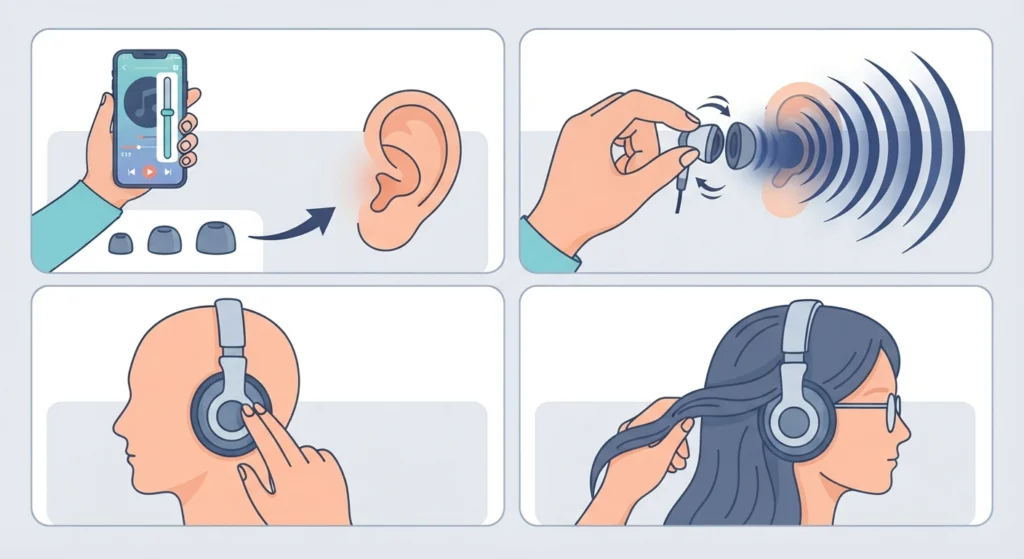
Bass depends on a good seal. When earbuds sit loosely or ear cushions gap against the head, low notes leak out and the remaining sound can feel thin and buzzy.
- Step 1: For earbuds, try every ear tip size that came in the box and choose the one that feels snug without pain.
- Step 2: Twist the earbuds gently while inserting them until the bass sounds fuller.
- Step 3: For over-ear or on-ear models, check that the cushions sit flat around the ears and are not cracked or flattened.
- Step 4: Move glasses arms or thick hair out of the way, since they can break the seal.
Pro-Tip: Always test the fit with a steady bass note or a bass-heavy song. When the seal is right, the low end suddenly becomes deeper and calmer. If the bass changes noticeably when the earbud is pressed lightly, the tip size is the problem.
Method 4: Clean the Ear Tips and Speaker Mesh
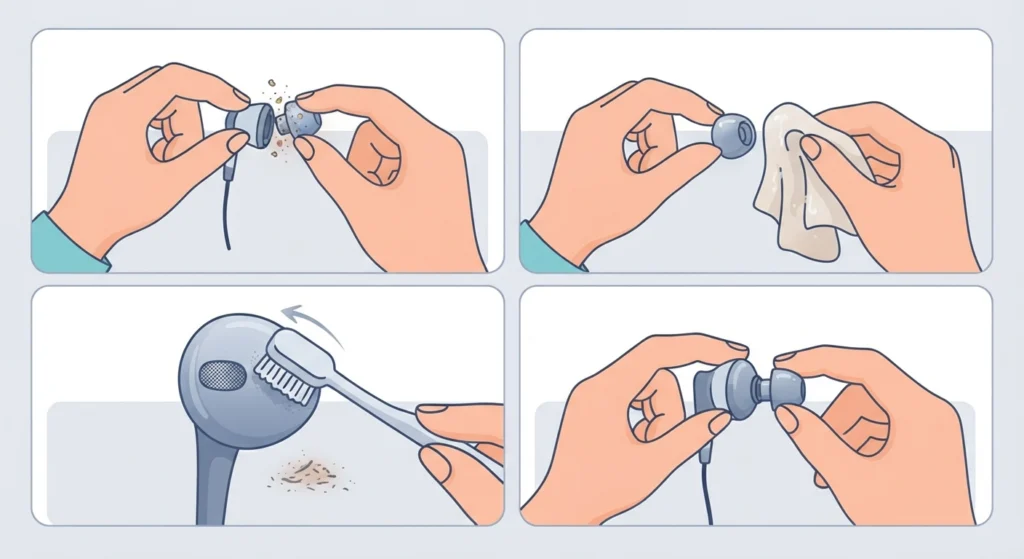
Earwax or dust on the mesh can interfere with how the driver moves air. A quick cleaning often makes a surprising difference.
- Step 1: Remove the ear tips or pull off the ear cushions if they detach.
- Step 2: Wipe silicone tips with a slightly damp cloth and let them dry completely.
- Step 3: Brush the speaker mesh gently with a soft, dry brush or a clean toothbrush. Do not poke anything into the mesh.
- Step 4: Refit the parts and test again.
Method 5: Turn Off Audio Enhancements on Windows
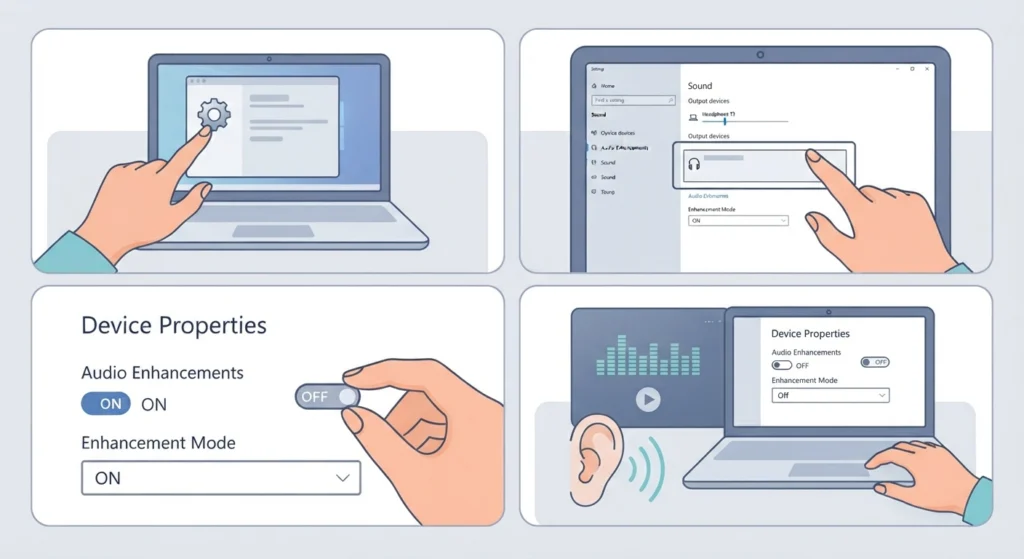
Some Windows sound effects add extra bass that the headphones cannot handle. Disabling them gives a cleaner signal. The guide on adjusting audio output settings covers the same menus in more detail for Windows 11.
- Step 1: Open Settings, go to System, then Sound.
- Step 2: Select the headphones under Output to open their properties.
- Step 3: Turn off Audio enhancements, or set it to Off if a dropdown is shown.
- Step 4: Play music again and listen for the rattle.
Method 6: Reset the Audio Settings
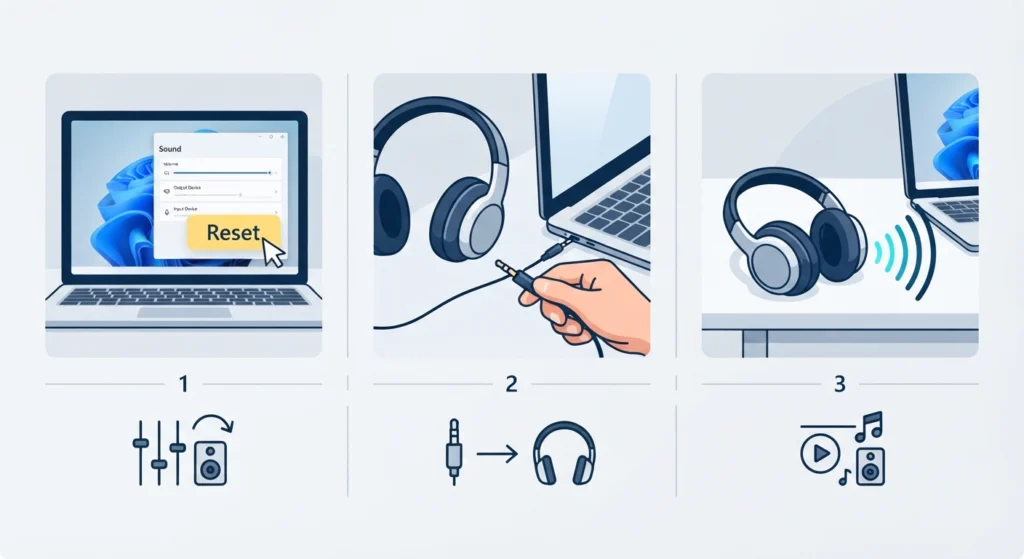
Old custom settings can stack up over time, such as a forgotten equalizer, a spatial sound option, or a loudness effect. Following the steps for resetting audio settings on Windows 11 returns everything to a clean starting point.
- Step 1: Reset the sound options on the device being used.
- Step 2: Reconnect the headphones.
- Step 3: Play a track with deep bass at a moderate volume and compare the result with before.
Method 7: Test on a Second Device and Another Track
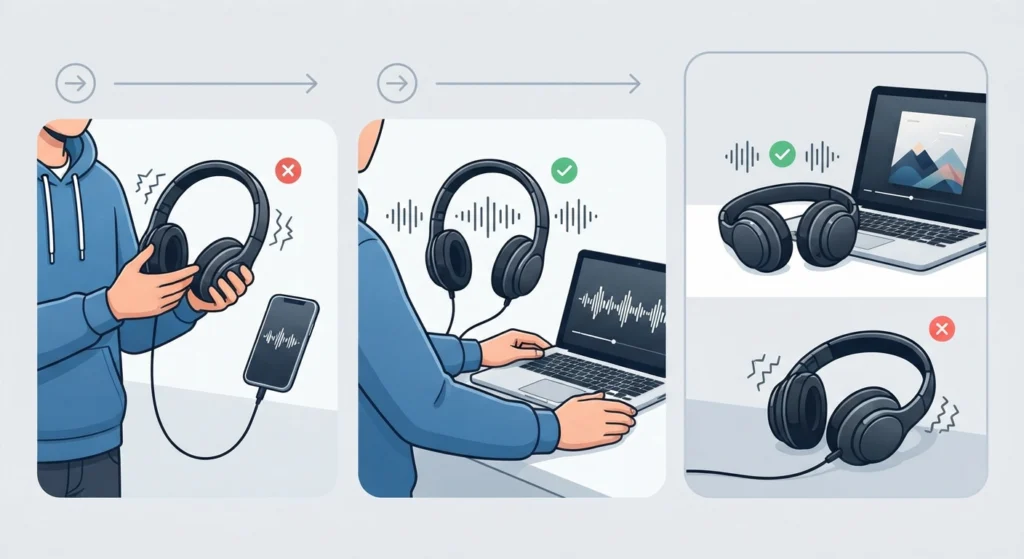
This step shows where the problem really lives. A badly compressed audio file can rattle on any headphones.
- Step 1: Play the same song on a different phone or computer.
- Step 2: Try a high-quality track from a streaming service or a lossless file.
- Step 3: If the rattle happens only with one file, the file is the cause. If it happens everywhere, the headphones are likely damaged.
Tips for Keeping Bass Clean
- Keep the equalizer flat or close to flat, then make small changes only if needed.
- Avoid using bass boost and maximum volume together.
- Store headphones in a case, away from heat, moisture, and pressure.
- Wipe ear tips and cushions every week or two.
- Choose well-encoded music files, since poor recordings can sound harsh on heavy low notes.
Common Problems and Quick Answers
The Rattle Only Happens on One Side
Swap the ear tips or cushions between sides first. If the problem stays with the same earcup or earbud, that driver may be damaged or have a loose part.
The Rattle Stays After Every Fix
A persistent buzz at low volume and with a flat equalizer usually points to a physical fault, such as a damaged driver. Contact the manufacturer about warranty repair or replacement.
The Bass Sounds Muffled Instead of Rattling
Muffled bass is often a fit or cleaning issue. Recheck the seal and clean the mesh and tips.
Frequently Asked Questions
Why do my headphones rattle when the bass hits?
The driver is usually being pushed beyond its comfortable range, often by high volume combined with bass boost. Loose fit, debris, or damage can also cause it.
Can a bad seal cause rattling bass?
Yes. A poor seal lets low frequencies escape and can make the sound feel thin and buzzy. A better ear tip size or well-seated cushions often improves it right away.
Will lowering the volume fix rattling bass?
Often it will, especially when the rattle only appears on loud tracks. Lower volume reduces how far the driver has to move.
Does bass boost damage headphones?
Bass boost does not damage headphones by itself, but using it at high volume can strain the drivers over time and cause distortion.
Can dirty ear tips cause a buzzing sound?
Blocked mesh or dirty tips can change how sound travels and reduce clarity. Cleaning them is a safe and simple first check.
How can I tell if the problem is the headphones or the music file?
Play the same track on another device and try a different high-quality song. If the rattle follows the headphones, they are the cause. If it follows the file, the recording is the cause.
Do wired and wireless headphones both rattle?
Yes. Both types use drivers, so overloaded bass, poor fit, or damage can affect either one.
Can Windows audio enhancements make bass rattle?
They can. Some effects raise low frequencies, which may overload smaller drivers. Turning them off is a quick way to check.
Can rattling bass be repaired?
If the cause is settings, fit, or dirt, it can be fixed at home. If a driver is physically damaged, repair or replacement through the manufacturer is usually the safest route.
Should headphones with rattling bass still be used?
Occasional rattling at high volume is a sign to turn things down. If the sound is harsh at normal levels, stop using them at high volume until the cause is found.