
Learning how to connect headphones to an older TV with RCA outputs takes only a cable or a small adapter and a couple of minutes. Older TVs rarely have a headphone jack, but the red and white audio output jacks on the back carry everything needed for private listening.
The trick is simple. RCA outputs send a line-level audio signal, which is a bit like a hose that delivers water to a tap but not straight to a glass. A cable, amplifier, or transmitter turns that signal into something headphones can use. Most people find that one of the three methods below is all it takes.
Key Takeaways
- Use the red and white Audio Out jacks on the TV, never the yellow video jack.
- Wired headphones: an RCA to 3.5mm cable is the quickest route.
- Wireless headphones: a Bluetooth transmitter with RCA input does the job.
- Low volume from wired headphones? A small headphone amplifier fixes it.
Method 1: Use an RCA to 3.5mm Cable with Wired Headphones
This is the simplest option and works with any headphones or earbuds that have a standard 3.5mm plug. The cable has two RCA plugs (red and white) on one end and a single 3.5mm stereo plug on the other.
- Step 1: Find the Audio Out jacks on the back or side of the TV. They are usually labeled Audio Out or Line Out, with red for right and white for left.
- Step 2: Plug the red RCA connector into the red jack and the white connector into the white jack. Make sure these are the output jacks, not the Audio In jacks sitting nearby.
- Step 3: Insert the 3.5mm plug into the headphones. If the headphones use a larger 6.35mm plug, add a 3.5mm to 6.35mm adapter first.
- Step 4: Turn the TV on and play something with sound.
- Step 5: Raise the volume slowly. Some TVs send a fixed output level to the RCA jacks, so the TV remote may not change the headphone volume. Check the audio menu for a Variable or Fixed audio out setting if the TV offers one.
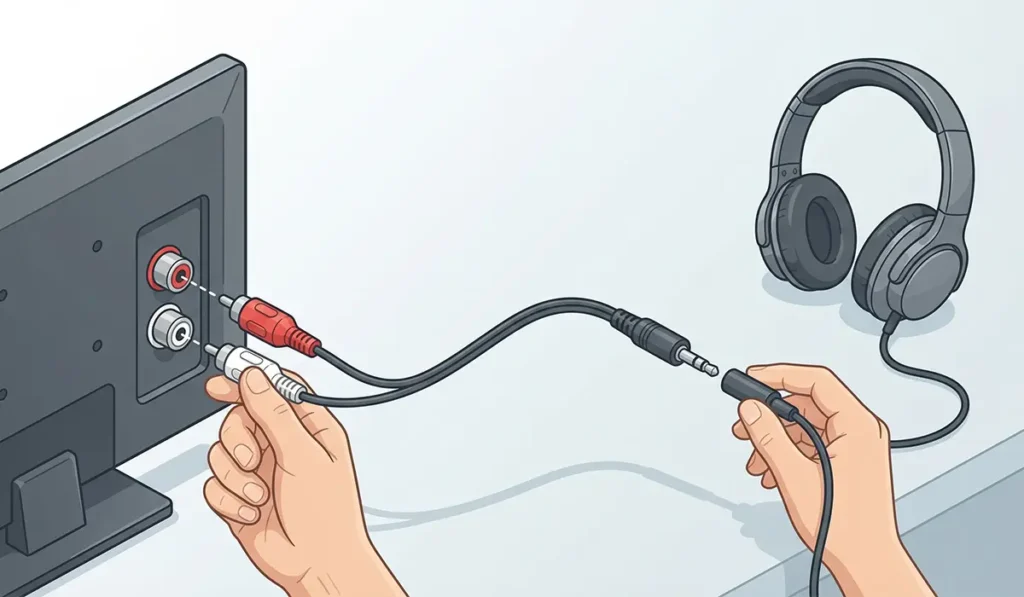
Pro-Tip: Start with the volume low. Line-level output can feel quiet on some headphones and surprisingly loud on others, so raising it gradually protects both ears and drivers.
Method 2: Use a Bluetooth Transmitter for Wireless Headphones
Bluetooth headphones cannot plug into RCA jacks directly. A Bluetooth transmitter bridges the gap by taking the TV audio and sending it wirelessly. Pick a transmitter that has an RCA input, or one with a 3.5mm input paired with an RCA to 3.5mm cable.
- Step 1: Connect the RCA to 3.5mm cable from the TV Audio Out jacks to the transmitter input.
- Step 2: Power the transmitter through a USB port or a phone charger, or charge its battery if it has one.
- Step 3: Put the transmitter into pairing mode. Most models blink a light when ready.
- Step 4: Put the Bluetooth headphones into pairing mode as well.
- Step 5: Wait for the light on the transmitter to turn solid, which means the connection is made.
- Step 6: Play audio on the TV and adjust the volume on the headphones.
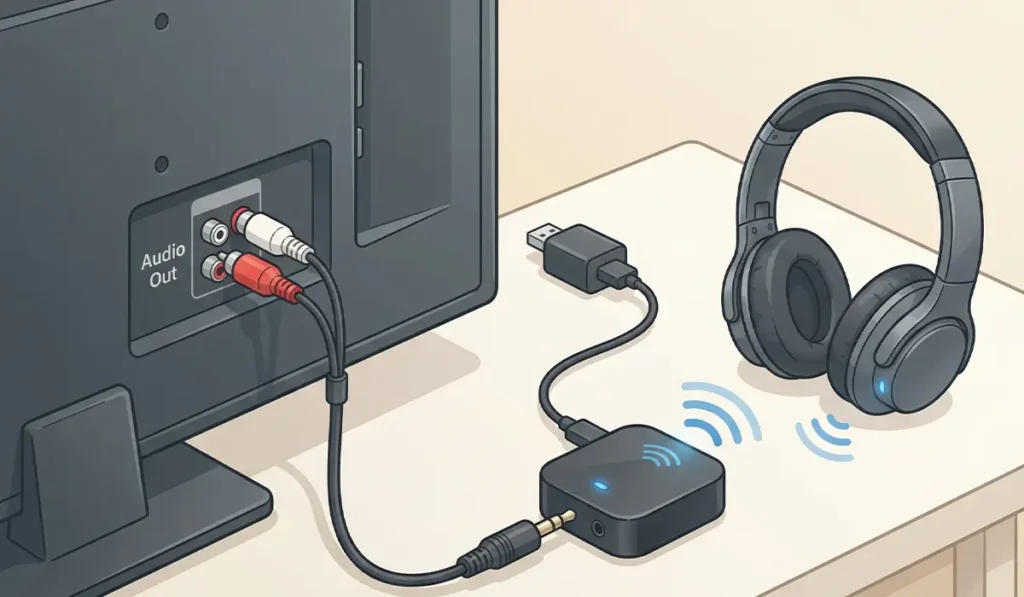
Pro-Tip: Choose a transmitter and headphones that both support a low-latency codec such as aptX Low Latency. Standard Bluetooth can cause a slight delay between picture and sound, and matching low-latency support on both devices keeps dialogue in sync with lips on screen.
Headphones that were previously paired with a computer sometimes need a fresh start before the transmitter will find them. A guide on how to re-pair Bluetooth earbuds covers that reset process.
Method 3: Use a Headphone Amplifier for Better Volume
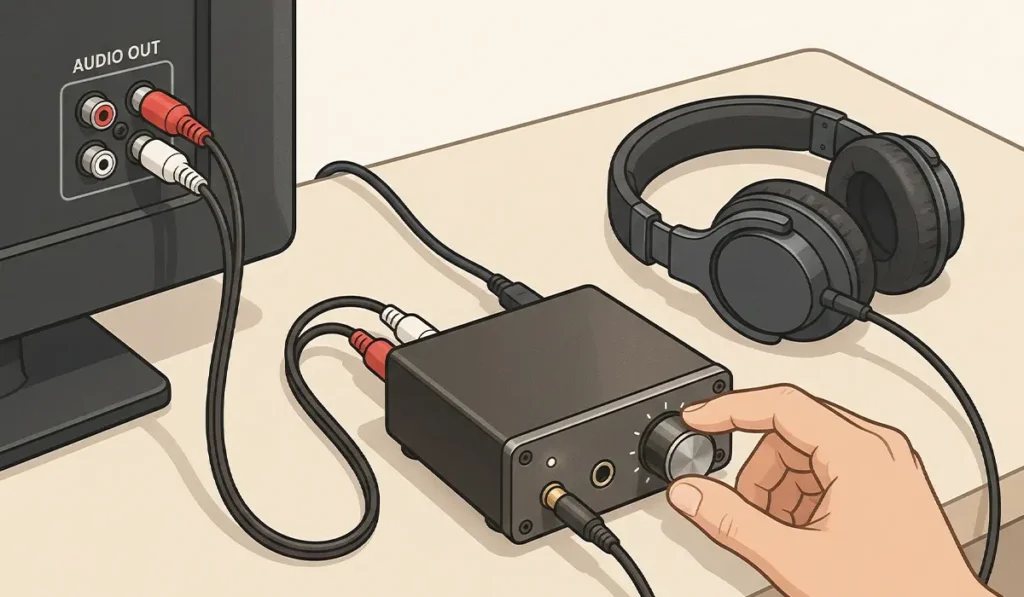
A compact headphone amplifier sits between the TV and the headphones. It accepts RCA input, boosts the signal, and gives a proper volume knob. This works best for larger over-ear headphones that need more power than a plain cable can deliver.
- Step 1: Connect RCA cables from the TV Audio Out jacks to the RCA input on the amplifier.
- Step 2: Power the amplifier with its USB cable, power adapter, or battery.
- Step 3: Plug the headphones into the amplifier headphone output.
- Step 4: Turn the amplifier volume knob down, start playback, then raise it gradually to a comfortable level.
Tips for Better Sound and Comfort
- Choose a long cable, around 3 meters or more, so the seating position does not have to be right next to the TV.
- Check the TV menu or manual to see whether the built-in speakers can be muted separately from the RCA output. This varies by model.
- Keep red and white plugs matched to their jacks. Swapping them only flips left and right channels, but matching them keeps stereo effects accurate.
- Gold-plated connectors resist corrosion on older jacks, which helps keep the signal clean.
- Wipe dusty jacks with a dry cloth before plugging in, since older TVs often collect grime behind the panel.
Common Problems and Quick Fixes
Fix 1: No Sound in the Headphones
Confirm the cable is plugged into Audio Out and not Audio In. Then check that the TV audio output setting is not set to speakers only, if the menu offers that option.
Fix 2: Sound Only in One Ear
Push both RCA plugs in fully and make sure the 3.5mm plug is seated all the way. A partly inserted plug is the most common cause.
Fix 3: Volume Is Too Low
Switch to a headphone amplifier as in Method 3, or look for a Variable audio out option in the TV settings.
Fix 4: Bluetooth Headphones Will Not Pair
Turn off any other nearby device that the headphones usually connect to, then repeat pairing from the start. When the headphones are also used with a computer, this guide on troubleshooting headphone detection can help clear up leftover connection issues.
Fix 5: Sound Is Slightly Behind the Picture
Use a low-latency Bluetooth transmitter and headphones that support the same low-latency codec, or switch to a wired connection.
Frequently Asked Questions
Can headphones be plugged straight into RCA outputs?
Not with a standard headphone plug. RCA jacks need an RCA to 3.5mm cable, an amplifier, or a Bluetooth transmitter to connect to headphones.
Which RCA jacks should be used for audio?
Use the red and white jacks labeled Audio Out or Line Out. The yellow jack carries video and is not used for headphones.
Can Bluetooth headphones connect to a TV with only RCA outputs?
Yes. A Bluetooth transmitter with an RCA input or a 3.5mm input and an RCA to 3.5mm cable makes this possible.
Is a headphone amplifier necessary?
No. A simple cable works for many earbuds and small headphones. An amplifier helps when the volume is too low or when larger headphones need more power.
Will the TV speakers turn off when headphones are connected?
Not on every model. Many older TVs keep the speakers active, so the TV menu or manual should be checked for a speaker mute option.
Does a Bluetooth transmitter cause audio delay?
It can. Standard Bluetooth may add a small delay, while transmitters and headphones that share a low-latency codec reduce it noticeably.
Can earbuds be used with an RCA to 3.5mm cable?
Yes. Any wired earbuds with a 3.5mm plug work the same way as full-size headphones.
Do headphones with a 6.35mm plug work with this setup?
Yes. Add a 3.5mm to 6.35mm adapter to the cable plug, or use a headphone amplifier that has a 6.35mm output.
Does a Bluetooth transmitter need power?
Yes. Most transmitters run from a USB port or a built-in rechargeable battery, so a power source must be available near the TV.