
Key Takeaways
- 1More Fit SE refusing to reset almost always comes down to case placement, battery level, or button timing.
- The correct reset method is holding the pairing button on the case for a full 8 seconds while both earbuds sit inside.
- A flashing LED that turns off and then back on confirms the pairing records have been cleared.
- A half-closed case lid or a low charging case are the two most common reasons the reset gets ignored.
- Re-pairing afterward means forgetting the old ‘1More Fit SE’ entry and selecting it again from the Bluetooth list.
1More Fit SE refusing to reset is one of the more common complaints among owners trying to clear old pairing records or fix a stuck Bluetooth connection. Most people find that the process only fails because a small step gets rushed, and once that step is corrected, the reset usually works on the very next attempt.
Step-by-Step Guide to Reset the 1More Fit SE Earbuds
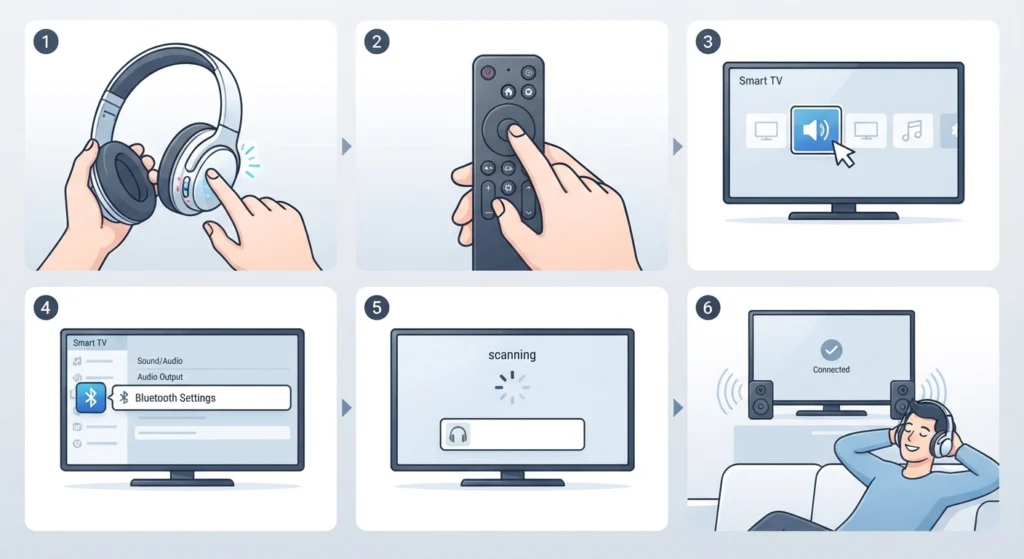
This sequence matches the official reset method for the Fit SE model. The order matters here, since skipping the seating step is the single biggest reason the case does not register the command at all.
- Step 1: Place the left and right earbuds back into the charging case, making sure each one clicks fully into its magnetic slot.
- Step 2: Leave the case lid open so the pairing button on the outside of the case stays reachable.
- Step 3: Locate the small pairing button on the case, typically near the hinge or just below the LED light.
- Step 4: Press and hold that button for a full 8 seconds without letting go early.
- Step 5: Watch the LED indicator. It should turn off briefly, then flash back on, which confirms the pairing records have been cleared.
- Step 6: Open Bluetooth settings on the connecting device and forget the existing ‘1More Fit SE’ entry before scanning again.
- Step 7: Triple-tap the pairing button once more, then select ‘1More Fit SE’ from the device list to finish pairing.
Pro-Tip: Timing matters more than pressure. Letting go at 5 or 6 seconds is the single biggest reason a reset attempt silently fails, so counting out loud to 8 removes the guesswork entirely.
Fix 1: The Case Lid Is Not Staying Open Long Enough
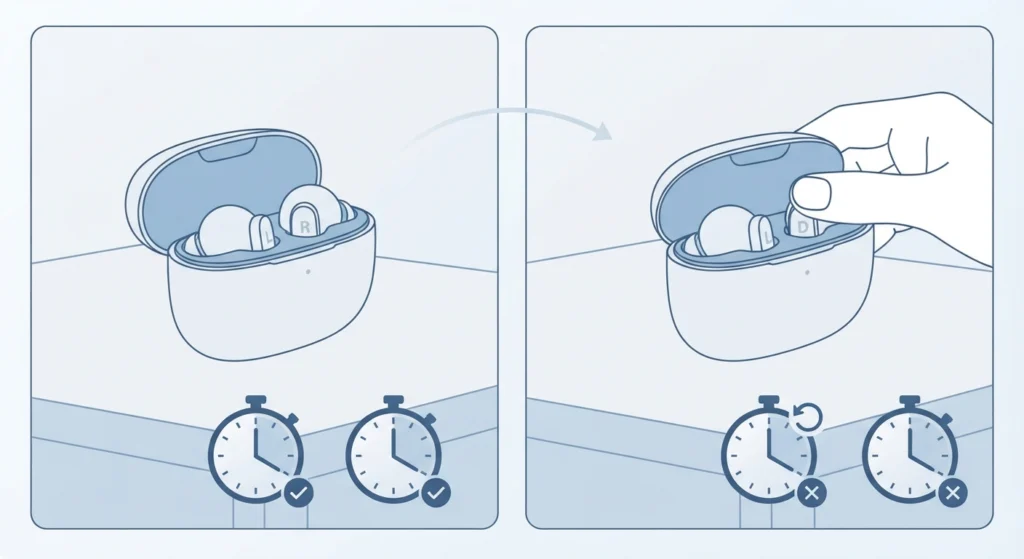
Closing the lid even for a second during the 8-second hold interrupts the command before it registers. This works best when the lid is propped fully open on a flat surface rather than held partway with one hand, since a partial close is easy to miss but still resets the timer back to zero.
Fix 2: The Charging Case Battery Is Too Low
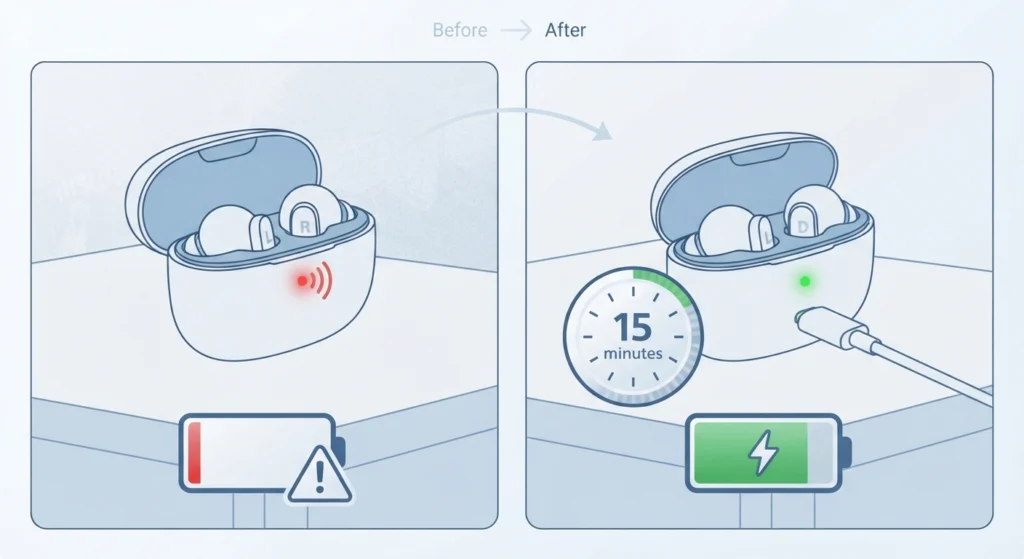
A case running below roughly 10 percent charge often lacks enough power to complete the reset command, even though the earbuds themselves still light up. The key is to place the case on its charging cable for at least 15 minutes before trying again, then repeat the full sequence from the start.
Fix 3: The Wrong Button Is Being Pressed
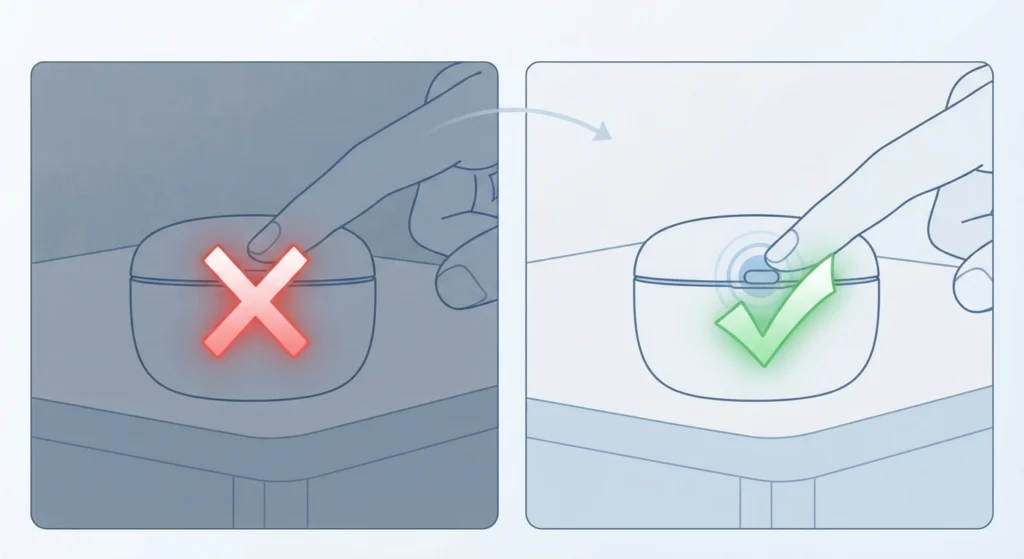
The Fit SE has only one small button on the case, but it sits close to the hinge and gets confused with the seam of the case in low light. Running a finger along the back edge first, rather than pressing by sight alone, avoids this mix-up.
Tips to Prevent Reset Problems Going Forward
- Keep the case above 20 percent charge before attempting any reset, since low power is the most frequent silent failure point.
- Update the earbud firmware through the 1More Music app when both earbuds show at least 50 percent battery, since outdated firmware occasionally causes the pairing button to respond inconsistently.
- Store both earbuds in the case when not in use so a reset can be performed immediately if a connection issue comes up later.
Pro-Tip: Firmware updates only install correctly when both earbuds are seated in the case at the same time. Updating just one earbud is a common reason later resets behave unpredictably.
Common Problems After Resetting the 1More Fit SE
Once the reset itself succeeds, a few follow-up issues tend to show up on the next connection attempt.
- Only one earbud connects: place both earbuds back in the case, triple-tap the pairing button, then select ‘1More Fit SE’ again from the list.
- Stereo sound is missing after reconnecting on a Windows PC: this is usually a pairing profile issue rather than a hardware fault, and following a guide to re-pair Bluetooth earbuds for stereo sound typically resolves it in a few minutes.
- No audio plays even though the connection shows as active: this points to a Windows output setting rather than the earbuds, and a walkthrough on resetting Windows audio settings usually gets sound flowing again.
Frequently Asked Questions
Why does the 1More Fit SE refuse to reset the first time?
Most first attempts fail because the case lid closes partway through the 8-second hold or one earbud is not fully seated in its slot. Both conditions interrupt the command before the case processes it.
How long should the pairing button be held to reset the 1More Fit SE?
The button needs to be held for a full 8 seconds while both earbuds sit inside the case. Releasing early is the most common reason a reset does not take effect.
Does the charging case need to be charged to reset the earbuds?
Yes. A case with very low battery, generally under 10 percent, often cannot complete the reset command even though the LED still appears to light up normally.
What does the LED light indicate during a successful reset?
The LED turns off briefly and then flashes back on once the pairing records have been cleared. If the LED stays solid or does not change at all, the hold was likely interrupted.
Is resetting the same as clearing pairing records?
Yes, for the Fit SE model these refer to the same process. Holding the case pairing button for 8 seconds clears stored pairing history so the earbuds can be paired again as new.
Why does only one earbud reconnect after a reset?
This usually happens when the earbuds are removed from the case before the sync between them completes. Placing both back in the case and triple-tapping the pairing button restores the connection between them.
Can the 1More Fit SE be reset without the charging case?
No. The reset process requires both earbuds to be seated in the case, since the pairing button that triggers the reset is located on the case itself, not on the earbuds.
Does resetting the earbuds erase firmware or app settings?
No. A reset only clears stored Bluetooth pairing records. Firmware version and custom controls set through the 1More Music app remain unaffected.
What should be done if the reset still does not work after several tries?
Charge the case fully, confirm both earbuds click into place, and repeat the 8-second hold on a flat, well-lit surface to avoid missing the button. If the LED never responds after that, the case itself may need to be checked by 1More support, since a persistent non-response usually points to a hardware fault rather than a technique issue.
How often should the 1More Fit SE be reset?
There is no fixed schedule. A reset is only needed when pairing becomes unreliable, one earbud stops connecting consistently, or the earbuds are being set up with a new primary device.