
Earbuds that won’t charge are one of the most frustrating audio problems anyone can run into – especially right before a workout, commute, or call. The good news is that most charging issues come down to a handful of fixable causes: dirty contacts, a faulty cable, a glitchy charging case, or a firmware hiccup. This step-by-step guide walks through every proven fix so the earbuds are back up and running as fast as possible.
Quick Summary Table
| Problem | Likely Cause | Fix |
|---|---|---|
| Earbuds not charging in case | Dirty charging pins | Clean contacts with dry cotton swab |
| Case not charging earbuds | Case battery dead | Charge the case first, then earbuds |
| No LED indicator when plugged in | Faulty cable or adapter | Try a different cable and power source |
| One earbud won’t charge | Misaligned in case | Reseat the earbud firmly in its slot |
| Earbuds charge slowly or stop | Firmware or software bug | Reset and update firmware |
| Case charges but earbuds do not | Worn-out battery | Contact manufacturer for replacement |
Step-by-Step Guide to Fix Earbuds That Won’t Charge
Fix 1: Clean the Charging Contacts
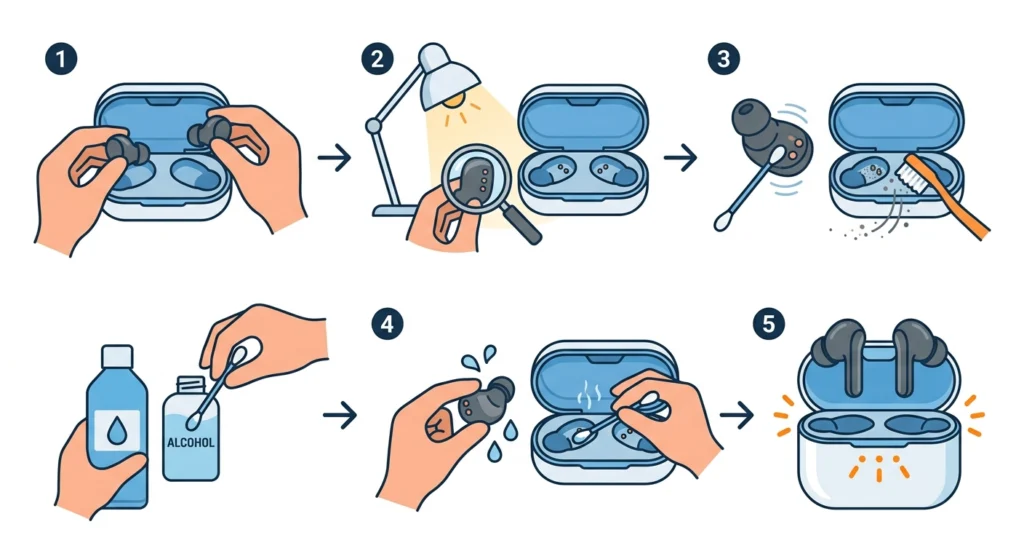
Dirty or corroded charging pins are the number one reason earbuds stop charging. Earwax, dust, and pocket lint build up on the metal contacts over time, breaking the electrical connection between the earbuds and the case.
- Step 1: Remove both earbuds from the charging case.
- Step 2: Inspect the metal charging pins on the earbuds and inside the case slots under a bright light.
- Step 3: Use a dry cotton swab or soft-bristle toothbrush to gently scrub the contacts on both the earbuds and the case.
- Step 4: For stubborn residue, lightly dampen the cotton swab with isopropyl alcohol (70% or higher) and clean again. Let everything dry completely before placing the earbuds back.
- Step 5: Place the earbuds back in the case and check if the charging LED lights up.
This works best when done regularly – even a monthly wipe-down can prevent charging failures before they start.
Pro-Tip: Never use water to clean charging contacts. Even a small amount of moisture left behind can cause corrosion or short the pins. Isopropyl alcohol evaporates quickly and is safe for electronics when used sparingly.
Fix 2: Check and Charge the Charging Case First
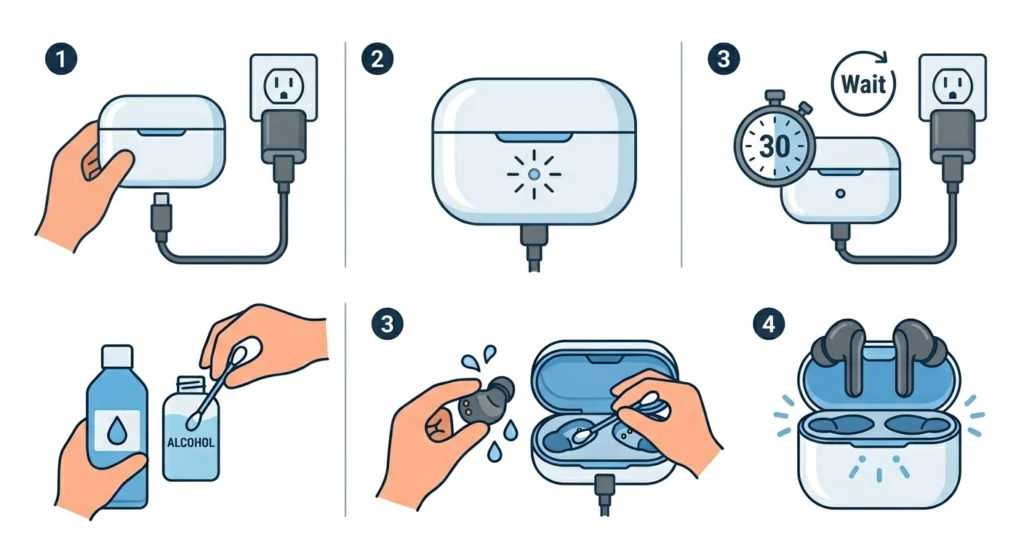
Most people assume the case is always charged – but if the case battery is drained, the earbuds simply won’t charge, no matter what. The case must have enough power to transfer charge to the earbuds.
- Step 1: Plug the charging case into a power source using the original cable and adapter.
- Step 2: Wait for the case’s LED indicator to show it is charging (usually a solid or blinking light).
- Step 3: Let the case charge for at least 30 minutes before placing the earbuds back inside.
- Step 4: Once the case has some charge, insert the earbuds and confirm the charging indicator activates.
Fix 3: Try a Different Cable and Power Source
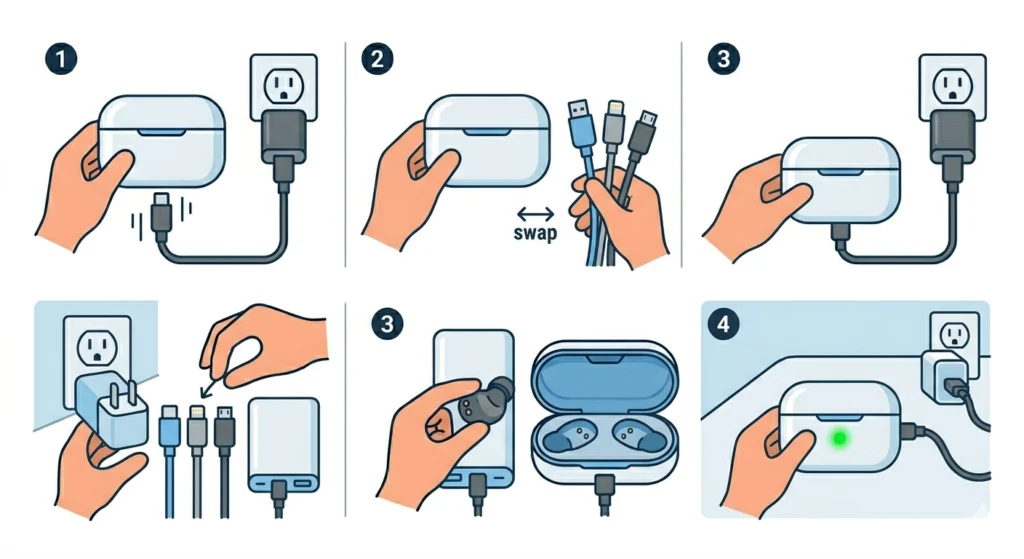
A bad cable is surprisingly easy to overlook. Cables fray internally without showing visible damage, and USB adapters can fail quietly. Swapping them out takes two minutes and rules out a very common culprit.
- Step 1: Unplug the current charging cable from the case.
- Step 2: Use a different USB-C, Lightning, or Micro-USB cable (whichever the case uses) that is known to work.
- Step 3: Plug into a different power source – try a wall adapter, a different USB port on a computer, or a power bank.
- Step 4: Check whether the charging indicator now appears on the case.
Most people find that the issue disappears entirely after switching to a different cable and wall adapter. It is worth testing at least two different combinations before moving on.
Fix 4: Reseat the Earbuds Properly in the Case
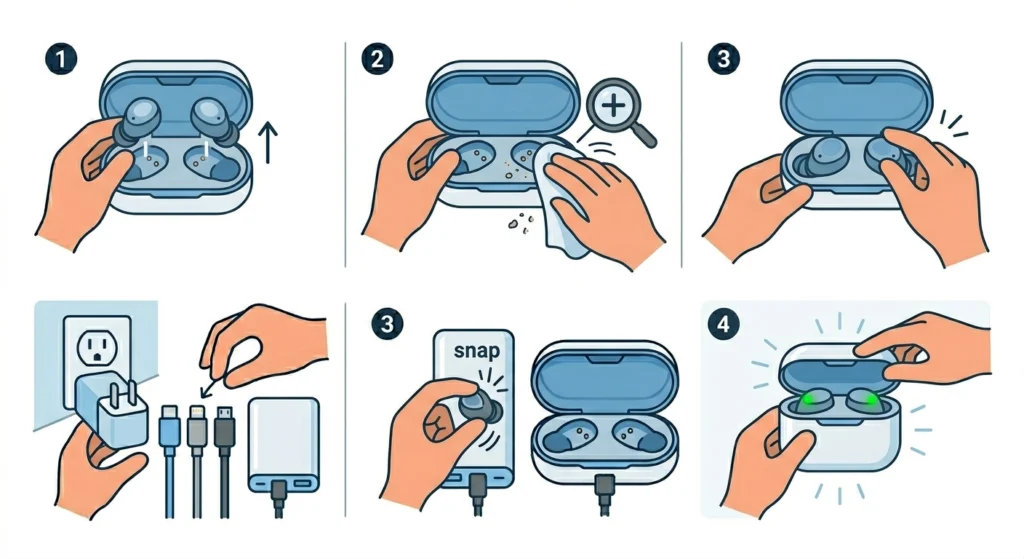
Earbuds need to sit precisely in their slots for the pins to make contact. If one or both earbuds are even slightly tilted or not clicked in fully, the charging circuit stays open and no charge flows.
- Step 1: Remove both earbuds from the case.
- Step 2: Look into the case slots and make sure there is no debris blocking the seating position.
- Step 3: Place each earbud back in firmly, pressing down until it clicks or snaps into place.
- Step 4: Close the case lid and wait a few seconds. Open it and check the LED status on each earbud.
The key is making sure the earbud is not resting on the rim of the case or sitting at an angle. A full, flush seating is what closes the charging circuit.
Fix 5: Reset the Earbuds
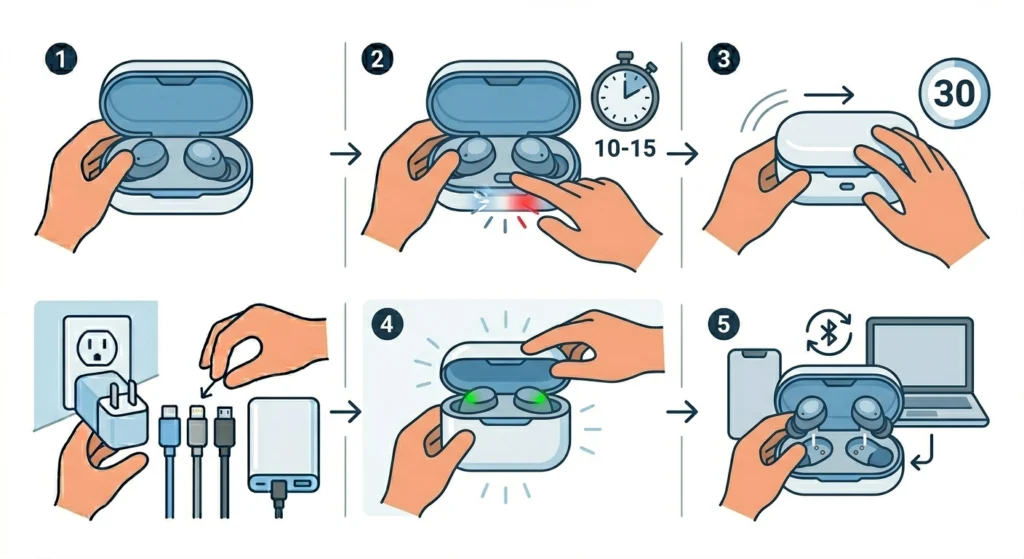
A software glitch in the earbuds or the case can interrupt the charging process. Resetting the earbuds clears any temporary firmware errors and often restores normal charging behavior. The reset process varies by brand, but the general method is consistent.
- Step 1: Place both earbuds in the charging case and keep the lid open.
- Step 2: Press and hold the button on the case (or the touch surface on the earbuds, depending on the model) for 10 to 15 seconds until the LED flashes a reset sequence – usually white or red flashes.
- Step 3: Release and close the lid. Wait 30 seconds.
- Step 4: Open the lid and check if the charging indicator appears on both earbuds.
- Step 5: If needed, re-pair the earbuds to the device after the reset, as some resets clear pairing data as well.
Pro-Tip: Always check the brand’s official support page or the manual for the exact reset sequence. For Samsung Galaxy Buds, it is done via the Galaxy Wearable app. For Apple AirPods, hold the case button for 15 seconds until amber flashes three times.
Fix 6: Update the Firmware
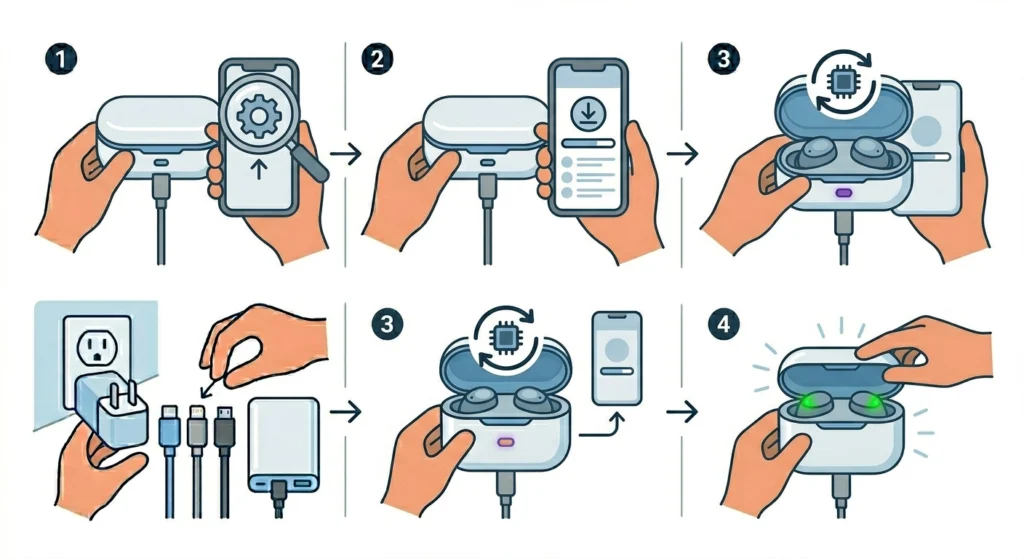
Outdated firmware can cause charging bugs, especially after a phone OS update. Most manufacturers push firmware updates through their companion apps.
- Step 1: Open the companion app for the earbuds (Galaxy Wearable, Jabra Sound+, Bose Music, Sony Headphones Connect, etc.).
- Step 2: Navigate to the firmware or software update section.
- Step 3: If an update is available, install it with the earbuds in the case and the case plugged in.
- Step 4: After the update completes, test charging again.
Fix 7: Check for Battery Drain or Charging Loop Issues
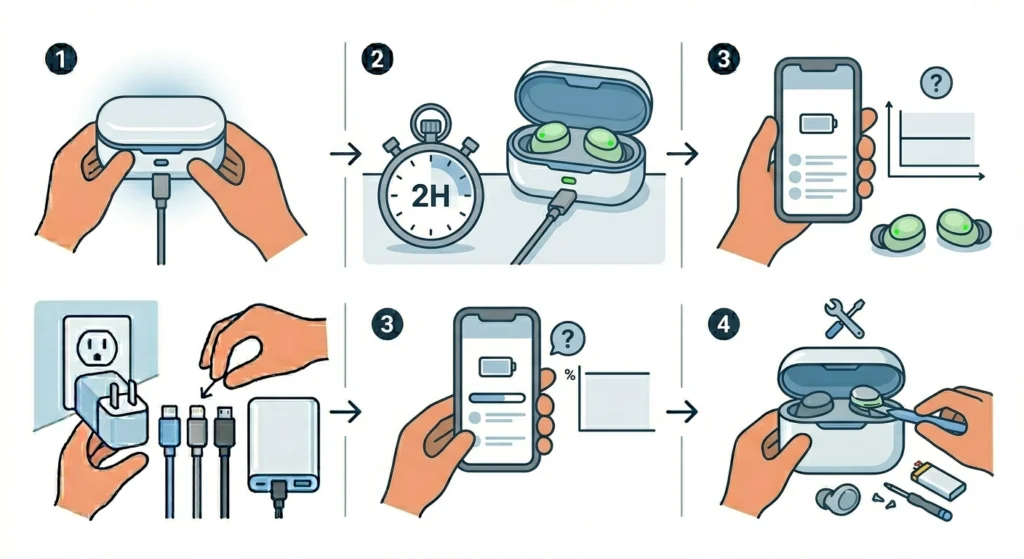
Sometimes earbuds appear to charge, but the battery never actually increases. This can happen when the earbuds are stuck in a charging loop – constantly connecting and disconnecting from power due to a firmware error or worn battery cell.
- Step 1: Charge the case fully using a confirmed working cable.
- Step 2: Place the earbuds in the case for a full 2-hour charge cycle without interruption.
- Step 3: Check the battery percentage using the companion app or phone Bluetooth settings.
- Step 4: If the battery shows no improvement after a full cycle, the internal battery may be degraded and the earbuds may need servicing.
Tips for Better Earbud Charging
- Always use the original charging cable and adapter that came with the earbuds when possible.
- Store the earbuds in the case when not in use to keep them topped up passively.
- Avoid leaving the earbuds in extreme heat or direct sunlight, as lithium batteries degrade faster at high temperatures.
- Do not let the earbuds or case battery drop to 0% frequently – partial discharge cycles extend battery lifespan.
- Clean the charging contacts every few weeks as part of regular maintenance.
- If the earbuds use wireless charging, make sure the charging pad is rated at the correct wattage and placed on a flat, unobstructed surface.
Common Earbud Charging Problems and Solutions
Only One Earbud is Charging
This almost always means one side has dirty contacts or is not seated correctly in the case. Clean both sides and reseat both earbuds. If only one side consistently refuses to charge even after cleaning and reseating, that earbud may have a faulty battery or charging pin and may need replacement.
Earbuds Show Full Battery but Die Quickly
This is a battery calibration issue. Drain the earbuds completely until they shut off, then charge them uninterrupted to 100%. Doing this two or three times recalibrates the battery gauge. If the runtime does not improve, the battery cells are worn and professional servicing is the next step.
Charging Case LED Does Not Light Up at All
If the case shows zero indicator lights when plugged in, try a different cable, port, and adapter. If there is still no response, the case may have a blown charging port or a dead battery. Contact the manufacturer for warranty service.
Wireless Charging is Not Working
Make sure the case’s wireless charging coil is properly aligned over the charging pad. Remove any thick cases or covers from the pad. Confirm the pad itself works by testing it with a phone. Some wireless charging cases also need to be at a specific battery level before they accept wireless input – plugging in via cable for a few minutes first can help kick-start the process.
Frequently Asked Questions
Why are the earbuds not charging even when placed in the case?
The most common reasons are dirty charging contacts, a drained case battery, or the earbuds not sitting properly in their slots. Clean the contacts, charge the case first, and make sure the earbuds are fully seated before trying again.
How do you know if the earbuds are actually charging?
Most earbuds display a charging indicator LED either on the earbuds themselves or on the case. Some companion apps also show a live battery status. If no indicator appears within a few minutes of placing the earbuds in the case, something is interrupting the charge.
Can a bad USB cable stop earbuds from charging?
Absolutely. A damaged or low-quality cable is one of the most common causes of charging failure. Internal wire breaks are often invisible from the outside. Always test with a different cable before assuming the earbuds or case are faulty.
How long does it take for earbuds to fully charge?
Most earbuds take between 1 and 2 hours to fully charge inside the case. The case itself typically takes 1.5 to 2.5 hours to reach a full charge from 0%. Charging times vary by brand and model, so checking the product manual gives the most accurate estimate.
Is it safe to use earbuds while they are charging in the case?
No – the earbuds need to be seated in the case with the lid closed (or at least resting on the pins) to charge. Using them while they are supposed to be charging interrupts the process. Some models do support passthrough charging where the earbuds charge while audio plays through a wired connection, but this is rare.
Why is one earbud charging slower than the other?
One side may have a dirtier contact, a slightly weaker battery cell, or a seating issue in that slot. Clean both contacts evenly and make sure both earbuds click into place with the same firmness. If the imbalance continues after cleaning, the slower earbud’s battery may be aging faster and could need professional servicing.
Will resetting the earbuds delete all saved settings?
Yes, a full factory reset typically clears all pairing data and custom settings such as EQ preferences and touch controls. After resetting, the earbuds will need to be paired to the device again. Checking the manufacturer’s documentation before resetting helps confirm what data will be lost.
Can earbuds be overcharged if left in the case too long?
Modern earbuds and charging cases include overcharge protection circuits that stop charging once the battery reaches 100%. Leaving the earbuds in the case is generally safe, though for long-term battery health, avoiding keeping them permanently at 100% for days at a time is a good habit.
What should be done if the charging port on the case is damaged?
A physically damaged charging port on the case should be handled by a certified repair center or the manufacturer’s service team. Attempting to repair a charging port at home risks further damage. If the device is under warranty, contact the manufacturer first – many brands offer free case replacements for port defects.
How do earbuds with wireless charging cases work?
Wireless charging cases contain a Qi-compatible coil at the base of the case. When placed on a compatible charging pad, the pad transmits power wirelessly through electromagnetic induction, which the case converts into a current to charge its internal battery. The case then charges the earbuds through their standard pin contacts internally. Alignment with the pad’s coil is important for efficient charging.