
Enabling Adaptive Noise Cancelling on Beats Studio Buds+ takes less than a minute once the right menu is found, whether that’s through an iPhone, an Android device, or the button on the earbud itself. This guide covers every method, starting with the fastest one.
Key Takeaways
- Adaptive Noise Cancelling can be turned on through iPhone Settings, Control Center, the Beats app on Android, or the physical button on the earbuds.
- iPhone and iPad users get the most control since Noise Control options appear directly in Bluetooth settings.
- Android users need the Beats app installed to access the same toggle.
- The press-and-hold button on either earbud switches modes instantly, no app required.
- Battery life drops slightly with ANC turned on, so Transparency or Off mode helps on longer days.
Step-by-Step Guide to Enable Adaptive Noise Cancelling on Beats Studio Buds+
Method 1: Turn On Adaptive Noise Cancelling Using iPhone or iPad Settings
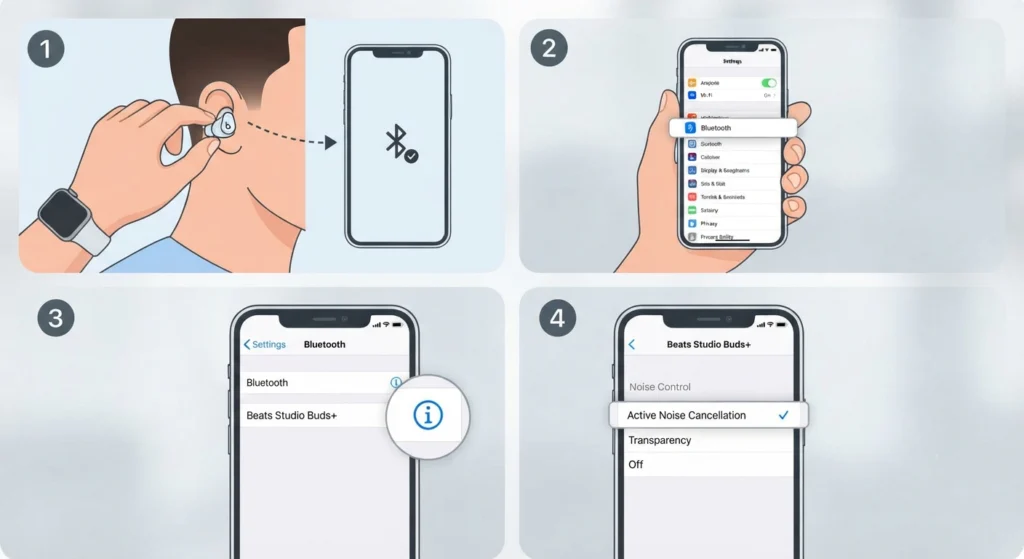
This is the most reliable method for Apple device owners, since it gives a direct view of every listening mode without needing an extra app.
- Step 1: Put on the Beats Studio Buds+ and confirm they’re connected to the iPhone or iPad.
- Step 2: Open the Settings app and tap Bluetooth.
- Step 3: Find Beats Studio Buds+ in the device list and tap the info icon (i) next to it.
- Step 4: Scroll to Noise Control and tap Noise Cancellation.
The mode switches instantly, and a short chime usually confirms the change through the earbuds.
Method 2: Turn On Adaptive Noise Cancelling Using Control Center
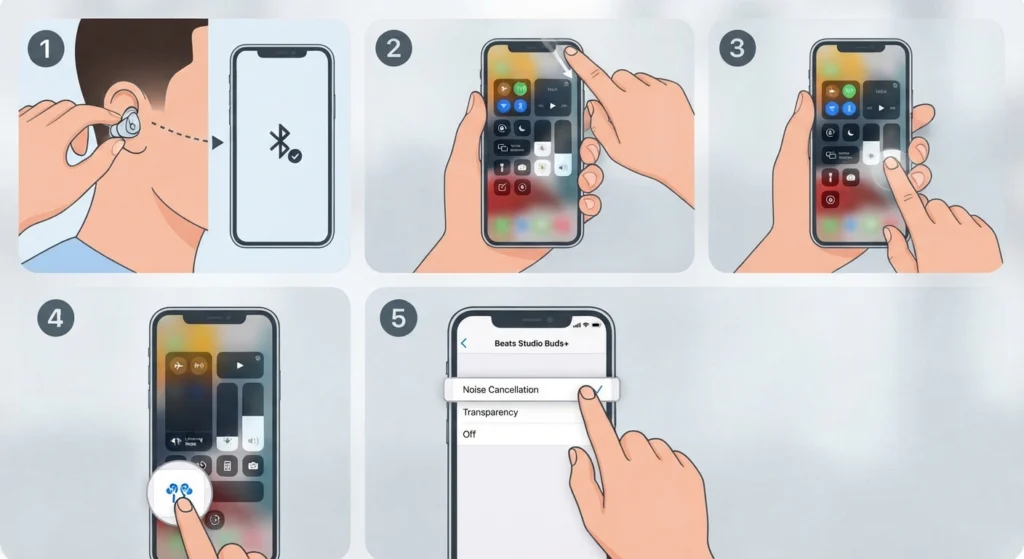
This shortcut works well for anyone who doesn’t want to dig through Settings every time the mode needs switching.
- Step 1: Wear the Beats Studio Buds+ and make sure Bluetooth is connected.
- Step 2: Open Control Center by swiping down from the top-right corner of the screen.
- Step 3: Press and hold the volume slider until extra controls appear.
- Step 4: Tap the Listening Mode icon in the bottom-left corner.
- Step 5: Select Noise Cancellation from the list of options.
Pro-Tip: Control Center is the fastest way to switch between Noise Cancellation and Transparency mid-commute, since it only takes two taps once the panel is open.
Method 3: Turn On Adaptive Noise Cancelling Using the Beats App on Android
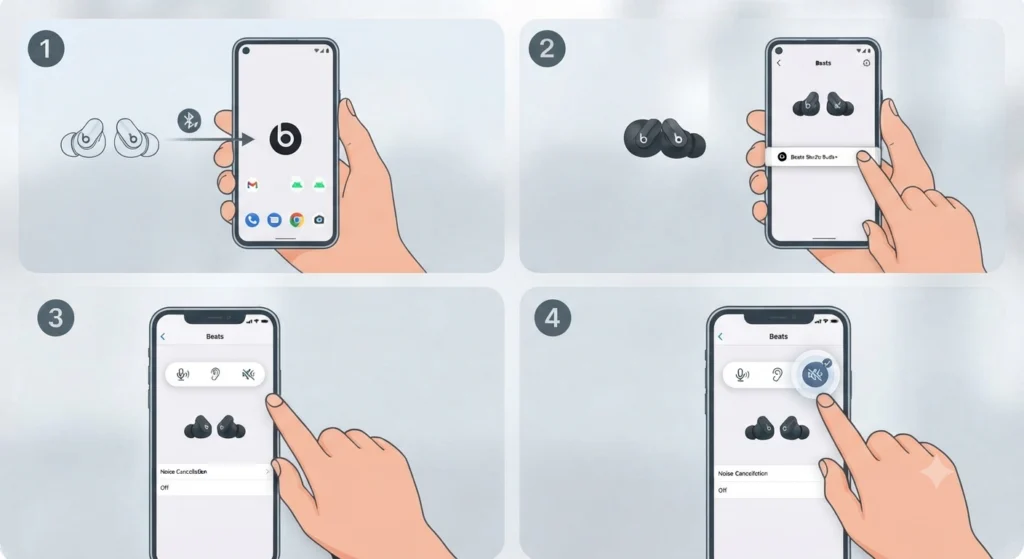
Android devices don’t get a native Bluetooth toggle for this feature, so the Beats app fills that role instead.
- Step 1: Download and open the Beats app, then confirm the Studio Buds+ are paired and connected.
- Step 2: Tap the earbuds’ name to open the device settings screen.
- Step 3: Locate the three listening mode icons near the top of the screen.
- Step 4: Tap the icon labeled Noise Cancellation.
A quick widget shortcut is also available on the Android home screen for users who prefer switching modes without opening the full app.
Method 4: Turn On Adaptive Noise Cancelling Using the Earbud Button
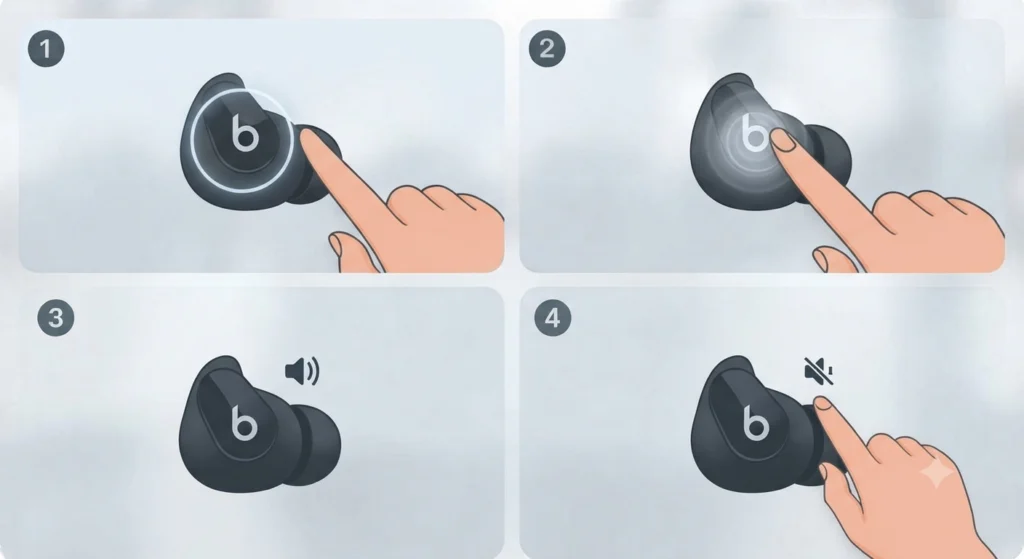
This method works independently of any paired device, which makes it useful when switching between multiple phones or laptops throughout the day.
- Step 1: Locate the Beats logo on either earbud; this doubles as a multi-function button.
- Step 2: Press and hold the logo for about one second.
- Step 3: Release once a tone confirms the mode has switched.
- Step 4: Repeat the press-and-hold action to cycle to the next mode if Noise Cancellation wasn’t reached on the first try.
By default, the button cycles between Noise Cancellation and Transparency. An Off mode can be added to that rotation through the press-and-hold customization menu in Settings.
Tips for Getting the Best Adaptive Noise Cancelling Performance
- Fit matters more than most people expect. A loose eartip lets outside noise leak in, which makes ANC feel weaker than it actually is. Try the different eartip sizes included in the box until a snug seal forms.
- Keep firmware updated. Beats pushes silent updates through connected Apple devices, and the Beats app handles this on Android; outdated firmware occasionally causes the noise cancellation toggle to behave inconsistently.
- On a Windows 11 laptop, the earbuds pair over standard Bluetooth, but the noise control toggle isn’t available there since Beats software doesn’t run on Windows. If sound still routes through the laptop speakers after connecting, adjusting the audio output settings usually resolves it.
- Windy environments reduce ANC effectiveness since the microphones responsible for noise detection also pick up wind noise. Transparency mode or a slight ear tip adjustment helps in these cases.
Common Problems with Adaptive Noise Cancelling and How to Fix Them
Fix 1: Noise Cancellation Option Missing from Settings
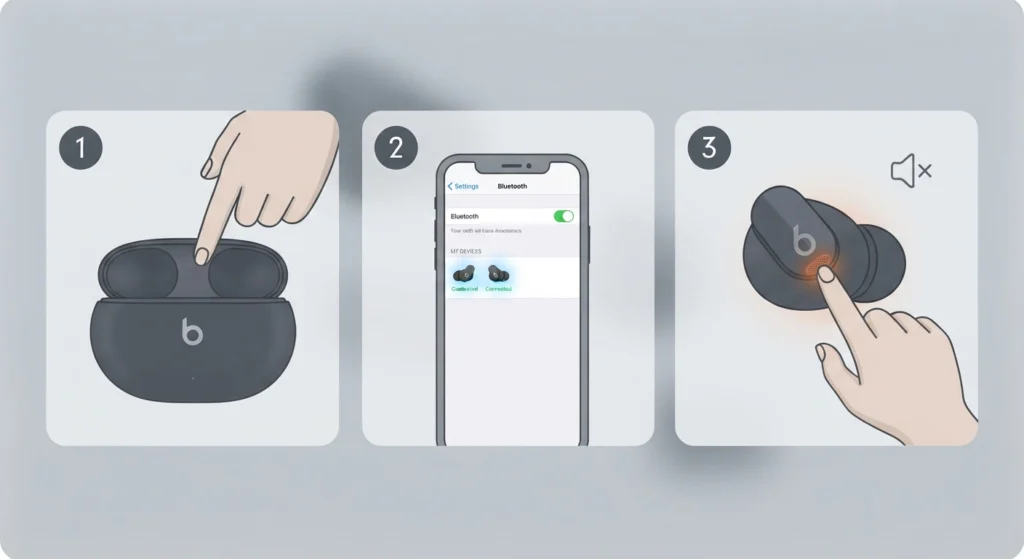
This usually means the earbuds aren’t fully connected, only powered on nearby. Reopen the case lid, confirm both earbuds show a connected status in Bluetooth settings, and try again. On a computer, this can also happen after re-pairing the earbuds over Bluetooth, which resets the connection profile.
Fix 2: ANC Turns On But Doesn’t Seem to Reduce Noise
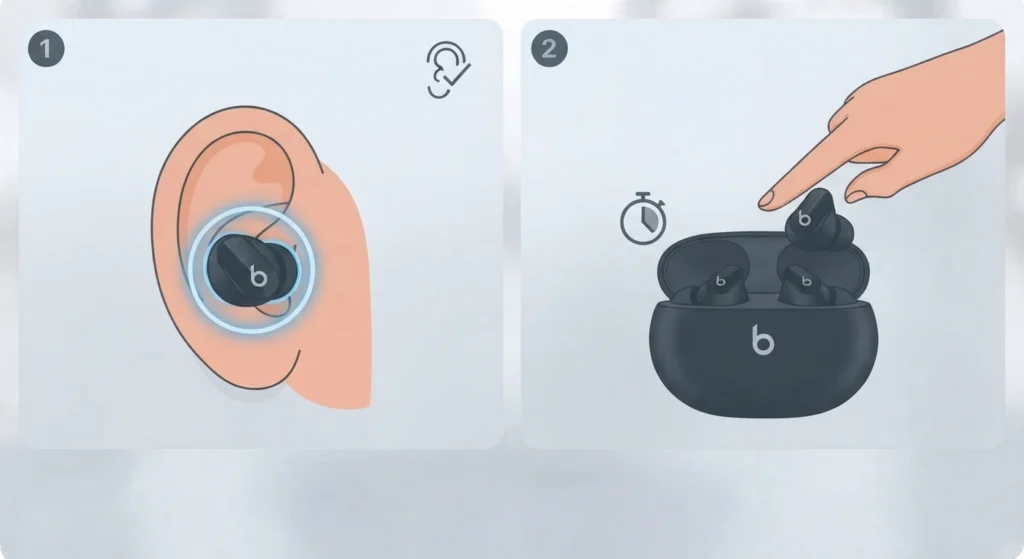
Check the eartip seal first, since this is the most common cause. If the seal feels correct and the issue persists, placing both earbuds back in the case for fifteen seconds and removing them again often restores normal ANC performance.
Fix 3: Button Press Isn’t Switching Modes
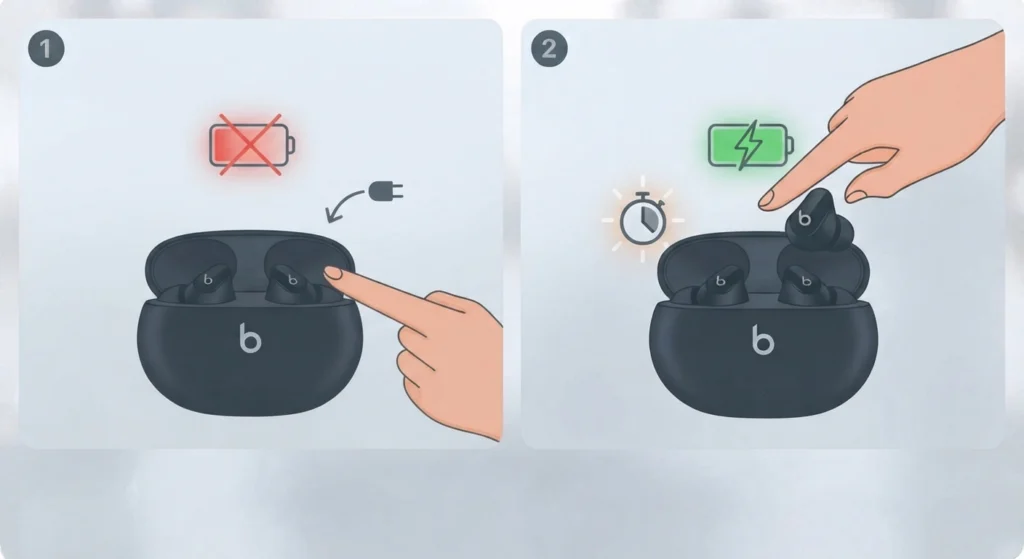
Low battery can prevent the press-and-hold gesture from registering properly. Charge the earbuds for a few minutes and try again. If the gesture still doesn’t respond, the press-and-hold action may have been reassigned to a different function in the customization menu.
Fix 4: Mode Keeps Reverting After Reconnecting
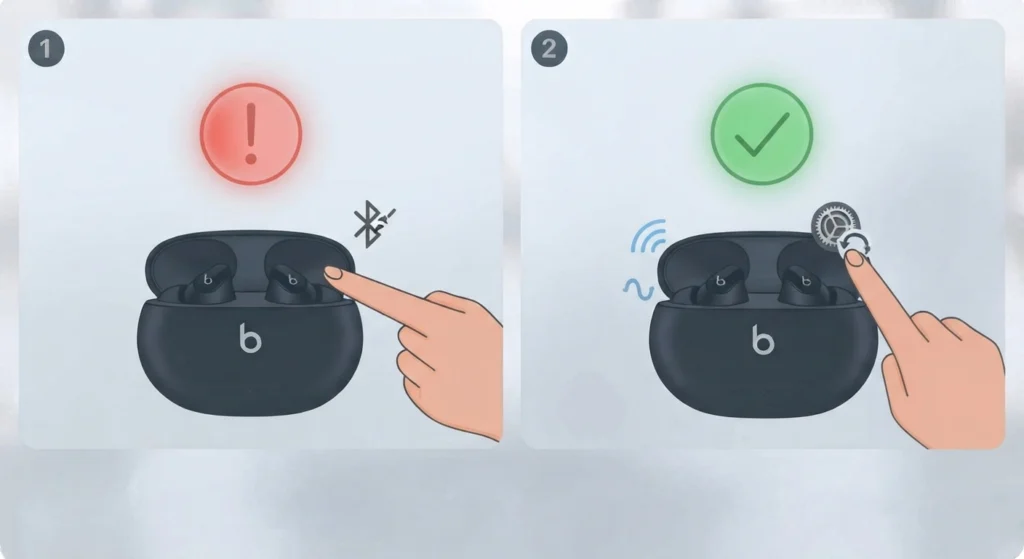
Beats Studio Buds+ typically remember the last mode used per device, but a corrupted Bluetooth profile can interrupt that memory. Resetting the audio settings on the connected device usually clears this up without needing to reset the earbuds themselves.
Fix 5: Microphone Sounds Muffled After Enabling ANC
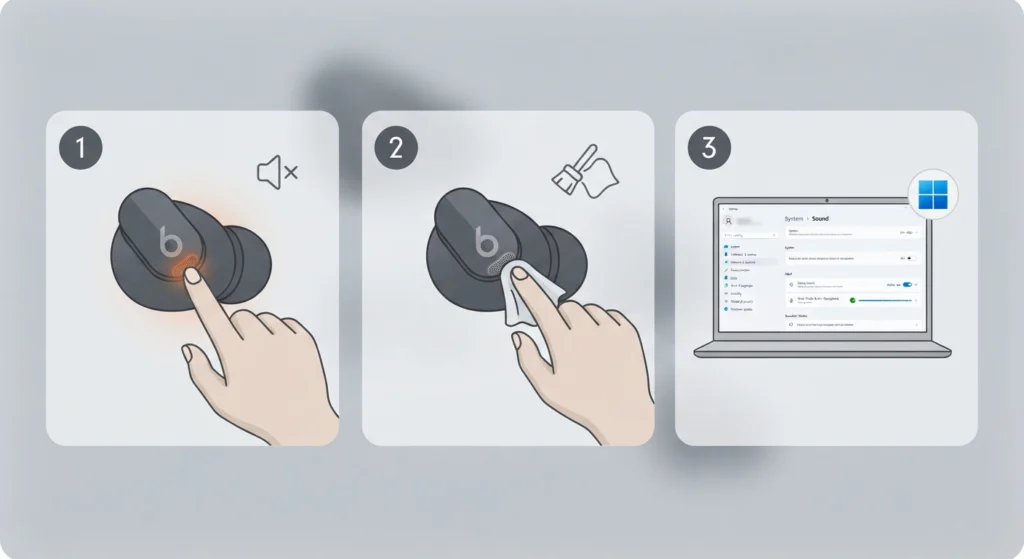
Since ANC and call audio share microphone hardware, a partial seal or debris near the mic port can distort call quality. Wiping the mesh gently and checking the fit resolves most cases. On Windows 11, this sometimes ties back to resolving microphone detection problems rather than the earbuds themselves.
Frequently Asked Questions
What does Adaptive Noise Cancelling actually do on Beats Studio Buds+?
It uses built-in microphones to detect outside noise, then generates an opposing sound wave that cancels it out, reducing background sound like traffic, chatter, or engine hum in real time.
Is Adaptive Noise Cancelling different from regular Active Noise Cancellation?
Adaptive Noise Cancelling continuously adjusts to the surrounding environment and how the earbuds fit, rather than applying a fixed cancellation level, which makes it more responsive than basic ANC found on older earbud models.
Can Adaptive Noise Cancelling be enabled without installing any app?
Yes. The press-and-hold gesture on either earbud switches modes directly, without needing the Beats app or a Settings menu open.
Does turning on Adaptive Noise Cancelling drain the battery faster?
Yes, slightly. Battery life drops from around eight hours with ANC off to around five hours with ANC on, based on typical listening conditions.
Why isn’t the Noise Control option showing up in iPhone Bluetooth settings?
This typically happens when the earbuds are only powered on but not actively connected. Reconnecting through the Bluetooth menu or placing them back in the case briefly usually brings the option back.
Can Adaptive Noise Cancelling be used while connected to a Windows 11 PC?
The earbuds pair and play audio normally over Bluetooth on Windows 11, but the noise control toggle isn’t accessible there since the Beats software only runs on iOS, iPadOS, macOS, and Android.
What’s the difference between Noise Cancellation, Transparency, and Off?
Noise Cancellation blocks outside sound, Transparency lets ambient sound through so conversations and traffic remain audible, and Off disables both features to maximize battery life.
Does firmware need to be updated before ANC works correctly?
Most units work fine out of the box, but keeping firmware current through the Beats app or connected Apple device prevents occasional glitches with mode switching.
Can Siri or Google Assistant switch ANC modes by voice?
Siri can be used on Apple devices to prompt certain audio actions, but switching between Noise Cancellation, Transparency, and Off currently requires the physical button, Control Center, or the Beats app rather than a direct voice command.
Does one earbud control noise cancellation for both, or do they work independently?
Either earbud can trigger the mode switch, and the change applies to both earbuds simultaneously, keeping the listening experience consistent.