
Key Takeaways:
- The JBL Tune 770NC uses Bluetooth 5.3 with built-in multipoint connection support
- Multipoint allows pairing with two devices at the same time, such as a phone and a laptop
- Audio automatically switches to whichever device sends a call or plays media
- No extra hardware or paid app is needed – multipoint works out of the box
- The JBL Headphones app adds extra control but is not required for multipoint to function
Connecting the JBL Tune 770NC to multiple devices makes daily listening far more convenient, especially for anyone who switches between a laptop for work calls and a phone for music on the go. This headphone model supports true multipoint pairing, meaning it can stay linked to two separate devices without needing to disconnect and reconnect every time the source changes. The steps below walk through the exact process from start to finish.
Step-by-Step Guide to Connect JBL Tune 770NC to Multiple Devices
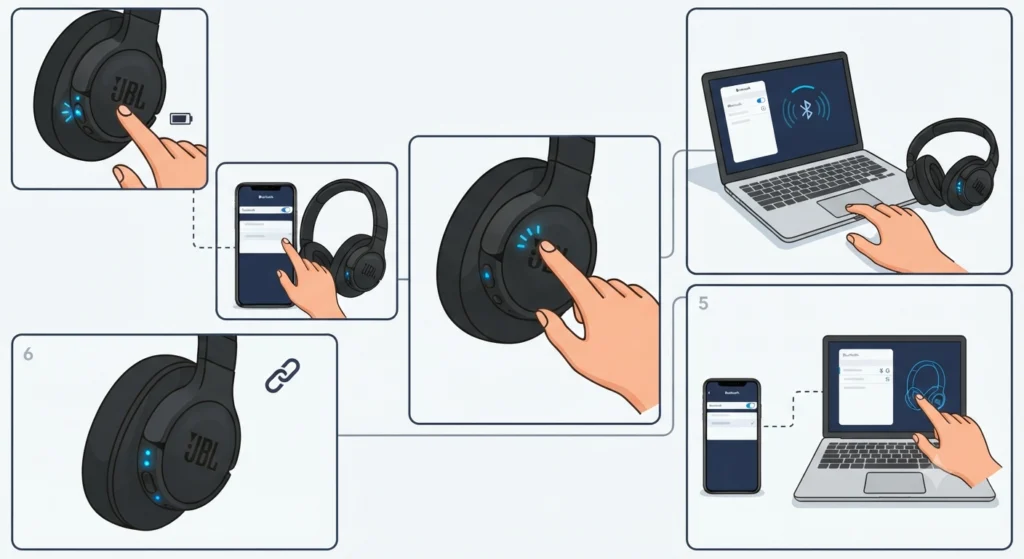
Setting up multipoint on the JBL Tune 770NC takes only a couple of minutes once the pairing sequence is understood. The trick is entering pairing mode a second time after the first device is already connected, rather than restarting the whole process from scratch.
- Step 1: Turn on the JBL Tune 770NC by pressing and holding the power button until the LED light flashes blue.
- Step 2: Open Bluetooth settings on the first device, such as a smartphone, and select ‘JBL Tune 770NC’ from the list of available devices to connect.
- Step 3: Once the first device shows as connected, double press the power button on the headphones. A second blue LED will begin blinking rapidly, confirming pairing mode has been re-entered.
- Step 4: On the second device – a laptop, tablet, or another phone – open Bluetooth settings and scan for nearby devices.
- Step 5: Select ‘JBL Tune 770NC’ from the scan results on the second device and confirm pairing when prompted.
- Step 6: Check for two steady blue LED lights on the headphones, which indicate both devices are now connected simultaneously.
Once both devices show a connected status, the headphones will automatically route audio based on activity. A call coming in on the phone will take priority even if music is playing from the laptop, and playback resumes on the original source once the call ends.
Pro-Tip: Always connect the second device only after the first one shows a fully connected status. Trying to pair both devices at the same moment often causes the headphones to favor one connection and drop the other.
Connecting on a Windows Laptop or PC
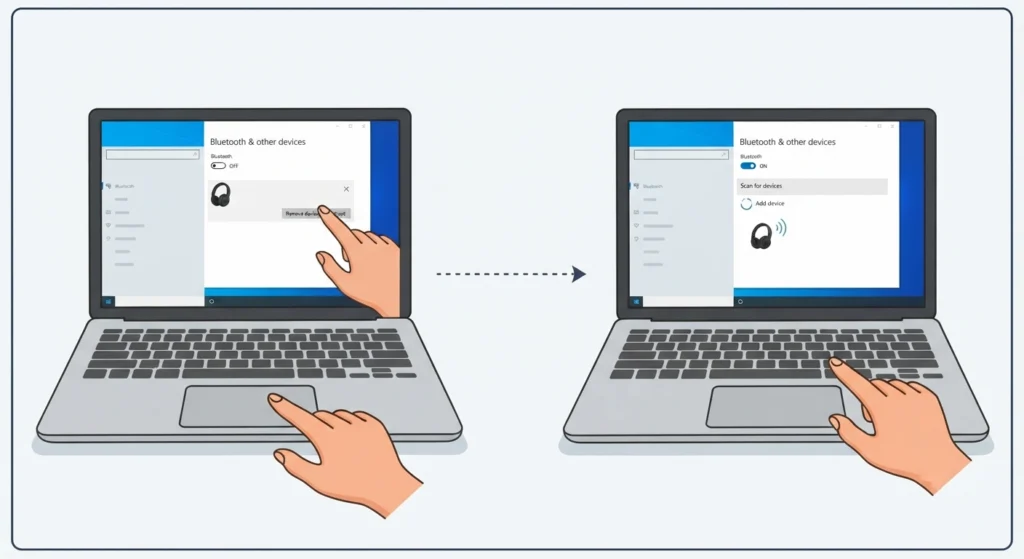
Windows machines sometimes need a slightly different approach than phones, particularly when the headphones were previously paired with another computer. If the connection feels unstable or the headphones show up as an audio device but produce no sound, it helps to re-pair the Bluetooth connection for proper stereo output before attempting multipoint again. This clears out any conflicting driver information that can interfere with a clean second connection.
After pairing is confirmed, Windows 11 users may also want to review how the system is handling audio output settings to make sure the JBL Tune 770NC is set as the default playback device rather than falling back to internal laptop speakers.
Tips for a Smoother Multipoint Experience
- Keep both connected devices within a normal Bluetooth range of about 30 feet for stable switching
- Charge the headphones fully before setting up multipoint, since low battery can cause one connection to drop unexpectedly
- Update the JBL Headphones app periodically, since firmware updates occasionally improve multipoint stability
- Turn off Bluetooth on devices that are not actively being used with the headphones to avoid accidental reconnections
Pro-Tip: If switching between devices feels delayed, forget the headphones on both devices and repeat the pairing steps in order. This resets the connection priority and usually fixes any lag in switching audio sources.
Common Problems and Fixes
Fix 1: Headphones Only Connect to One Device
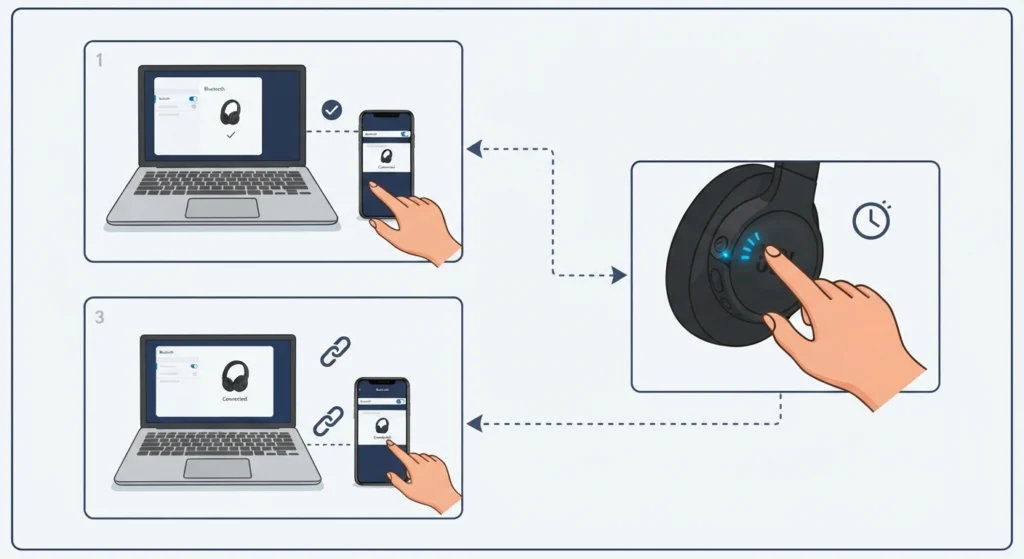
This usually happens when the second pairing attempt was started too early. Disconnect both devices, then repeat the pairing sequence, making sure the first connection is fully established before entering pairing mode a second time.
Fix 2: Audio Cuts Out When Switching Sources
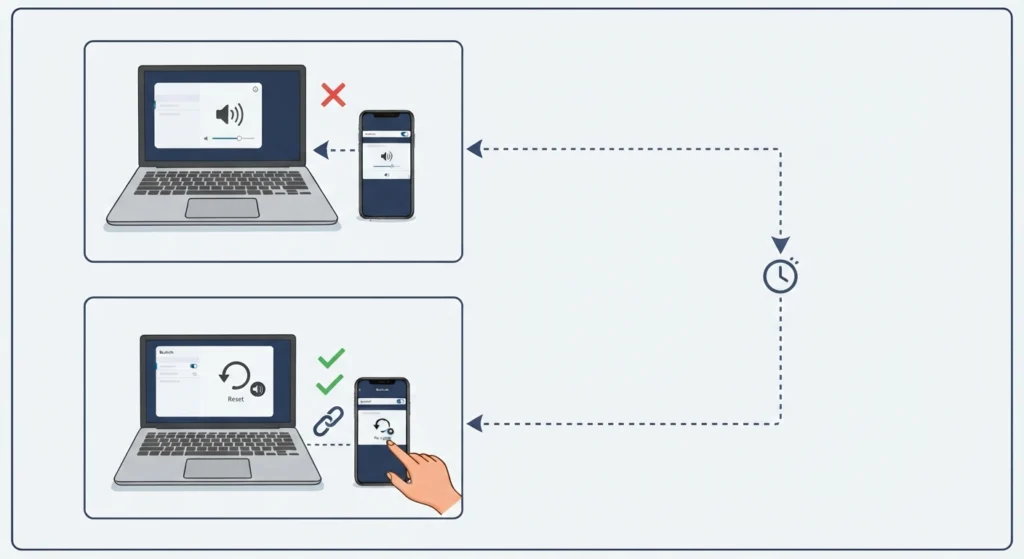
A brief pause when switching between devices is normal. If the cutout lasts more than a few seconds or audio does not return, checking the device’s audio settings for any reset needed often resolves the issue.
Fix 3: Microphone Not Working on a Call
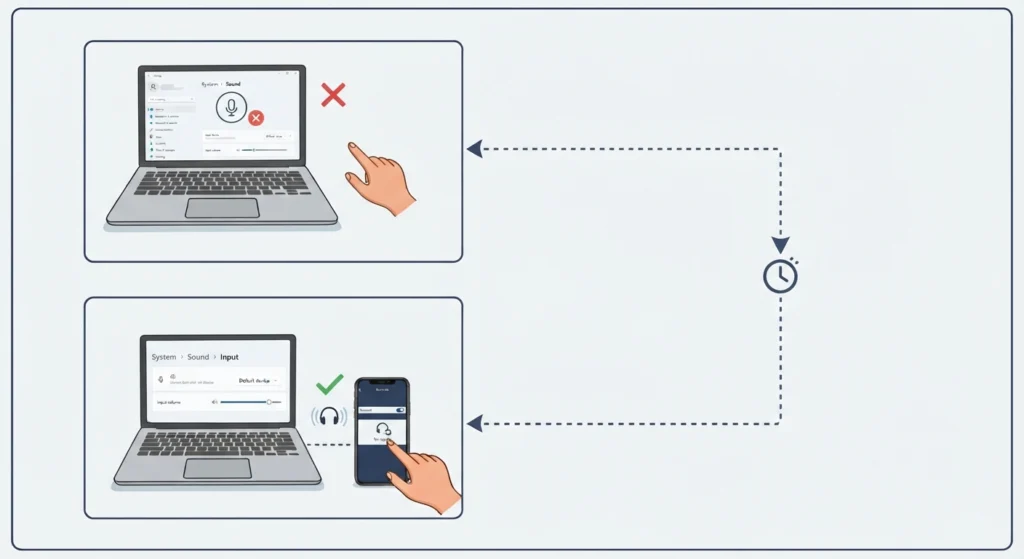
If the microphone does not pick up voice during calls on a connected laptop, it may not be recognized correctly by the operating system. Reviewing steps for fixing microphone detection issues on Windows 11 usually resolves this without needing to re-pair the headphones.
Fix 4: Second Device Does Not Appear in Scan Results
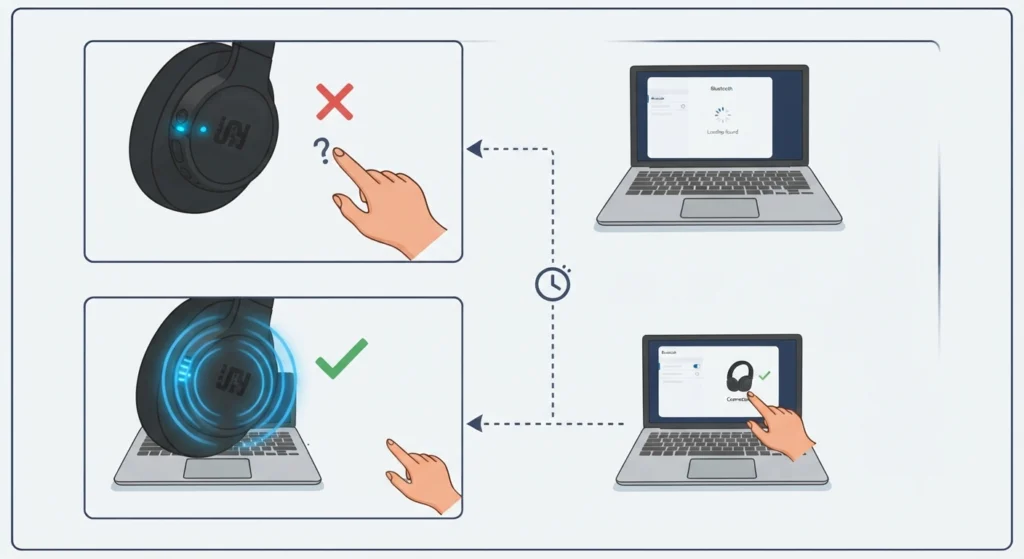
Make sure the headphones show a rapidly blinking LED before scanning. If the light is solid rather than blinking, the headphones are not actually in pairing mode and the second device will not detect them.
Frequently Asked Questions
Can the JBL Tune 770NC connect to two devices at once?
Yes. The JBL Tune 770NC supports multipoint Bluetooth connection, allowing it to stay linked to two devices simultaneously, such as a phone and a laptop.
Does multipoint work with any two devices?
Multipoint works with most Bluetooth-enabled phones, tablets, laptops, and desktop computers. Both devices need Bluetooth turned on and within range of the headphones.
How many devices can be paired in total?
The headphones can store multiple previously paired devices in memory, but only two can stay actively connected for multipoint use at the same time.
Is the JBL Headphones app required for multipoint to work?
No, multipoint pairing works directly through the headphones and Bluetooth settings on each device. The app adds extra features like EQ control but is optional.
Why do the headphones only show one connection instead of two?
This typically means the second pairing attempt started before the first device fully connected. Repeating the steps in the correct order usually fixes this.
Does using multipoint affect sound quality?
No noticeable drop in sound quality occurs when using multipoint, since only one device actively streams audio at a time while the other remains on standby.
Which device gets priority when both are active?
Incoming calls generally take priority over media playback. Once a call ends, audio playback resumes on the device that was originally playing it.
Can multipoint be turned off if only one device is needed?
Yes. Simply disconnecting the second device from its Bluetooth settings leaves the headphones connected to only the remaining device.
Does the JBL Tune 770NC support Bluetooth 5.3?
Yes, the JBL Tune 770NC uses Bluetooth 5.3, which supports stable multipoint connections and improved power efficiency compared to older Bluetooth versions.
What should be done if the second device keeps disconnecting?
Forgetting the headphones on both devices and repeating the full pairing sequence usually resolves repeated disconnections, especially after a firmware update.