
Noise cancelling stopped working out of nowhere – and it is one of the most frustrating things that can happen mid-listening session. Whether it is a pair of wireless earbuds or over-ear headphones, active noise cancellation (ANC) cutting out suddenly does not always mean something is broken beyond repair. In most cases, a few targeted fixes will get it back up and running fast.
Quick Summary
- Noise cancelling issues are almost always software, firmware, or seal-related – not hardware failure
- Start with the simplest fixes first: restart, reconnect, and check fit
- A factory reset resolves the majority of ANC software glitches
- Firmware updates are the most overlooked fix that actually works
- Physical fit and ear tip condition directly affect ANC performance
- App-based ANC settings can accidentally get toggled off – always check the companion app
Step-by-Step Guide to Fix Noise Cancelling That Stopped Working
Fix 1: Restart the Headphones or Earbuds
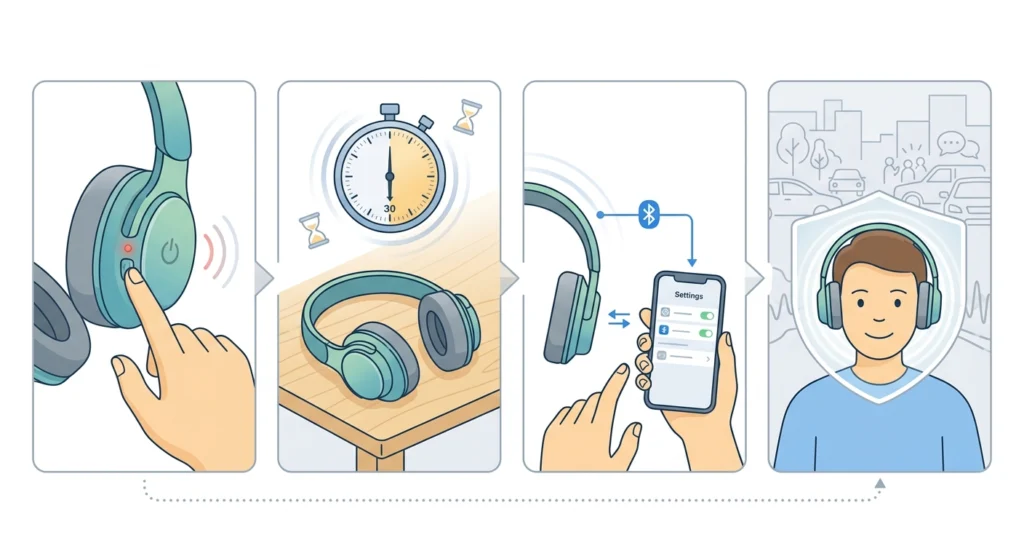
This sounds too simple to matter, but it resolves more ANC issues than most people expect. Active noise cancellation relies on onboard processors and microphones working in sync – a minor firmware hiccup or memory overload can throw that off entirely. A full power cycle clears those temporary errors.
- Step 1: Turn the headphones or earbuds completely off – not just paused, but fully powered down
- Step 2: Wait at least 30 seconds before powering them back on
- Step 3: Reconnect to the device and toggle ANC back on through the headphone button or companion app
- Step 4: Test in a moderately noisy environment to confirm ANC is active
Fix 2: Check and Re-enable ANC in the Companion App
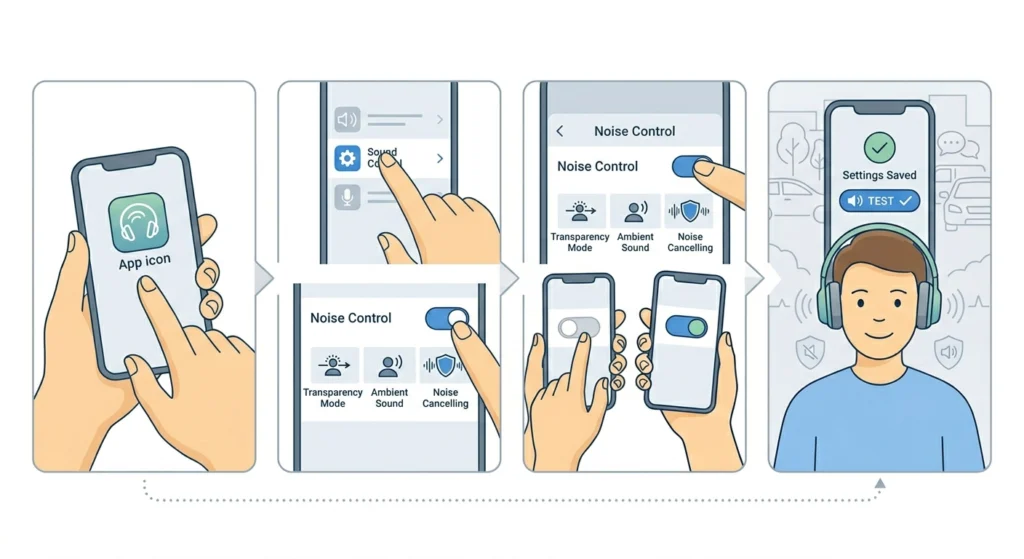
Most modern ANC headphones – Sony, Bose, Apple, Samsung, Jabra – come with a companion app that controls noise cancellation settings. App updates sometimes reset these preferences to default, which can silently disable ANC without any notification. This is one of the most commonly missed causes.
- Step 1: Open the manufacturer’s companion app (Sony Headphones Connect, Bose Music, Apple Settings, Samsung Galaxy Wearable, etc.)
- Step 2: Navigate to the noise control or sound settings section
- Step 3: Confirm that ANC or ‘Noise Cancelling’ is toggled on and not set to ‘Ambient Sound’ or ‘Transparency Mode’
- Step 4: If the setting appears correct, toggle it off and back on again to force a refresh
- Step 5: Save settings and test
Pro-Tip: Some apps have an ‘ANC level’ or ‘adaptive’ setting that can dial down noise cancellation automatically based on environment. Check if this is set too low or in an adaptive mode that is reducing performance without turning it off completely.
Fix 3: Update the Firmware
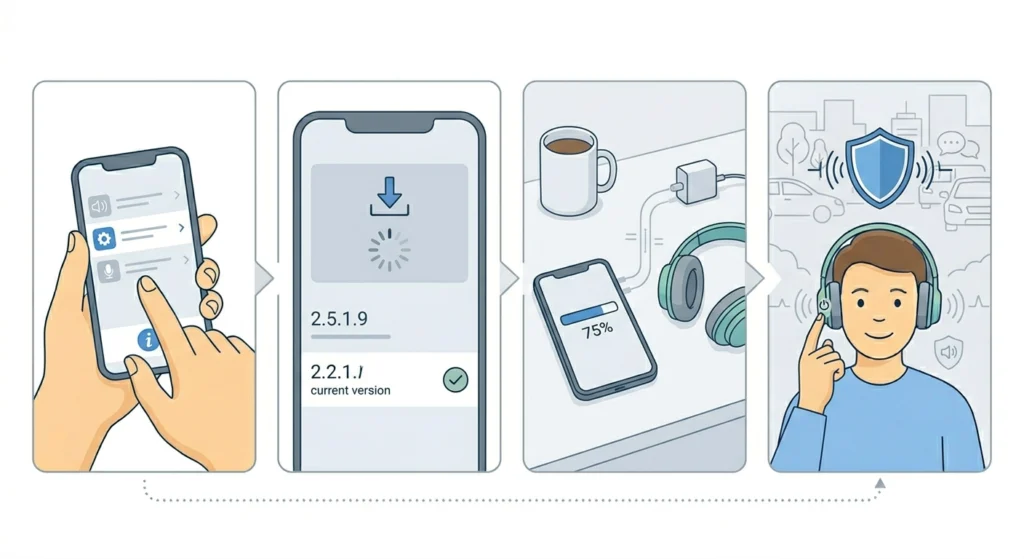
Firmware is the software that runs directly on the headphones. Manufacturers release firmware updates specifically to fix bugs – and ANC degradation after a period of normal use is a known symptom of outdated firmware. The key is to make sure the device is on the latest version before assuming anything is broken.
- Step 1: Open the companion app and go to ‘Device Info’ or ‘About’ section
- Step 2: Check the current firmware version
- Step 3: If an update is available, follow the in-app prompt to install it (keep the headphones charged and nearby)
- Step 4: After the update completes, restart the headphones and test ANC again
Fix 4: Check the Physical Fit and Ear Tips
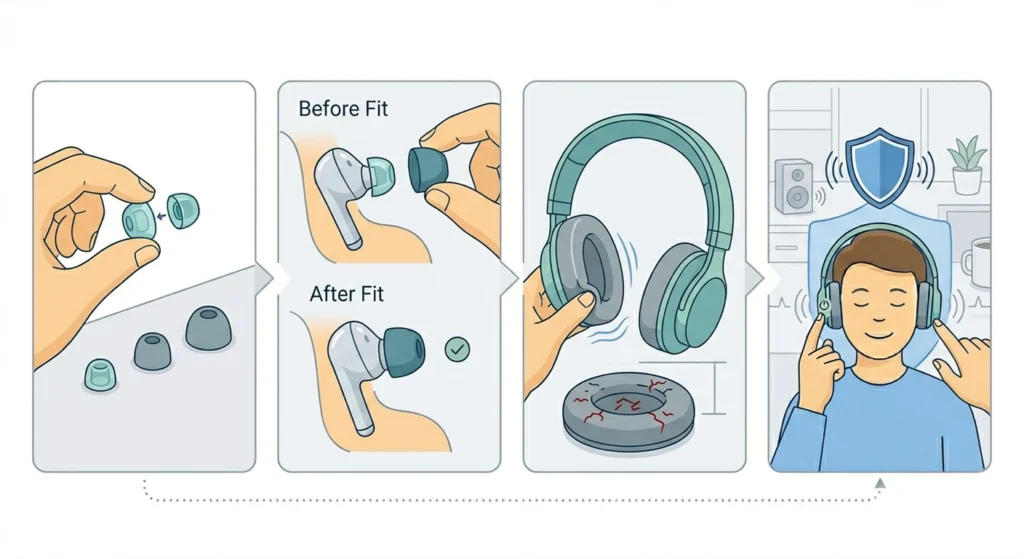
Active noise cancellation works by using external microphones to sample ambient noise, then generating an inverse sound wave to cancel it out. But that process only works effectively when there is a good physical seal between the ear and the earpad or ear tip. A loose or degraded seal will make ANC feel like it has stopped working – even though the electronics are fine.
- Step 1: For in-ear models, remove the current ear tips and inspect them for tears, deformation, or buildup
- Step 2: Try a different ear tip size if the current ones feel loose or do not sit flush
- Step 3: For over-ear headphones, check the ear pads for wear, flattening, or cracks – degraded foam reduces the seal significantly
- Step 4: Refit the earphones and test ANC in a quiet-to-moderate noise environment
Fix 5: Clean the ANC Microphones
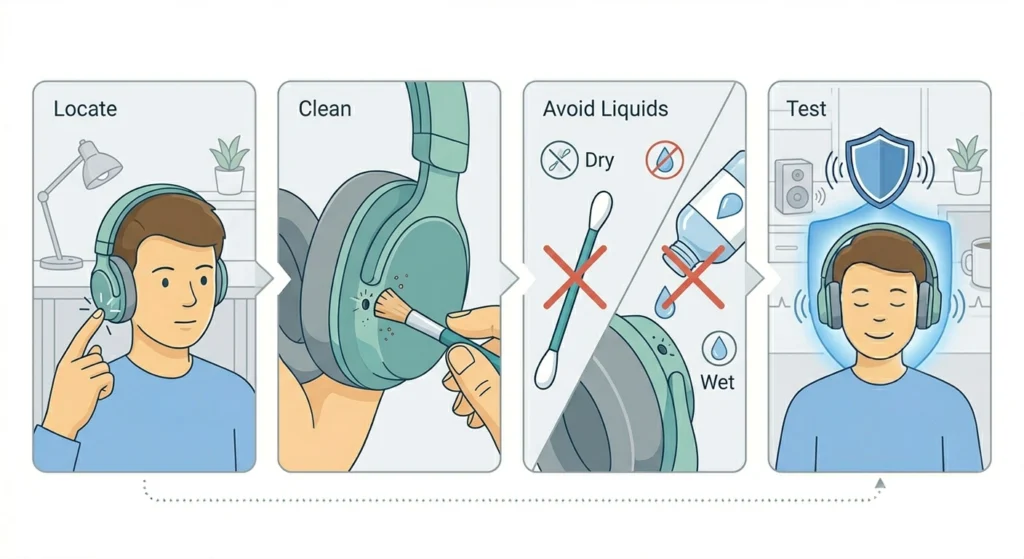
ANC headphones and earbuds have small external microphones – usually on the outer shell – that capture ambient noise. If these are blocked by earwax, dust, or debris, the ANC system cannot accurately sample the environment, leading to poor or zero cancellation. This is especially common with earbuds after weeks of regular use.
- Step 1: Locate the external ANC microphone ports (usually small pinhole openings on the outer housing)
- Step 2: Use a dry, soft-bristle brush or a clean, dry cotton swab to gently clear any visible debris
- Step 3: Avoid using water or liquid cleaners near the microphone openings
- Step 4: Let them dry for a few minutes if any moisture was introduced nearby, then test ANC
Fix 6: Disconnect and Re-pair the Bluetooth Connection
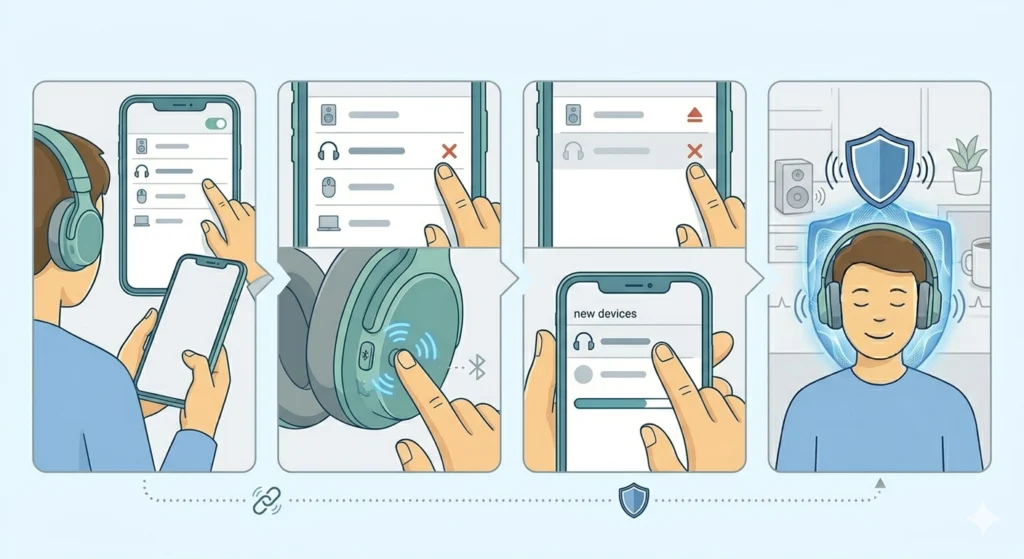
A corrupted or unstable Bluetooth connection can cause ANC commands to fail silently. This is more common than it seems – especially after phone software updates that change how audio profiles are handled. Re-pairing establishes a clean connection and often restores full ANC functionality. If Bluetooth instability is a recurring issue, it is worth checking how to properly re-pair Bluetooth earbuds for stereo sound on Windows to make sure the audio profile is set up correctly.
- Step 1: Go to the Bluetooth settings on the connected device (phone, tablet, or computer)
- Step 2: Find the headphones in the paired devices list and select ‘Forget’ or ‘Remove’
- Step 3: Put the headphones into pairing mode (check the manual for the specific button combination)
- Step 4: Re-pair from scratch and test ANC once connected
Fix 7: Factory Reset the Headphones
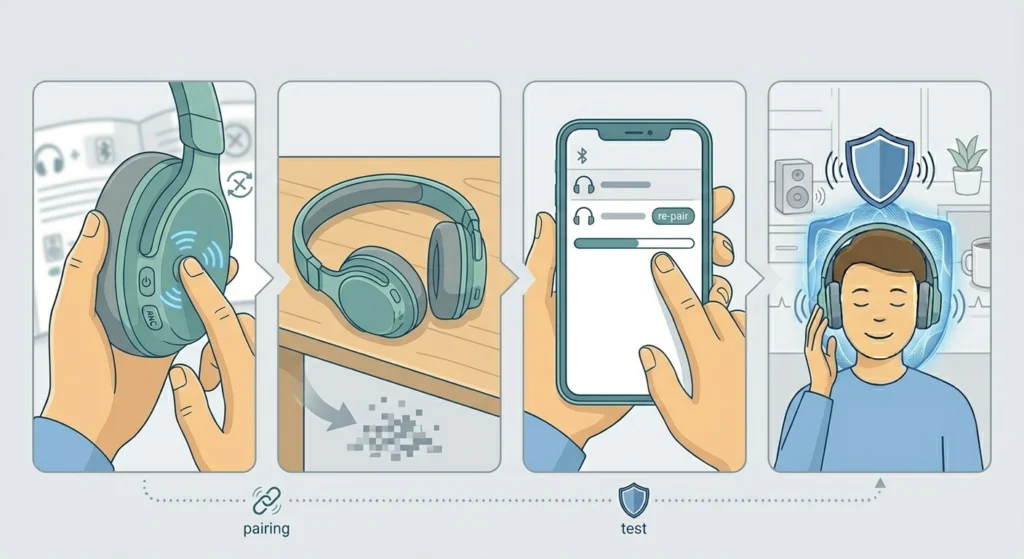
When individual fixes do not work, a factory reset clears all stored settings and returns the headphones to default – including any corrupted ANC configuration data. This works more often than expected because ANC issues are frequently caused by software state errors rather than hardware failure. Most people do not realize how often a reset solves what seems like a hardware problem.
- Step 1: Consult the headphone manual or manufacturer website for the specific reset procedure (it varies by model)
- Step 2: Perform the reset – this usually involves holding a combination of buttons for 5-10 seconds
- Step 3: The headphones will power off and restart in factory default mode
- Step 4: Re-pair with the device and open the companion app to re-enable ANC settings
- Step 5: Test ANC thoroughly before reconfiguring other preferences
Pro-Tip: After a factory reset, always re-enable ANC manually through the companion app before testing. Some headphones default to ‘Off’ or ‘Ambient’ mode after a reset, which can make it seem like the problem persists when it has actually been resolved.
Fix 8: Check Device Audio Output Settings
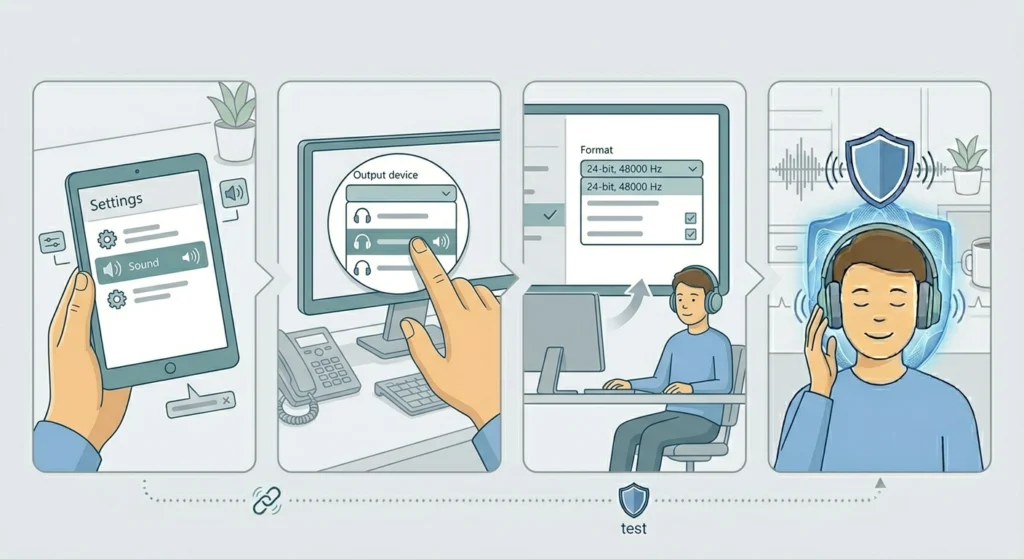
On Windows 11, incorrect audio output configuration can affect how ANC headphones communicate with the system, particularly over USB or when using advanced Bluetooth profiles. If noise cancellation worked fine previously and stopped after a system update, the audio settings may have changed. Reviewing the audio output settings on Windows 11 can help confirm whether the system is handling the headphone profile correctly.
- Step 1: Go to Windows Settings and open ‘Sound’
- Step 2: Under ‘Output’, confirm the correct headphones are selected as the active device
- Step 3: Check that the audio format matches what the headphones support
- Step 4: Reconnect the headphones and test ANC again
Tips for Keeping Noise Cancelling Working Properly
- Keep firmware updated regularly through the companion app – manufacturers patch ANC bugs frequently
- Replace worn ear tips every 3-6 months if using in-ear models daily, as the seal degrades over time
- Store headphones in their case when not in use to protect ANC microphones from dust and debris
- Avoid exposing headphones to extreme temperatures, as cold in particular can affect ANC sensor calibration
- Do a soft restart (power off and on) weekly if using ANC headphones daily – this keeps the onboard software running clean
- Avoid charging and using ANC simultaneously on older headphone models, as this can cause ANC instability on certain firmware versions
Common Noise Cancelling Problems and Solutions
ANC Makes a Hissing or White Noise Sound
This usually means the ANC microphones are picking up interference or the cancellation algorithm is overcompensating. Try adjusting the ANC level in the companion app if available, or move to a different environment to rule out interference from specific sound frequencies.
ANC Turns Off Automatically During Use
Many headphones have an auto-off feature that disables ANC after a set period of inactivity to save battery. Check the companion app for power-saving or auto-off settings and adjust accordingly.
ANC Works on One Side Only
This typically indicates a microphone issue on the non-functioning side, or a stereo channel imbalance. Try cleaning the microphone on the affected side first. If the problem persists, a factory reset is the next step. For deeper audio channel issues on Windows, reviewing audio input device settings can help identify if the issue is device-side.
ANC Worked Fine Then Stopped After a Phone Update
Phone OS updates can change Bluetooth audio profiles. Forget the headphones from the Bluetooth list and re-pair them completely. If the issue started after a Windows update, resetting audio settings through the system can help restore the correct configuration.
ANC Feels Weaker Than It Used to
Degraded ear tips or ear pads are the most common cause. The physical seal is responsible for a large portion of passive noise reduction that works alongside ANC. Replace worn tips or pads and retest before assuming the ANC electronics have degraded.
Frequently Asked Questions
Why did my noise cancelling suddenly stop working?
The most common causes are a firmware glitch, a software setting accidentally changed, a worn ear tip reducing the seal, or a dirty ANC microphone. In most cases, restarting the headphones or updating the firmware resolves the issue without any hardware repair needed.
Does ANC wear out over time?
The ANC electronics themselves are very durable. What degrades over time are the ear tips and ear pads that create the physical seal. Once the seal is compromised, ANC performance drops noticeably even if the microphones and processor are working perfectly.
Can a factory reset fix noise cancelling issues?
Yes – a factory reset resolves most software-based ANC problems. It clears corrupted settings and returns the headphones to a clean state. After the reset, ANC needs to be re-enabled manually through the companion app on most models.
Why does noise cancelling work better some days than others?
ANC performance varies based on the type of ambient noise, fit consistency, and how well the seal is maintained. It also performs differently across frequency ranges – low rumbles (planes, trains) are cancelled very effectively, while high-pitched or erratic sounds are harder to cancel. Environmental factors like wind near the microphones can also reduce ANC effectiveness.
Does low battery affect noise cancelling performance?
Yes. Many headphones reduce or disable ANC when battery falls below a certain threshold (often around 10-20%) to prioritize basic audio playback. If ANC seems to have weakened, check the battery level first.
Can a Bluetooth connection issue cause ANC to stop working?
Yes. On some headphone models, ANC functionality is tied to specific Bluetooth audio profiles. If the connection falls back to a lower-quality profile (such as HSP instead of A2DP), ANC may be disabled automatically. Re-pairing typically restores the correct profile.
Is noise cancelling supposed to block all sound completely?
No. ANC is most effective at reducing consistent low-frequency sounds like engine hum, HVAC noise, and traffic. It does not block all sound entirely, and sudden or high-frequency sounds will still be audible. This is by design – complete sound isolation is a safety concern, especially when outdoors.
Can I fix ANC microphone damage at home?
If the microphones are simply clogged with debris, gentle cleaning can restore performance. However, physical damage to ANC microphones – cracks, water damage, or broken components – requires professional repair or manufacturer servicing. Attempting to open the headphone housing without proper tools typically causes more damage.
Why does noise cancelling cause discomfort or ear pressure?
ANC creates a pressure sensation for some users because the inverse sound wave alters how air pressure is perceived by the ear. This is a known effect and varies by individual sensitivity. Reducing the ANC intensity level in the companion app, or switching to a lighter ANC mode, usually reduces the discomfort significantly.
How do I know if my ANC microphones are working?
The simplest test is to cover the external microphone ports with a finger while ANC is active. The noise cancellation should noticeably change or produce a slight audible shift when the mic is blocked. If there is no change at all, the microphone on that side may be faulty or blocked by debris.