
Getting LDAC working on the Anker Soundcore Liberty 4 unlocks noticeably richer, more detailed sound compared to the standard SBC or AAC codecs. This guide walks through the exact steps needed to activate LDAC and start streaming Hi-Res audio on a compatible Android device.
Quick Summary: Key Takeaways
- LDAC is available on the Soundcore Liberty 4 through the soundcore app under Sound Mode settings
- Only Android devices running version 8.0 or later support LDAC playback
- iOS devices cannot use LDAC since Apple does not support this codec
- A firmware update is required the first time LDAC is enabled
- LDAC does not work while the earbuds are connected in multipoint mode
- Battery life drops somewhat when LDAC is active due to the higher data transfer rate
Step-by-Step Guide to Enable LDAC on Soundcore Liberty 4
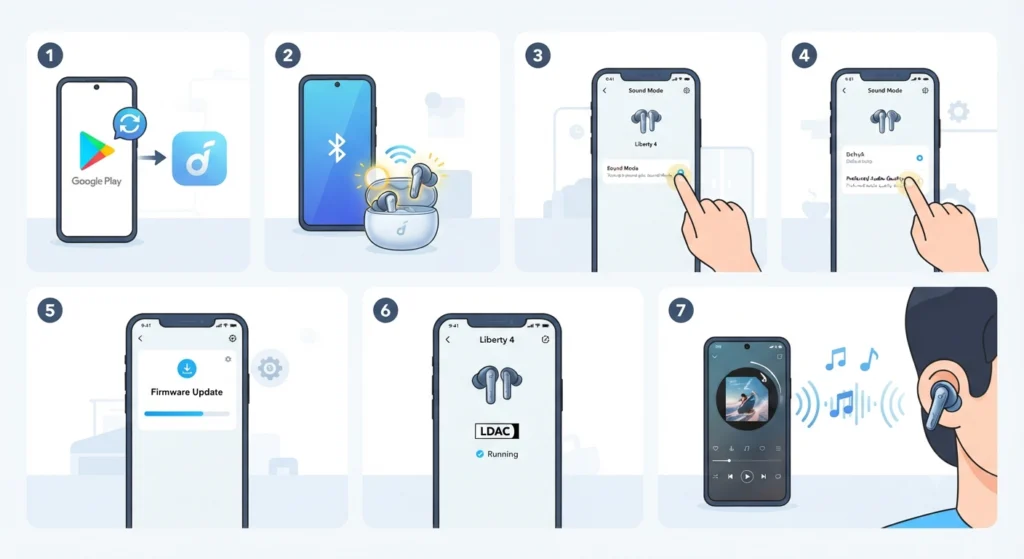
The process is handled entirely through the soundcore app, and it only takes a few minutes once the earbuds are connected. Following the order below prevents the most common setup issues.
- Step 1: Open the Google Play Store on an Android phone and update the soundcore app to the latest version, or install it if it is not already present.
- Step 2: Turn on the Liberty 4 earbuds and connect them to the phone through Bluetooth, then open the soundcore app so it detects the earbuds.
- Step 3: Inside the app, go to the Liberty 4 device screen and tap into Sound Mode.
- Step 4: Select ‘Preferred Audio Quality’ from the available sound mode options. This is the setting that switches the earbuds over to LDAC.
- Step 5: Follow the on-screen prompt to update the earbud firmware. This update is required the first time LDAC is turned on, since the factory firmware does not ship with LDAC active.
- Step 6: Once the update finishes, check the Liberty 4 screen in the app for an LDAC icon. Its presence confirms the codec is now running.
- Step 7: Play music from a streaming service or local file and listen for the difference. Tracks with more instrumental layers, like orchestral or acoustic recordings, show the improvement most clearly.
A Pro-Tip worth remembering here: LDAC only activates when the connected phone also supports the codec. If the LDAC icon never appears after the firmware update, the phone itself may be the limiting factor rather than the earbuds.
What Is LDAC and Why It Matters for the Liberty 4
LDAC is a Bluetooth audio codec developed by Sony that transmits audio at a much higher bitrate than the SBC codec most Bluetooth devices default to. Where SBC tops out around 328 kbps, LDAC can push up to 990 kbps, which allows near-lossless transmission of high-resolution files at 24-bit and up to 96kHz. The Soundcore Liberty 4 supports LDAC alongside SBC and AAC, so switching codecs does not require any extra hardware, only the settings change covered above. This works best when the audio source itself is high quality, since a heavily compressed MP3 will not sound dramatically different even with LDAC turned on.
Checking If a Phone Supports LDAC Before Setup
Not every Android phone handles LDAC the same way. Devices running Android 8.0 or newer generally include native LDAC support, but the option sometimes needs to be surfaced manually. Most people find that flagship and mid-range Android phones from the last several years handle this without extra steps, while some Samsung models require a manual switch inside Bluetooth settings even after the earbuds are ready.
Method 1: Manually Activating LDAC Through Android Bluetooth Settings
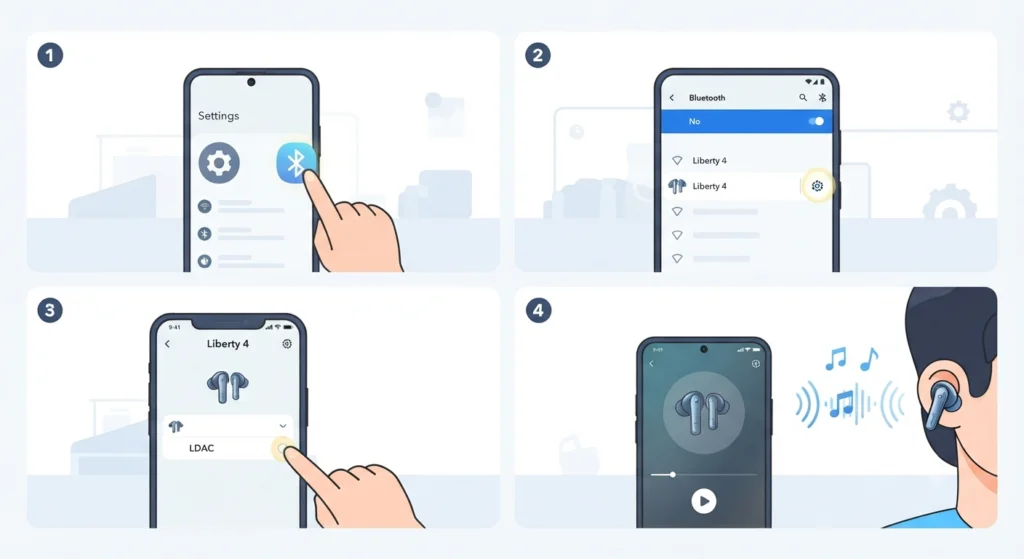
On some phones, particularly certain Samsung devices, the app-side setup is not enough on its own. An extra toggle inside the phone’s Bluetooth menu may be needed to finish the connection.
- Step 1: Open the phone’s Settings app and go to the Bluetooth section.
- Step 2: Tap the gear or settings icon next to the paired Liberty 4 device.
- Step 3: Look for an audio codec or quality option and select LDAC from the list if it appears.
- Step 4: Restart audio playback so the new codec setting takes effect.
If the codec option is missing entirely from this menu, the phone’s audio output settings may need a closer look, and this guide on adjusting audio output settings covers how to locate those hidden controls on Windows 11 systems as well, which is useful for anyone also using the Liberty 4 with a laptop.
Tips for Getting the Best LDAC Sound Quality
- Use lossless or high-bitrate streaming tiers, such as Hi-Res options on supported streaming apps, since LDAC has nothing extra to reveal from a heavily compressed file
- Keep the phone close to the earbuds in crowded Bluetooth environments, since LDAC’s higher bitrate is more sensitive to interference than SBC
- Charge the earbuds a bit more often while using LDAC, since the increased data transfer does use more power than standard modes
- Avoid multipoint connection mode while LDAC is needed, since the two features cannot run together on the Liberty 4
A second Pro-Tip that matters here: if the earbuds are also being switched between two source devices regularly, disable multipoint first before trying to enable LDAC, otherwise the app will not complete the switch.
For anyone frequently switching earbuds between multiple devices, this guide on re-pairing Bluetooth earbuds for stereo sound is a helpful companion resource when the Liberty 4 also connects to a Windows machine.
Common Problems When Enabling LDAC
Fix 1: LDAC Option Not Appearing in the App
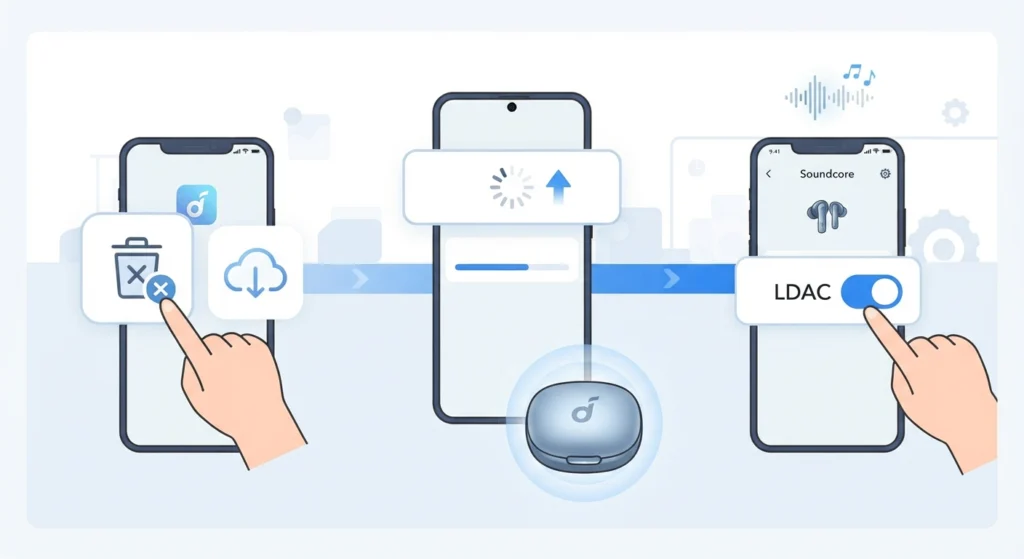
This usually means the soundcore app or the earbud firmware is out of date. Reinstalling the latest app version and repeating the firmware update step almost always resolves it.
Fix 2: LDAC Icon Shows but Audio Sounds the Same
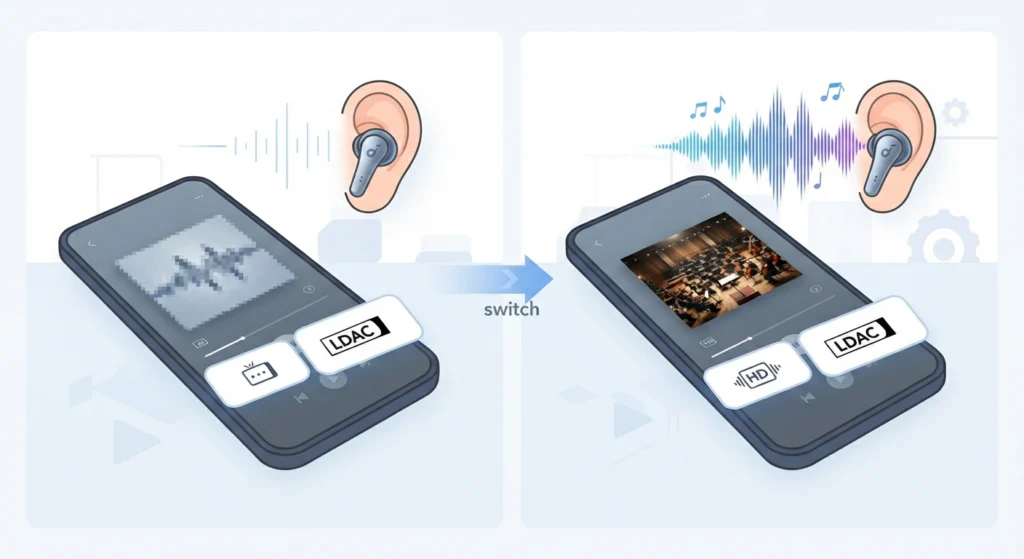
The source file matters as much as the codec. Streaming a standard-quality track will not sound different, since there is no extra detail for LDAC to carry. Switching to a Hi-Res track makes the difference obvious.
Fix 3: Audio Drops or Stutters After Enabling LDAC
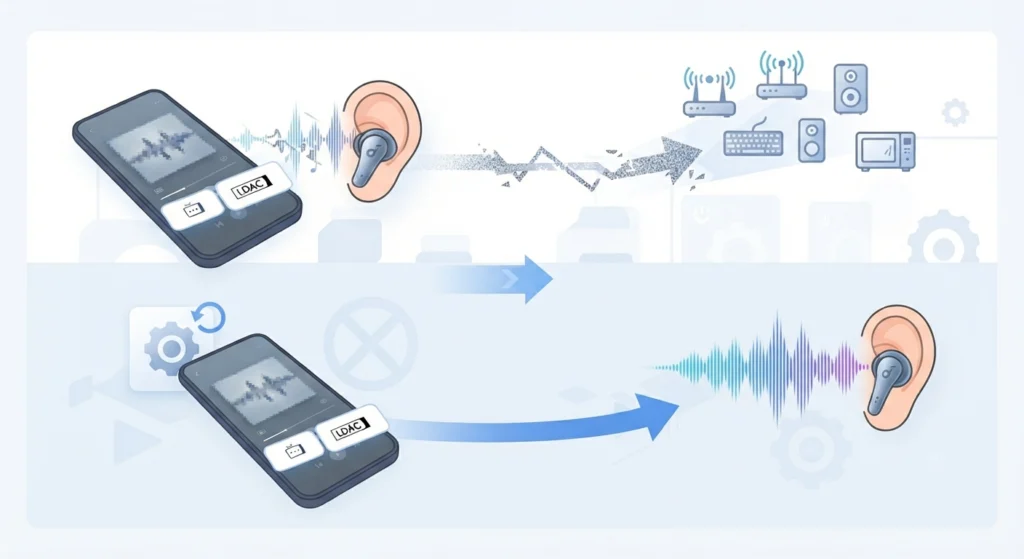
Because LDAC uses more Bluetooth bandwidth, interference-heavy environments can cause dropouts that would not happen on SBC. Moving away from crowded Wi-Fi routers or other Bluetooth devices usually clears this up. If problems continue, this guide on resetting audio settings outlines a clean way to restore default audio behavior on Windows 11 before reconnecting the earbuds.
Fix 4: Multipoint Connection Blocks LDAC
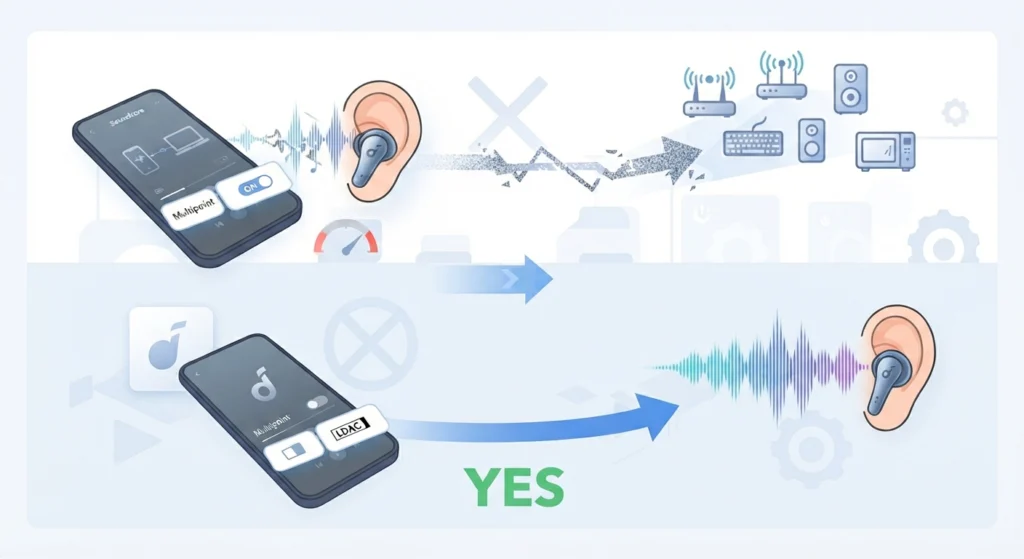
The Liberty 4 cannot run LDAC and multipoint at the same time due to Bluetooth bandwidth limits. Turning off multipoint in the app frees up the bandwidth LDAC needs.
Frequently Asked Questions
Does the Anker Soundcore Liberty 4 support LDAC?
Yes. The Liberty 4 supports LDAC alongside SBC and AAC codecs, and LDAC is enabled through the soundcore app rather than being active by default out of the box.
Why is LDAC not showing up on the Liberty 4?
This is typically caused by an outdated soundcore app, an earbud firmware version that has not been updated yet, or a phone that does not support LDAC at all.
Can LDAC be used on an iPhone with the Liberty 4?
No. LDAC is not supported on iOS devices. It only works with Android phones running version 8.0 or later.
Does LDAC reduce battery life on the Liberty 4?
Yes, LDAC processing increases power consumption because of its higher data transfer rate, which results in somewhat shorter playtime compared to SBC or AAC modes.
Why does LDAC stop working when multipoint is turned on?
LDAC and multipoint both require significant Bluetooth bandwidth, and the Liberty 4 cannot run both features simultaneously. Multipoint needs to be turned off for LDAC to function.
Is a firmware update required to enable LDAC?
Yes. The factory firmware on the Liberty 4 does not include LDAC support, so the app-guided firmware update is a required part of the setup process.
How can it be confirmed that LDAC is actually active?
After completing the firmware update, an LDAC icon appears on the Liberty 4 screen inside the soundcore app, confirming the codec is running.
Does every Android phone support LDAC automatically?
Most phones running Android 8.0 or later support LDAC natively, though some models, including certain Samsung phones, require manually selecting LDAC inside the Bluetooth settings menu.
Will LDAC make a noticeable difference with regular streaming music?
The improvement is most noticeable with Hi-Res or lossless audio sources. Standard-quality streams will not sound dramatically different since there is little extra detail for LDAC to carry.
What should be done if audio keeps cutting out after enabling LDAC?
Moving away from Bluetooth or Wi-Fi congestion usually resolves dropouts, since LDAC’s higher bitrate is more sensitive to interference than lower-bandwidth codecs like SBC.