
Earbuds that went through the washing machine are not automatically ruined – but the next few hours are critical. Water damage to earbuds is very common, and the good news is that many pairs can be fully recovered if handled correctly and quickly. The key is to stop using them immediately, remove all moisture, and give them enough time to dry before testing. This step-by-step guide walks through exactly what to do.
Quick Summary
- Do not plug in or turn on the earbuds after washing – this causes short circuits
- Shake out excess water and dry the exterior right away
- Use silica gel packets or uncooked rice to absorb internal moisture
- Wait at least 48 to 72 hours before testing
- Air drying at room temperature is safer than using heat
- Wired earbuds have a slightly higher recovery rate than wireless ones
Steps to Fix Earbuds That Went Through the Washing Machine
Fix 1: Remove and Dry Immediately
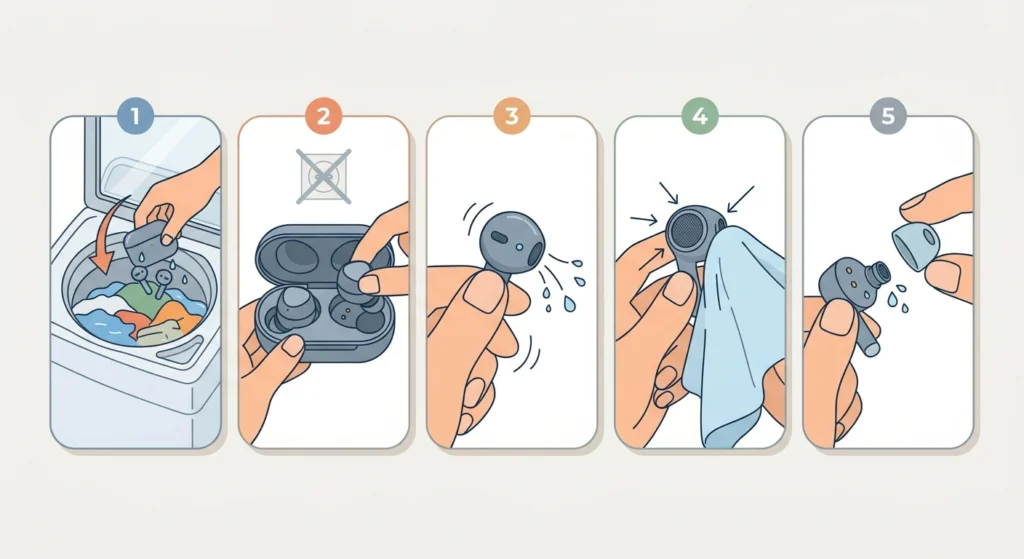
- Step 1: Take the earbuds out of the wet laundry as soon as possible. Every second they stay wet increases the risk of permanent corrosion on the internal components.
- Step 2: If they are wireless, open the charging case and remove the earbuds. Do not attempt to charge them or power them on.
- Step 3: Gently shake each earbud to dislodge water trapped in the speaker mesh, charging port, or ear tip cavity. A few firm but careful shakes are enough.
- Step 4: Use a dry microfiber cloth or lint-free towel to wipe down the entire exterior. Pay close attention to the speaker grille, the seam between parts, and any port openings.
- Step 5: Remove the silicone ear tips if they are detachable. Set them aside to dry separately. Water often pools underneath them.
Pro-Tip: Never use a hair dryer or place the earbuds near a heat source to speed up drying. High heat warps the plastic housing, damages adhesives, and can destroy the driver inside. Room temperature air is always the right call here.
Fix 2: Use Silica Gel or Rice to Draw Out Moisture
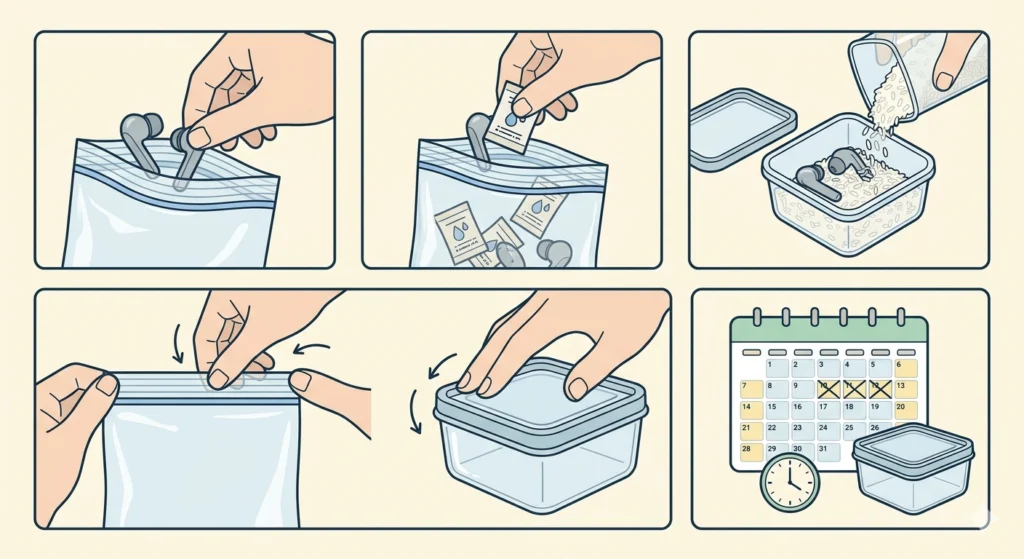
- Step 1: Place the earbuds in a small airtight container or zip-lock bag.
- Step 2: Add several silica gel packets around the earbuds. Silica gel is the best option here because it actively pulls moisture from the air and nearby surfaces much faster than rice.
- Step 3: If silica gel is not available, use uncooked white rice as an alternative. Fill the container so the earbuds are fully surrounded.
- Step 4: Seal the bag or container and leave it at room temperature. Avoid placing it in sunlight or near any heat.
- Step 5: Leave the earbuds undisturbed for a minimum of 48 hours. For best results, wait 72 hours before touching them again.
Fix 3: Allow Open-Air Drying as a Supplement
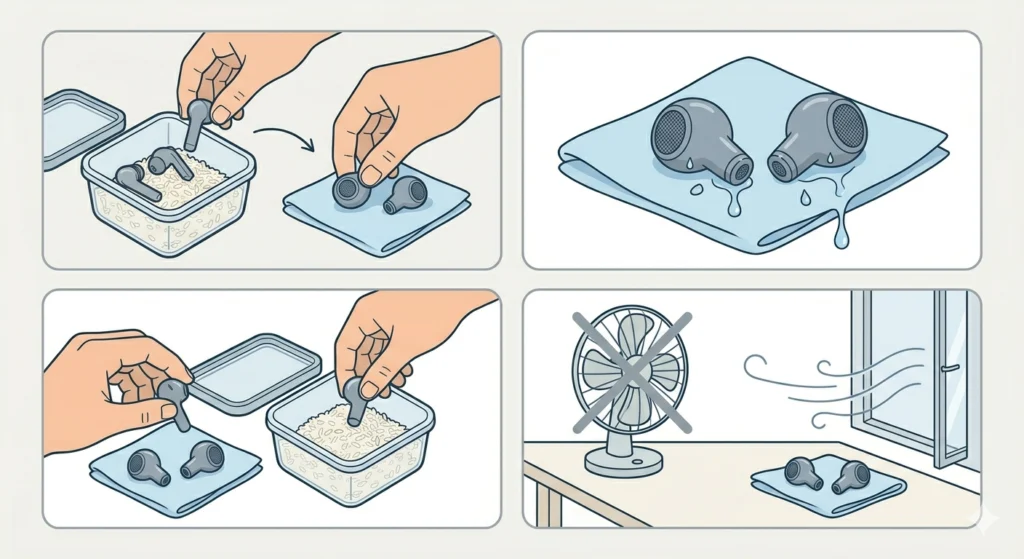
- Step 1: After the first 24 hours in silica gel or rice, remove the earbuds briefly and place them on a dry cloth in a well-ventilated area.
- Step 2: Position them with the speaker mesh facing downward so any remaining moisture can drain out by gravity rather than settle deeper inside.
- Step 3: Leave them in open air for a few hours, then return them to the drying container for the remaining time.
- Step 4: Do not use a fan blowing directly at them. A naturally ventilated room is sufficient.
Fix 4: Clean the Charging Case (Wireless Earbuds)
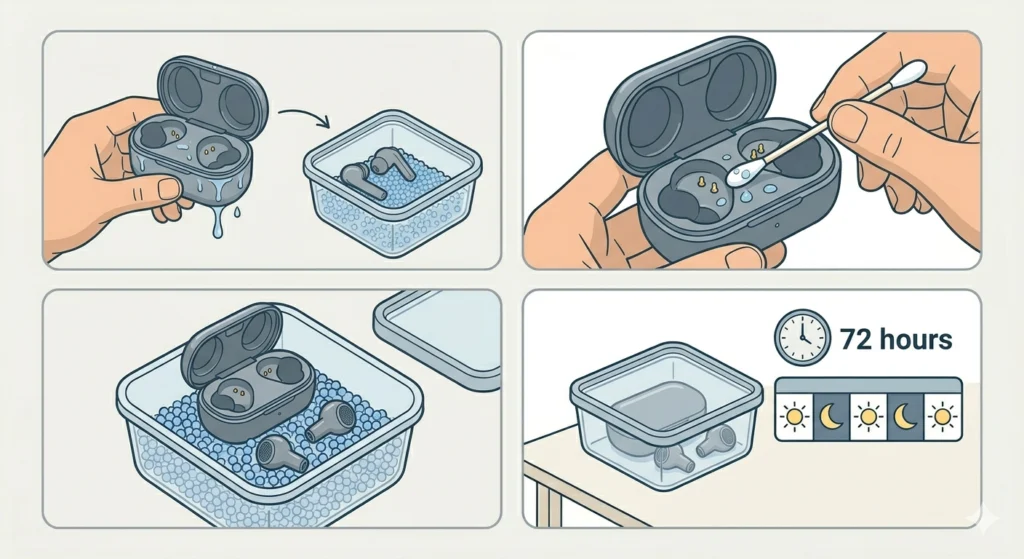
- Step 1: If the charging case also went through the wash, treat it separately. Do not place the earbuds back inside a wet case – it will just re-wet them.
- Step 2: Open the case fully and use a dry cotton swab to absorb water from the charging pins and interior corners.
- Step 3: Place the open case in the silica gel container alongside the earbuds.
- Step 4: Let the case dry for the full 72 hours before attempting to use it.
Fix 5: Test the Earbuds After Full Drying
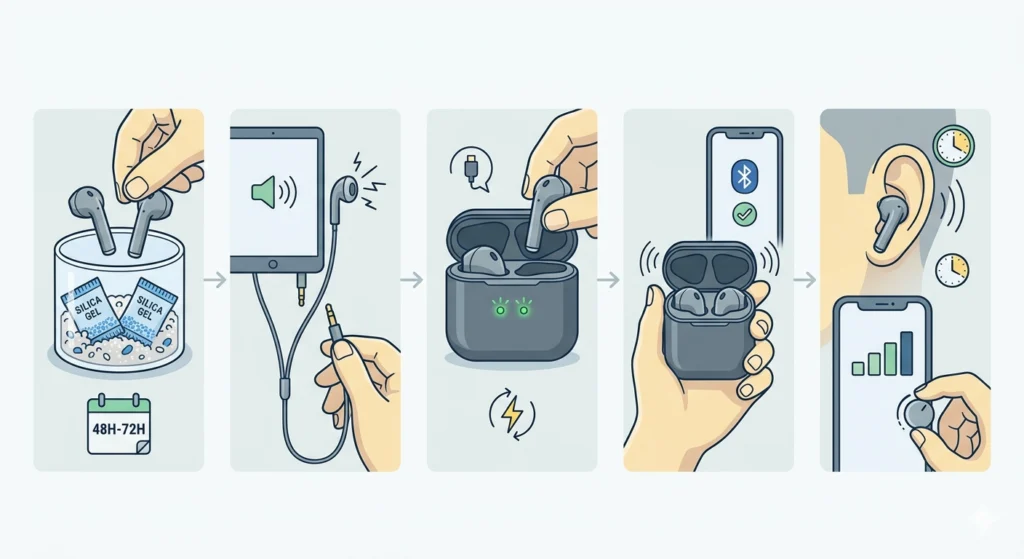
- Step 1: After at least 48 to 72 hours, remove the earbuds from the drying container.
- Step 2: For wired earbuds, plug them into a device at low volume. Listen for crackling, distortion, or complete silence in one or both sides.
- Step 3: For wireless earbuds, place them in the charging case for 15 to 30 minutes before attempting to pair. Check if they charge normally – if the LED indicators behave as expected, that is a good sign.
- Step 4: Once powered on, re-pair your Bluetooth earbuds for stereo sound if they are connecting but only playing audio from one side. Water damage sometimes resets pairing memory.
- Step 5: Test at gradually increasing volume levels. Crackling that clears up after a few minutes often means a small amount of residual moisture is finishing its evaporation during use. Give it time before concluding there is permanent damage.
Pro-Tip: If the earbuds power on but the microphone is not being detected by the connected device, that is a separate and common water-related issue. Windows 11 users can check their microphone detection settings to rule out a software-side problem before assuming hardware damage.
Tips for Better Recovery
- Act within the first 30 minutes – the faster the response, the better the outcome
- Use multiple silica gel packets rather than just one or two – more absorbent material equals faster drying
- Do not test the earbuds before the full drying period is over, even if they look completely dry on the outside
- Store silica gel packets in a sealed container between uses so they stay effective
- For earbuds with foam ear tips instead of silicone ones, replace the foam – it holds water and can harbor mold
- If the earbuds have a water resistance rating of IPX4 or higher, recovery chances are significantly better, though not guaranteed after a full wash cycle
Common Problems After Water Damage and How to Handle Them
One Earbud Works, the Other Does Not
This is one of the most common outcomes after a wash cycle. The driver or connection point in one earbud absorbed more water or sustained corrosion. Continue drying for an additional 24 hours with fresh silica gel. If it still does not work after extended drying, the internal driver may be permanently damaged.
Earbuds Power On But Sound Is Muffled or Distorted
Muffled sound usually means moisture is still present in the speaker mesh or inside the driver cavity. Return to the silica gel container for another 24 hours. Most people find that sound quality improves noticeably after a longer drying period rather than a shorter one.
Earbuds Will Not Turn On At All
If wireless earbuds refuse to power on after full drying, try placing them in the charging case for a full charge cycle first. If there is still no response, the battery controller or charging circuit may have short-circuited. This type of damage is generally not repairable at home.
Crackling Sound During Playback
A light crackling sound that fades during use is often just residual moisture evaporating. Give it 10 to 15 minutes of low-volume playback and see if it clears. Persistent crackling that does not improve usually points to a damaged driver cone.
Earbuds Work But Microphone Stopped Working
The microphone element is often more sensitive to water damage than the speaker driver. After ruling out physical damage, check device settings to confirm it is a hardware issue rather than a recognition problem.
Frequently Asked Questions
Can earbuds survive the washing machine?
Yes, many earbuds can survive a wash cycle if they are dried quickly and properly. Earbuds with higher IPX water resistance ratings fare better, but even standard earbuds can recover if moisture is removed before corrosion sets in. The first 30 minutes after discovery are the most important window.
How long should earbuds dry after going through the wash?
A minimum of 48 hours is recommended, and 72 hours is ideal. Internal components hold moisture longer than the exterior suggests, so testing too early risks short-circuiting parts that were almost but not fully dry.
Is rice actually effective for drying earbuds?
Rice works, but silica gel packets are significantly more effective. Rice absorbs ambient humidity somewhat passively, while silica gel actively draws moisture from surrounding materials. If silica gel is available, use it as the primary drying agent and reserve rice as a backup option.
Should a hair dryer be used to speed up drying?
No. Heat from a hair dryer can warp the plastic components, melt internal adhesives, and damage the diaphragm inside the speaker driver. Air drying at room temperature is always the recommended approach, even if it takes longer.
What if one earbud works and the other does not?
Continue the drying process for another full day with fresh desiccant. If one side is still silent after extended drying, the driver or internal wiring on that side likely sustained water damage. Reconnecting and re-pairing the earbuds can also help if the issue is Bluetooth-related rather than physical.
Do wireless earbuds have a worse survival rate than wired earbuds?
Generally yes. Wireless earbuds contain more sensitive components – batteries, Bluetooth chips, charging circuits – that are more vulnerable to water damage than the simple wired connection in traditional earbuds. However, many modern wireless earbuds include water resistance features that improve recovery odds.
Is it safe to use earbuds immediately after they come out of the wash?
No. Using water-damaged earbuds before they are fully dry is one of the most common ways to cause permanent damage. Powering on wet electronics pushes current through components that are still bridged by water, which causes short circuits and corrosion that proper drying alone could have prevented.
Can the washing machine damage the earbud cable on wired earbuds?
Yes, though it is less common than driver damage. The cable insulation can absorb water, and if the internal wiring is already worn or cracked, water can enter and corrode the copper strands. If the cable feels stiff or discolored after washing, inspect it carefully before use.
What is the best way to prevent earbuds from going through the wash again?
Establishing a habit of checking pockets before starting a laundry load is the most reliable prevention. Keeping earbuds in a dedicated case that stays on a desk or bedside table rather than in clothing pockets also eliminates the risk entirely.
What if the earbuds smell bad after washing?
A musty or chemical smell after washing usually comes from detergent residue trapped inside the housing or ear tips. Wipe the exterior with a barely damp cloth, replace silicone ear tips if they retain the smell, and allow full open-air drying before use.